Redaction tools in Vulcan Veil
A large number of users in government and private sector work with sensitive information. Users will often want to redact that information, before allowing AI to view the information in the documents or data. Vulcan Veil was built with this use case in mind, and has multiple tools to help analysts redact data safely on their device.
Redacting Text in PDFs
For PDF documents that contain personally identifiable information (PII) — like names, dates of birth, social security numbers — you likely do not want to divulge that information to AI programs (even zero data retention ones like Vulcan Veil uses). Vulcan Veil uses models that can run on your device to quickly identify and black out this information from PDFs.
Many individuals make a mistake at the black out part — they do not remove the underlying text from the document. Vulcan Veil uses a process of turning the PDF into images and then re-OCRing the documents so you can be sure no text lives on in the final redacted document.
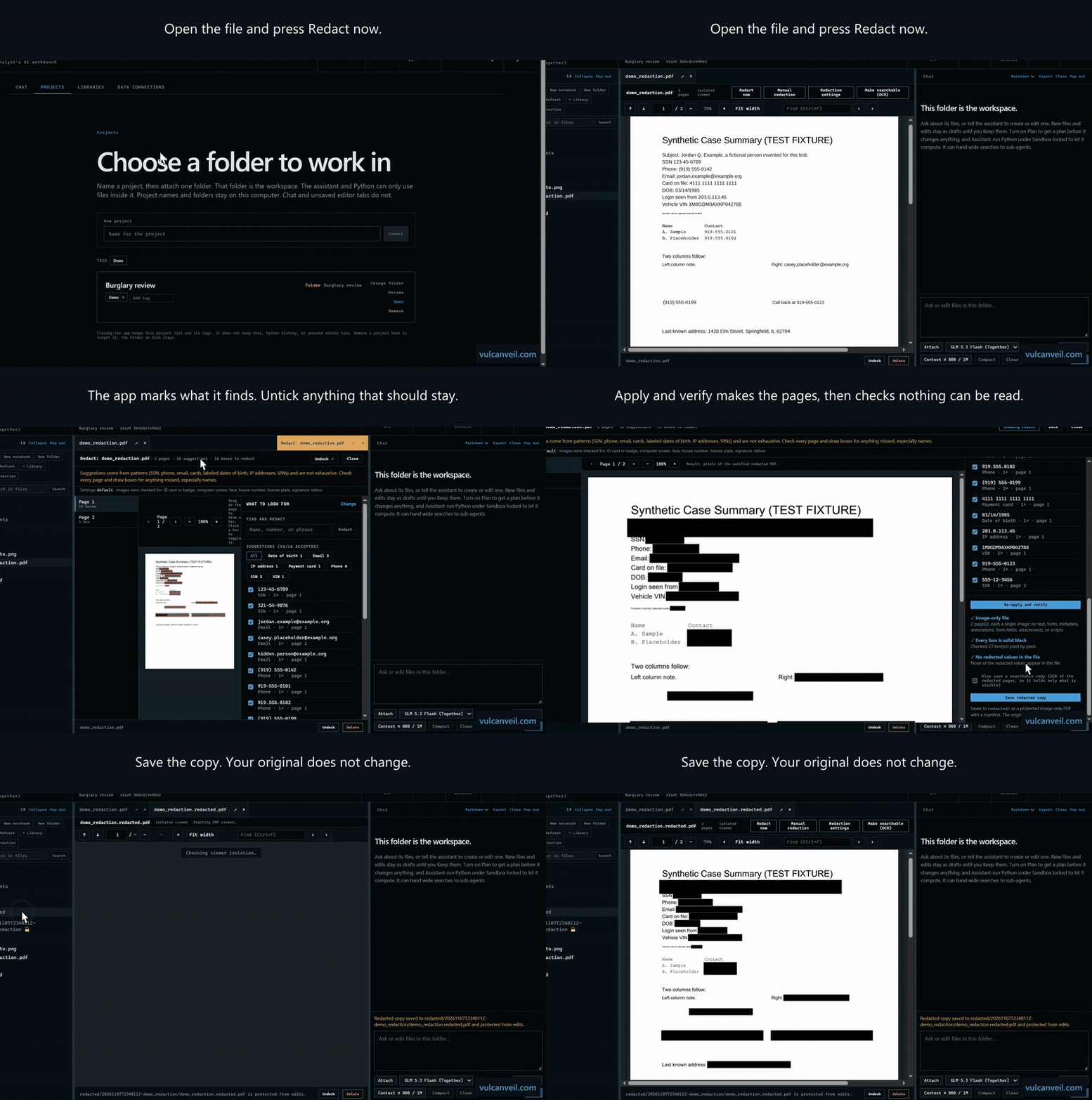
The docs page Redacting a PDF walks through it step by step, with a sample file to follow along.
Redacting Images
Photos may also contain PII — such as an individual's face. Vulcan Veil has additional tools to redact images (either directly in image files or in PDFs). These image search models can be adjusted to also look for other types of information, or a human can manually redact images as well.
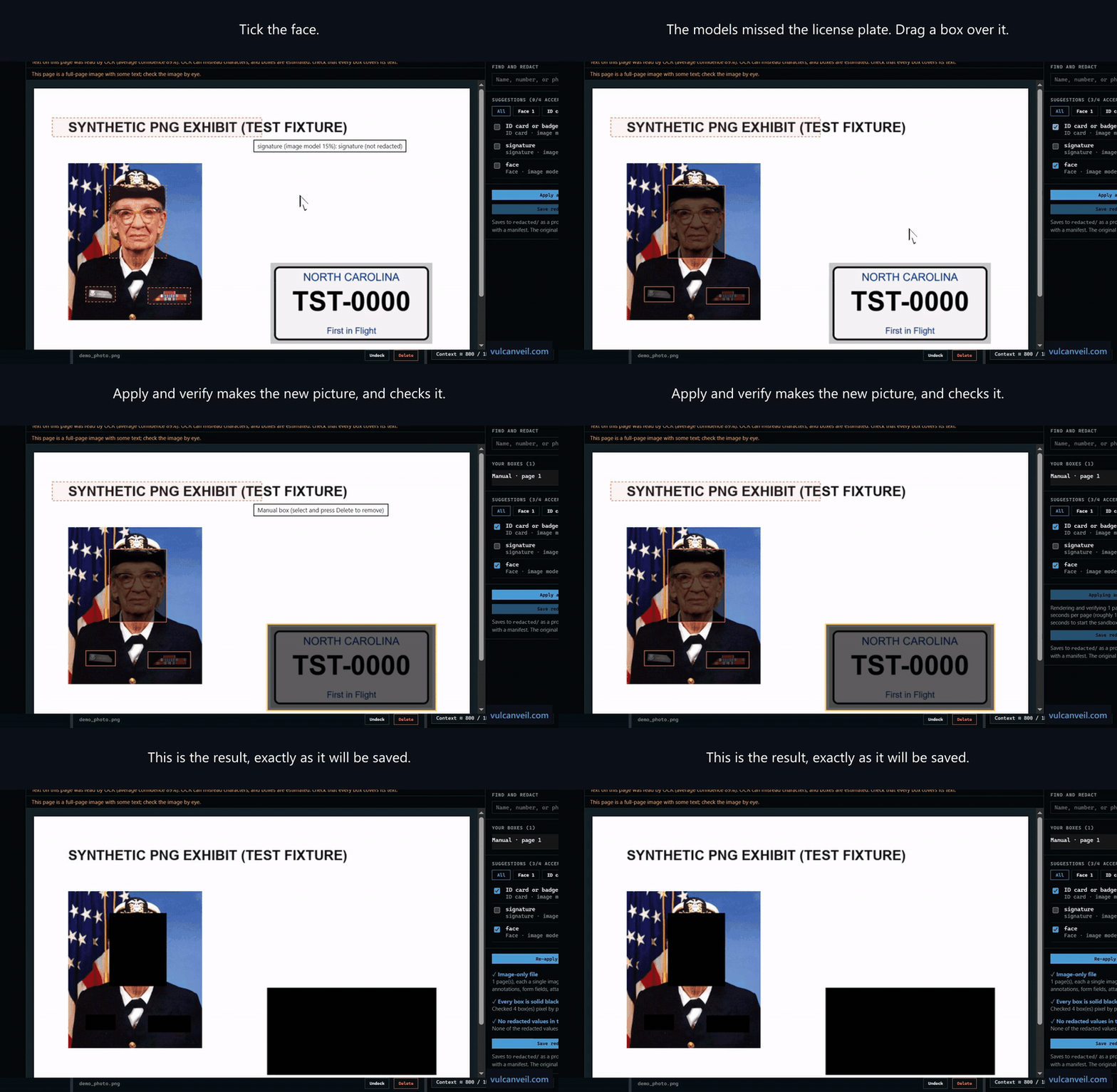
See Redacting an image for the steps, and Changing what redaction looks for to add your own words, patterns, and labels.
Another option for images is to convert the PDF to markdown (a text only version of the PDF), and then use Vulcan Veil's fine grained access control on documents to only allow the agent to view the markdown text. (This is also useful to keep the original and redacted in the same project, you just allow read for the redacted file and hide the original.)
Working with Sensitive Data
One approach to redacting a data file is the same as text in PDFs: scan the text for PII and
replace each sensitive value with a placeholder. The same person stays [NAME A]
all the way through (see Removing PII for doing this to a
whole library of documents). For a table, two other approaches usually make more sense.
The simplest is to restrict the field to the AI to begin with. In Vulcan Veil's data connections, in which you can make a local lakehouse copy of a live database, you can select individual columns to exclude. And my tool automatically flags to the reviewer fields that include potential PII.
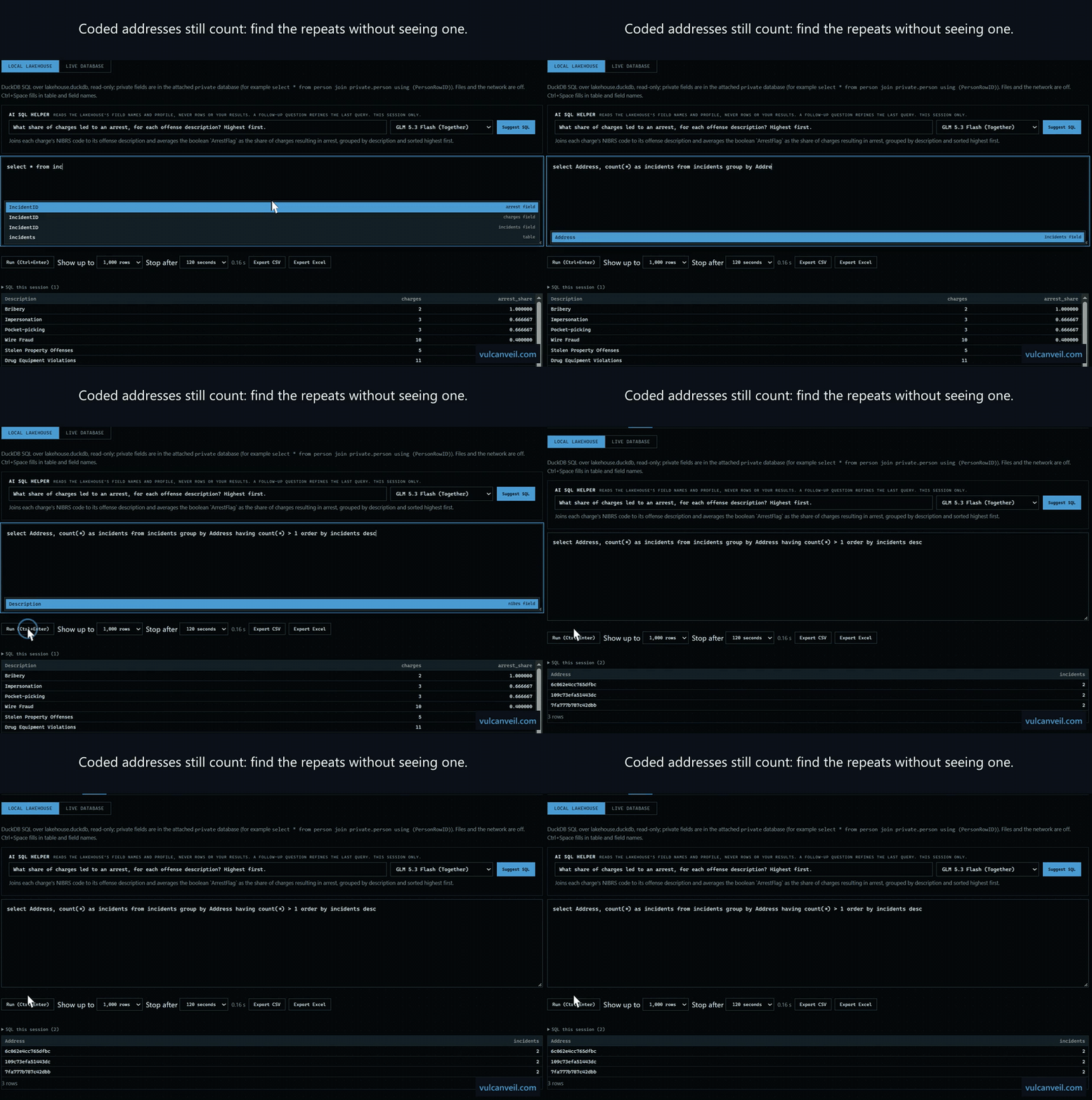
The other approach is to hash the field. A keyed hash replaces each value, and the same
value always gets the same code (the first 16 characters of an HMAC-SHA256). You can still
GROUP BY the column and see which rows repeat. So for example, social security
numbers may hash to something like this:
ssn               n
4f1c9a02e8b7d316  2
a90e15c4b2d86710  1
So you know you have a repeated SSN in the database, the agent just does not have access to the information. The SQL is all still correct though, so you can run the script on the live data if you actually need the information.
If you have many documents to redact, the desktop app is worth the cost for the redaction tools alone: suggestions, boxes you draw by hand, and a check before the file is saved. The 7-day sign-up trial does not restrict redaction. It runs on your computer, and it does not spend the trial's $5 of model use. So you can test it out with as many documents as you need to redact.