Redacting a PDF
A black box drawn over text in most programs leaves the text underneath. Redaction here makes a new file where the details are gone, and it checks that before you can save. It all runs on your computer. The file on this page is made up.
Follow along: download demo_redaction.pdf (4 KB) and demo_photo.png (452 KB) and put them in a project.
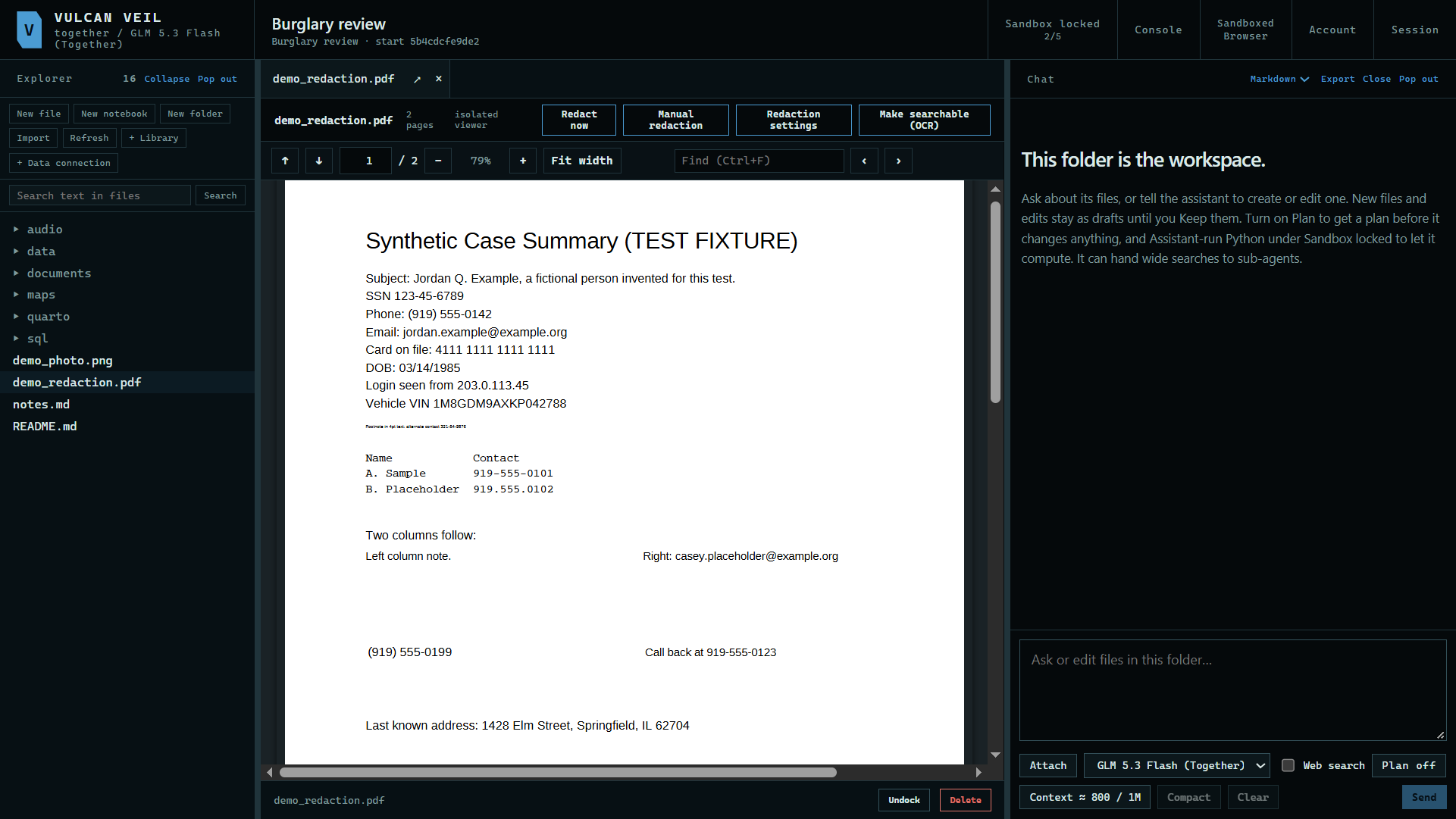
1. Start a redaction
Open a PDF or picture and press Redact now. Manual redaction skips the suggestions, so you mark everything yourself.
 Expand
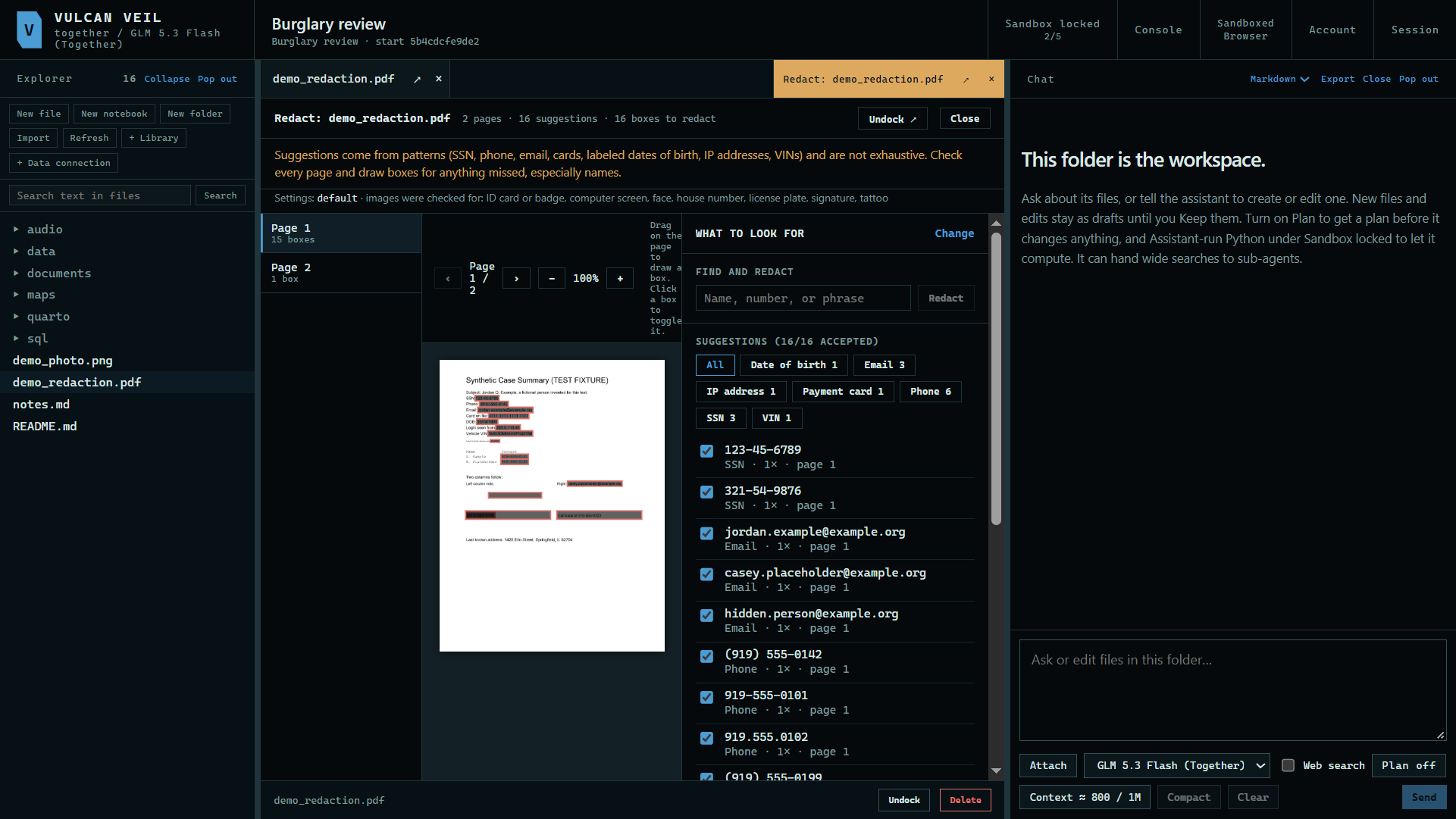
2. Review the suggestions
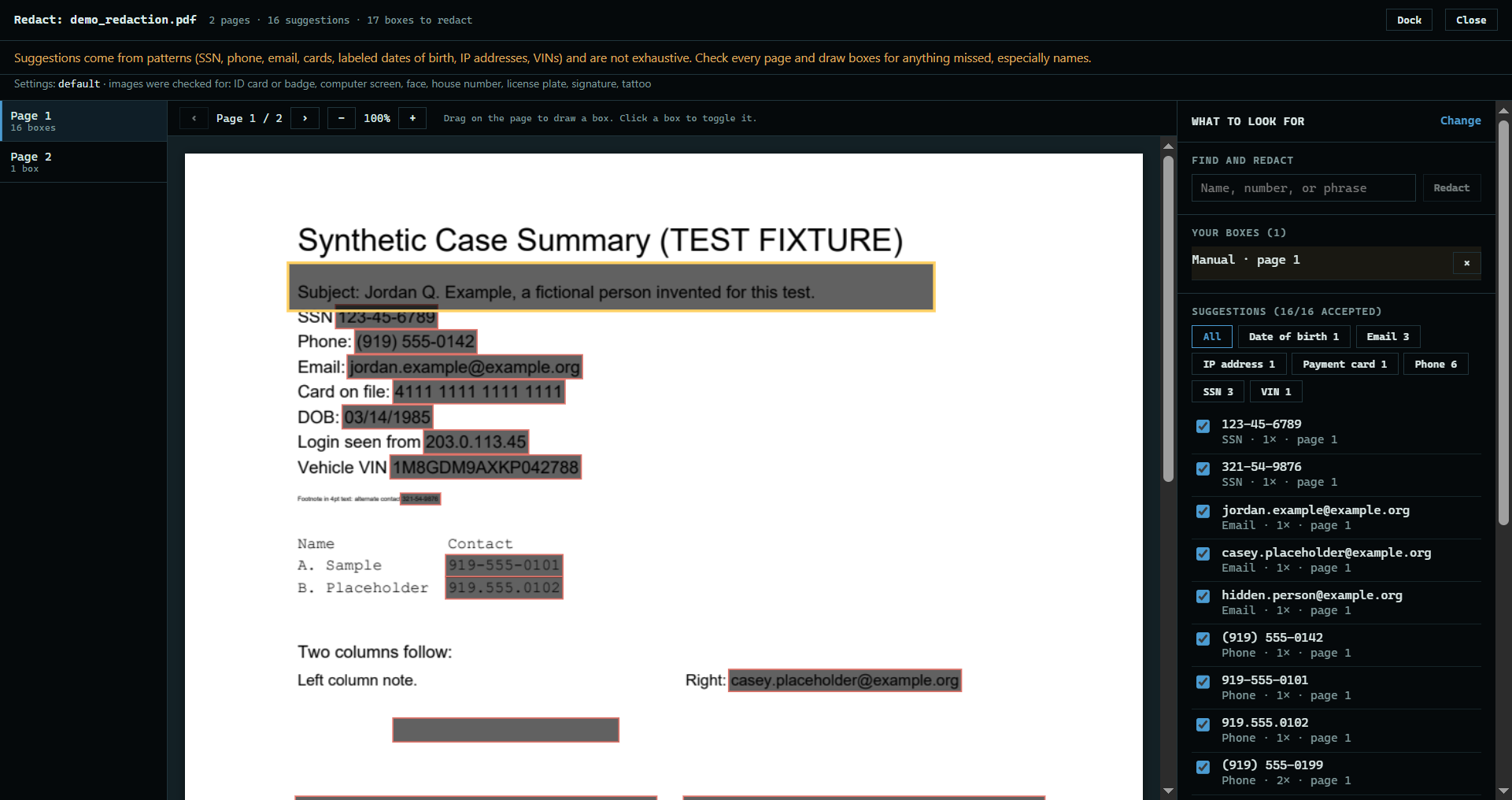
The app finds Social Security numbers, phone numbers, email addresses, cards, and more, and marks each on the page. Untick any that should stay.
 Expand
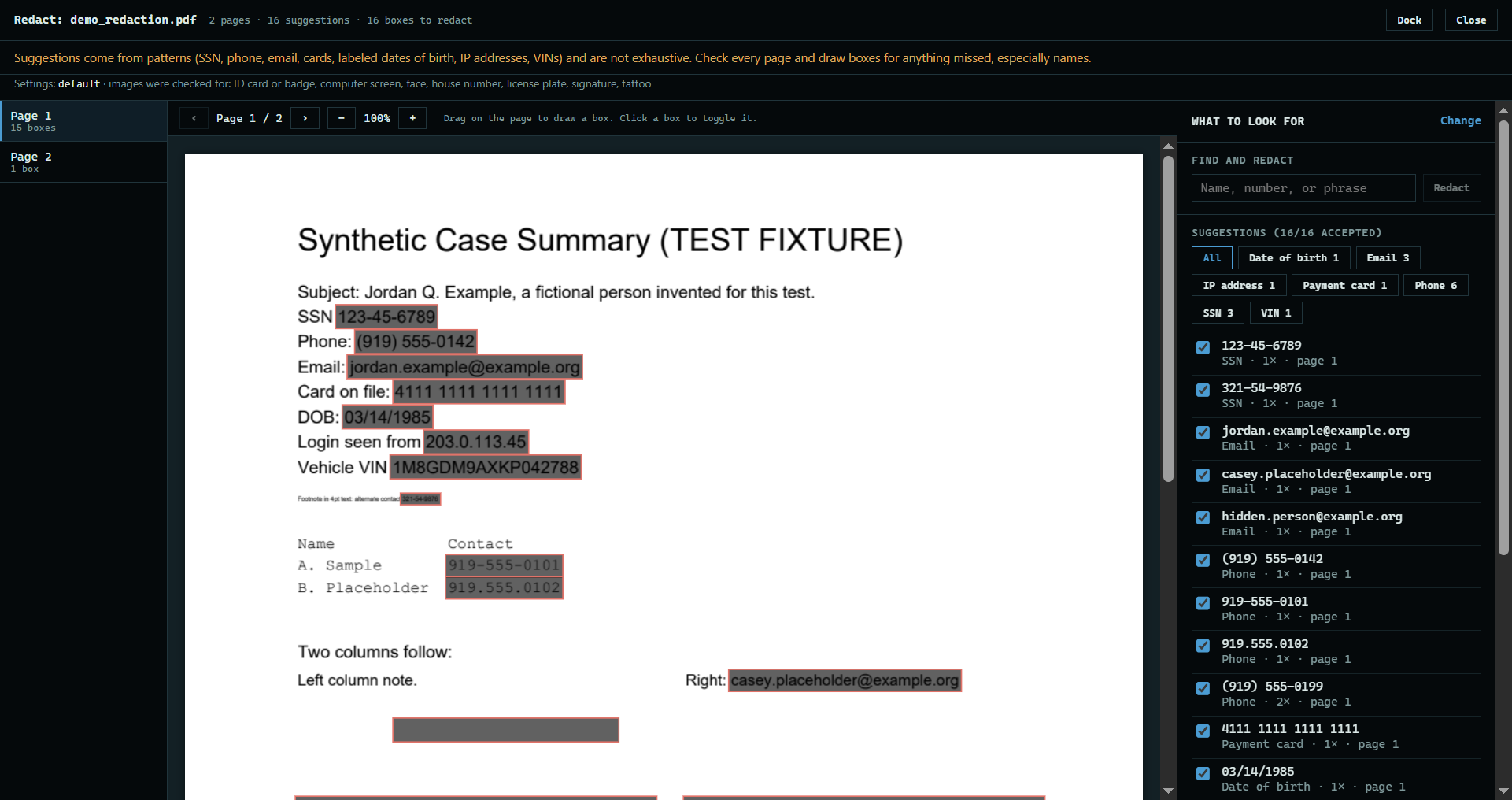
3. Give it more room
Press Undock ↗ to move the review into its own window, then maximize that window, or drag it to another screen. Everything you marked comes with it, and Dock puts it back in the project.
 Expand
4. Add your own
Drag a box over anything else that has to go. To remove a name or phrase everywhere it appears, type it under Find and redact and press Redact. Names and street addresses are not suggested, so look for them yourself.
 Expand
5. Apply and verify
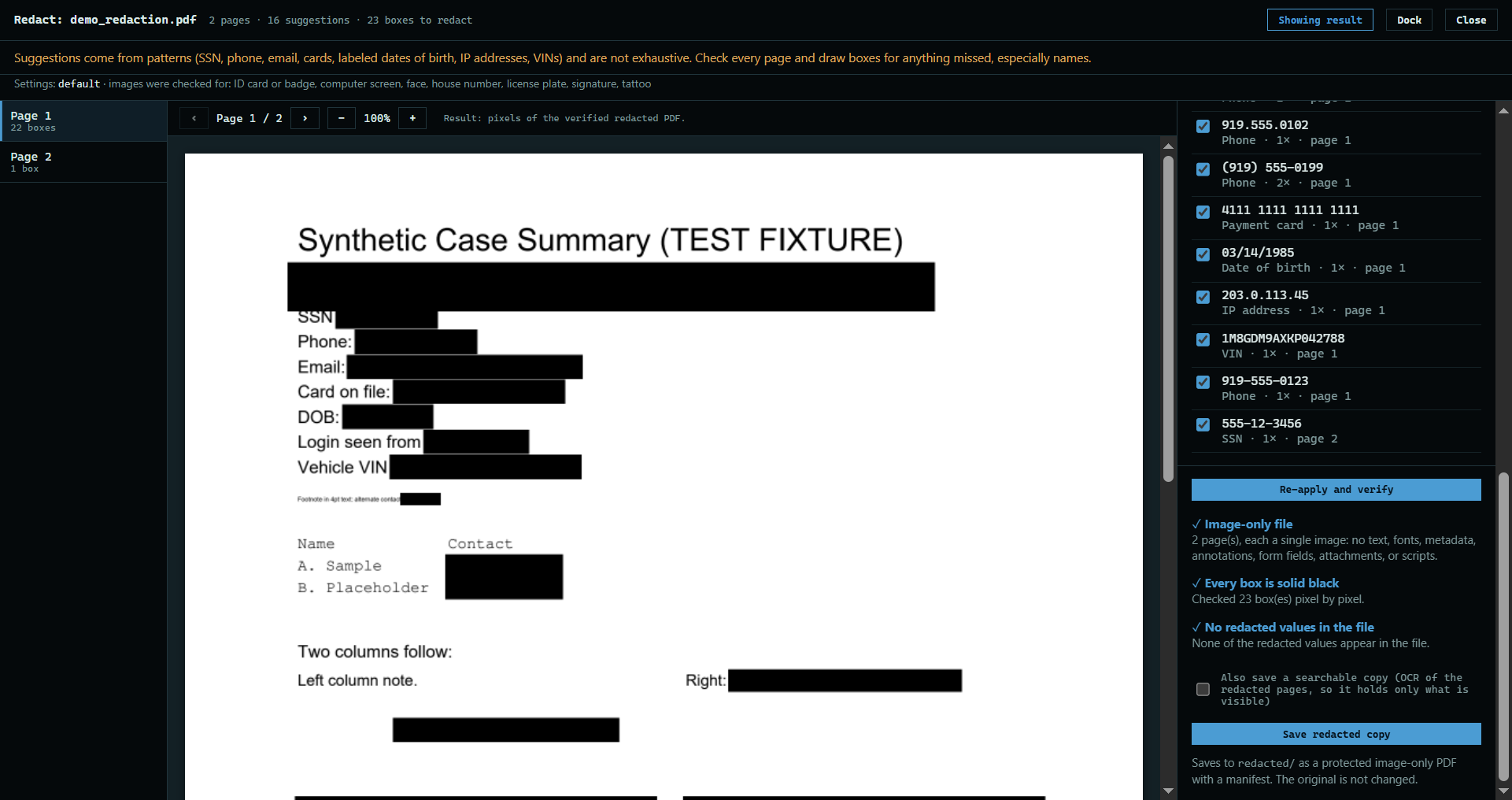
Press Apply and verify. The app makes the redacted pages, then checks that nothing marked can still be read.
 Expand
6. Save the copy
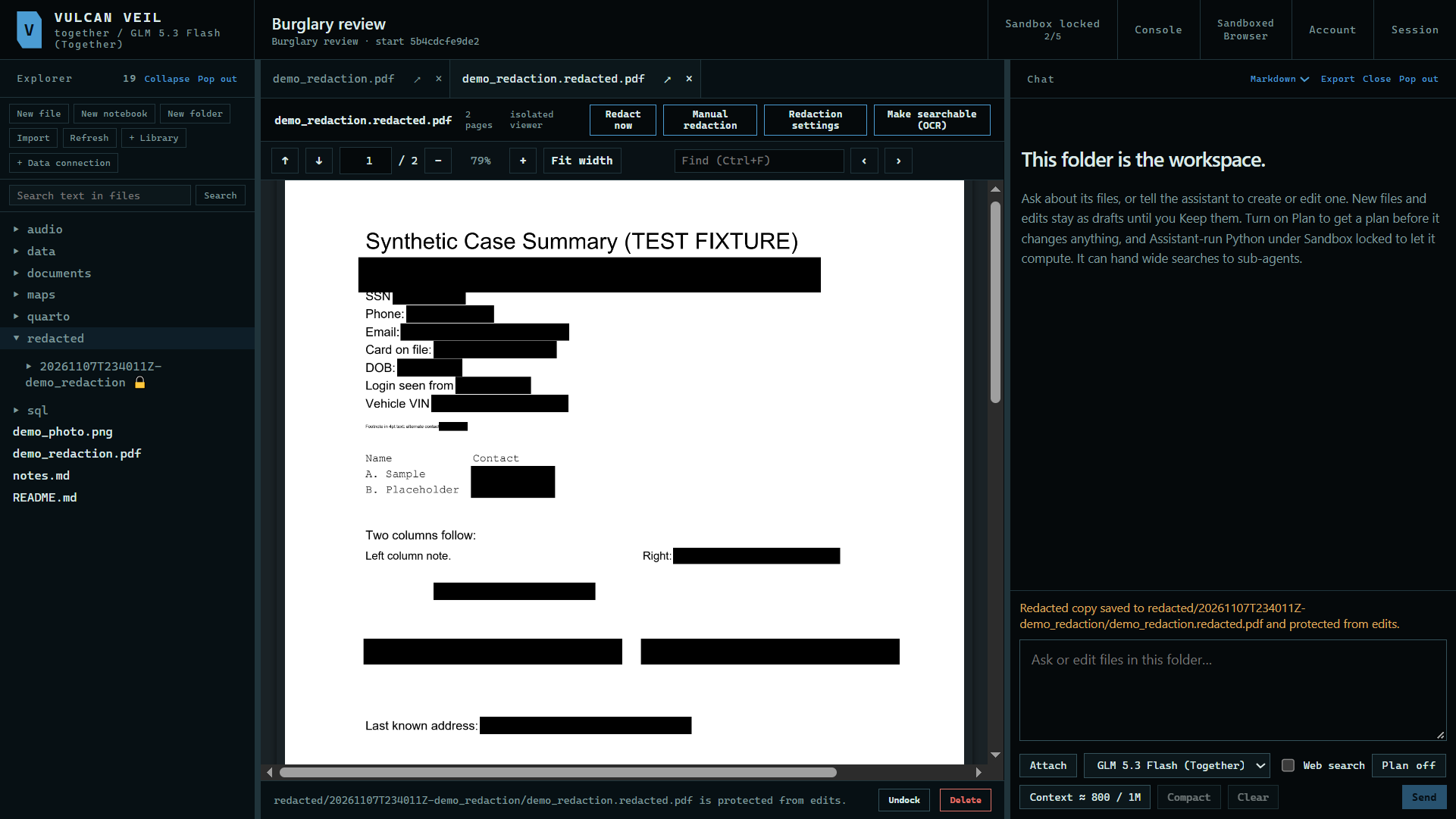
Press Save redacted copy. It goes under redacted/ with a manifest and SHA256SUMS.txt, protected from edits. Your original does not change.
 Expand
Good to know
- A saved PDF is image-only, so no hidden text survives. Tick Also save a searchable copy for a version with text, read from the redacted pages.
- Pictures work the same way, with suggestions from local image models. See Redacting an image.
- Suggestions can miss things, so read every page before you save.