Choosing a model and seeing your usage
You can choose which model answers. They differ in speed, price, and what they can read, and each one is billed by what you use. Account and usage shows where your plan stands.
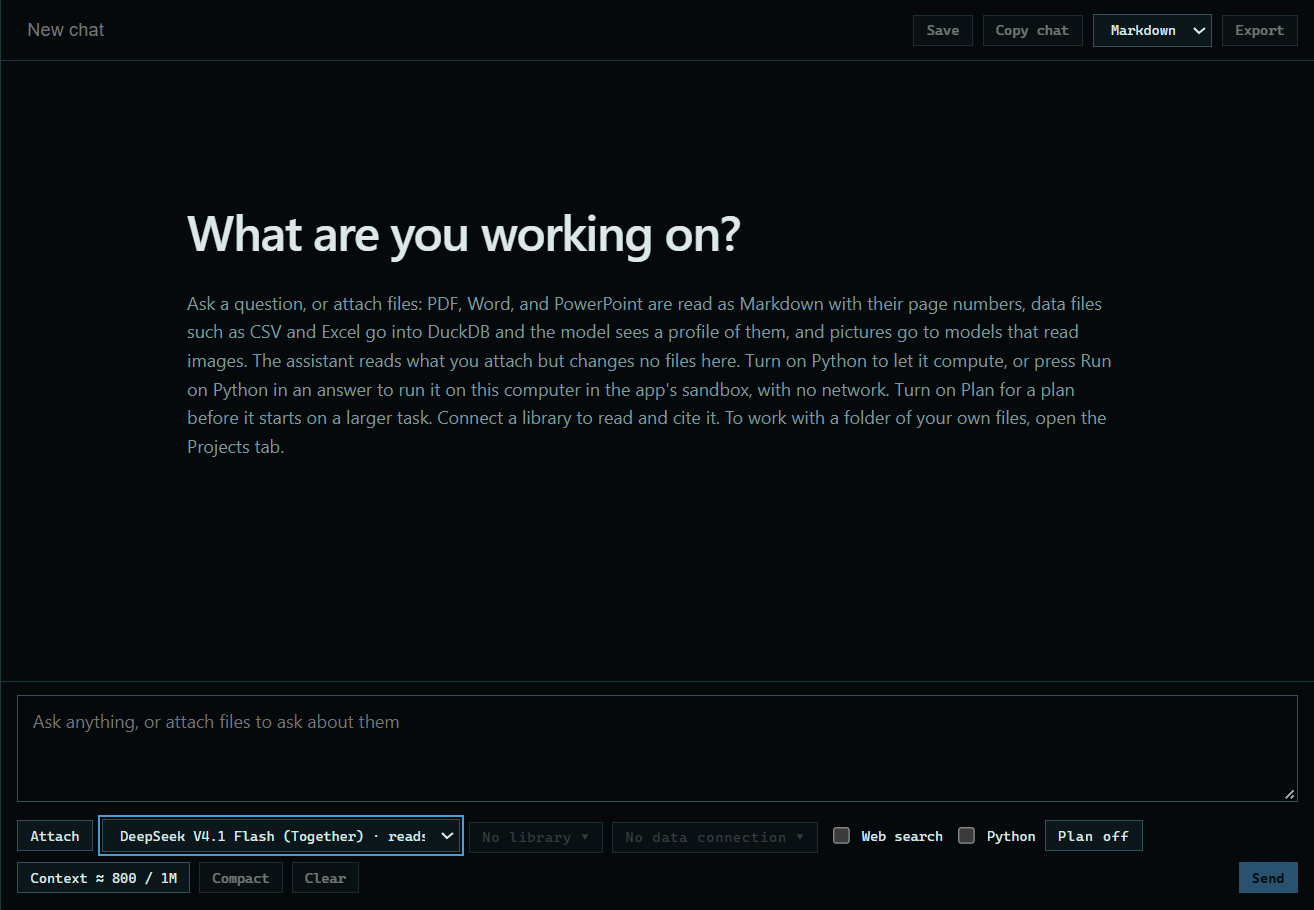
1. Choose a model
Pick one from the list under the message box. The next message goes to that model.
 Expand
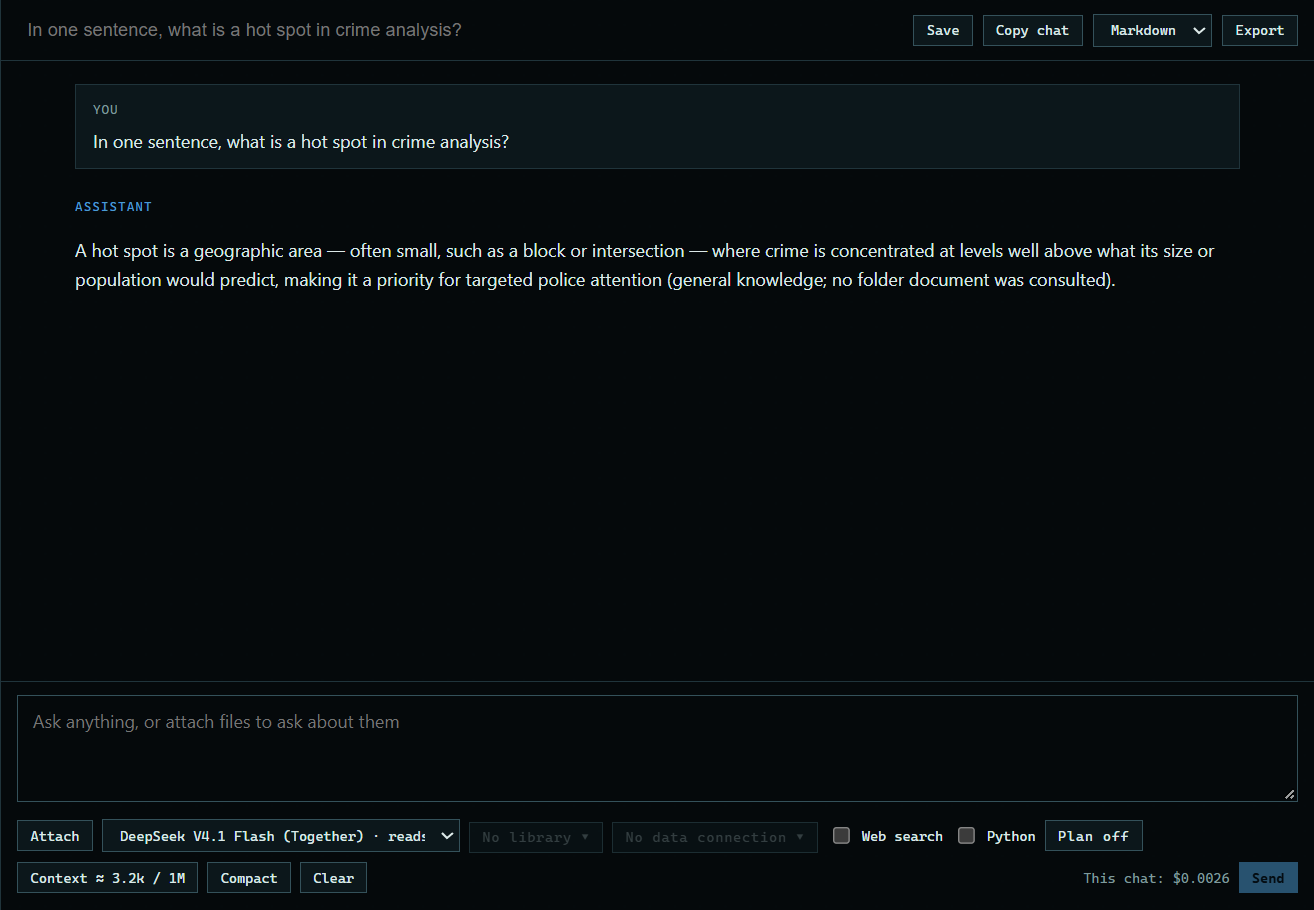
2. Ask something
Type your question and press Send. Here: "In one sentence, what is a hot spot in crime analysis?" The line under the message box shows what this chat has cost so far.
 Expand
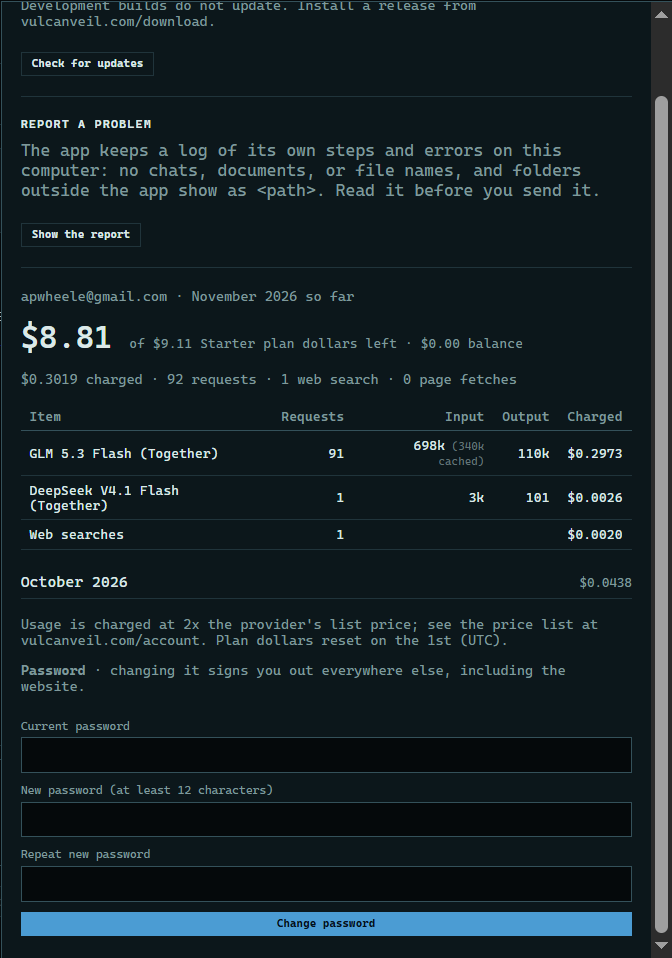
3. See your usage
Press Account and usage at the top of the app. It shows what is left of your plan this month, and each model's requests, tokens, and charges.
 Expand
Good to know
- The models page lists each model's price and what it can read.
- Usage is charged at twice the provider's list price, and plan dollars reset on the 1st of the month (UTC).
- Web searches and page fetches have their own lines in the table.