Using a team account
You sign in to the desktop app with the same email as the website. If you are on a team, your chats use the team's plan, and your team owner's choices apply here too. There's nothing to set up on this computer.
1. See your models
The model list under the message box shows only the models your team's owner allows. Here, the team allows two.
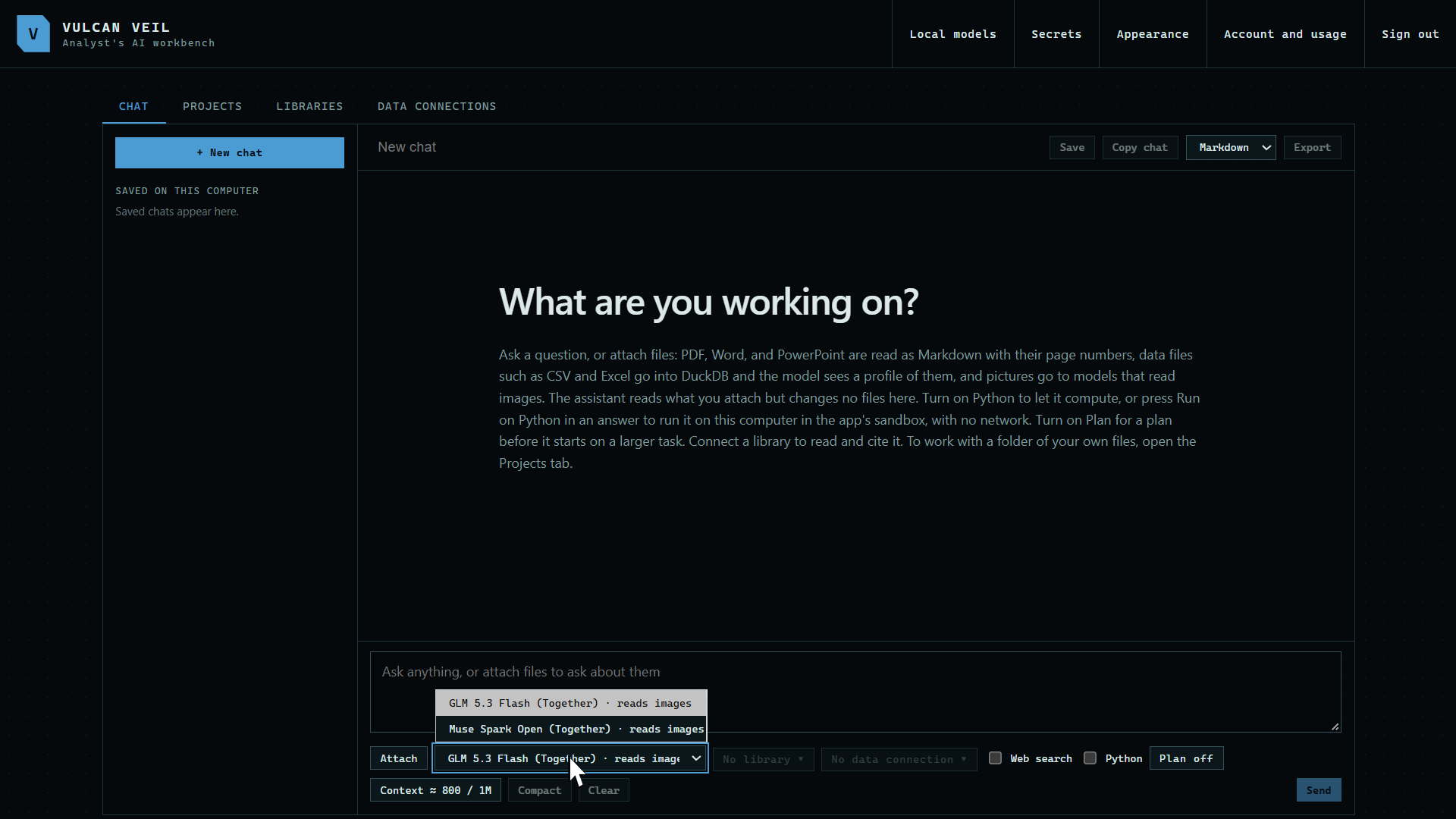 Expand
2. See your team and your limit
Press Account and usage at the top of the app. It names your team and who pays for its plan, shows your monthly limit if you have one, and shows what is left of the team's shared pool.
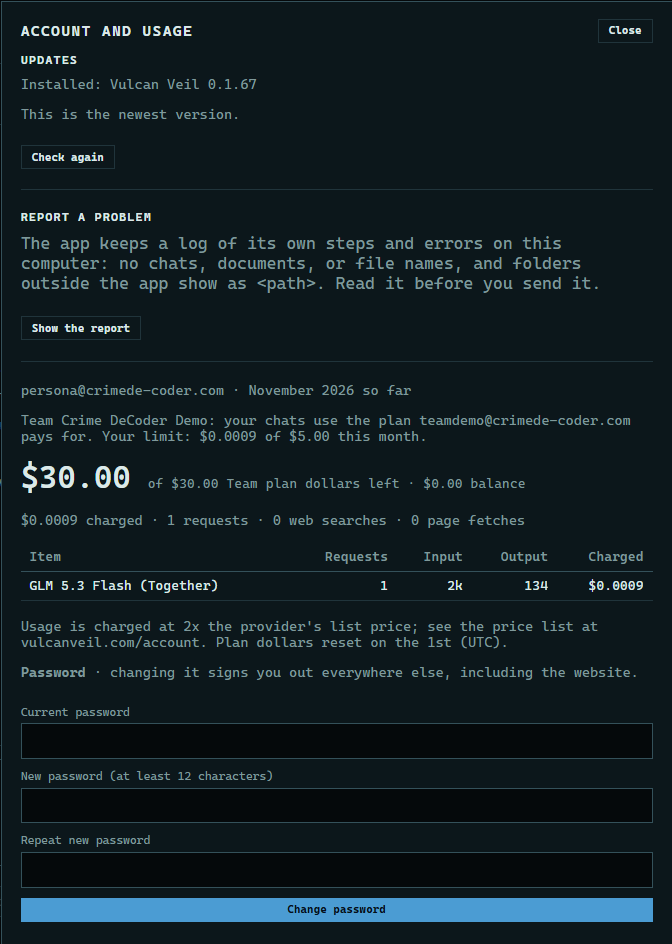 Expand
Good to know
- If your team limits its networks, the desktop app only signs in from those networks too. If you move to a new one, ask the owner to add it.
- Web search sites your owner sets apply to the desktop app's chats too.
- When you reach your monthly limit, the next message is refused until the owner or a manager raises it, or the month starts over on the 1st (UTC).
- Owners and managers run the team on the website. See Inviting people, Monthly limits, and Limiting models.