Reporting a problem
If something goes wrong, the app can show you a report of what it was doing. It holds no chats, documents, or file names, and you read the whole report before it goes anywhere.
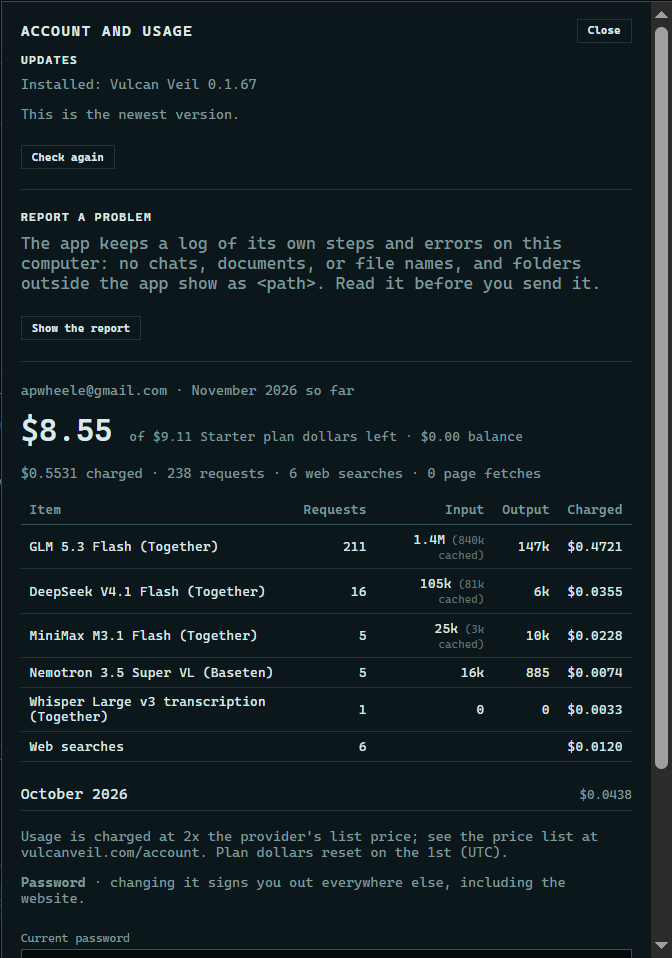
1. Open the report
Press Account and usage at the top of the app, then Show the report under Report a problem.
 Expand
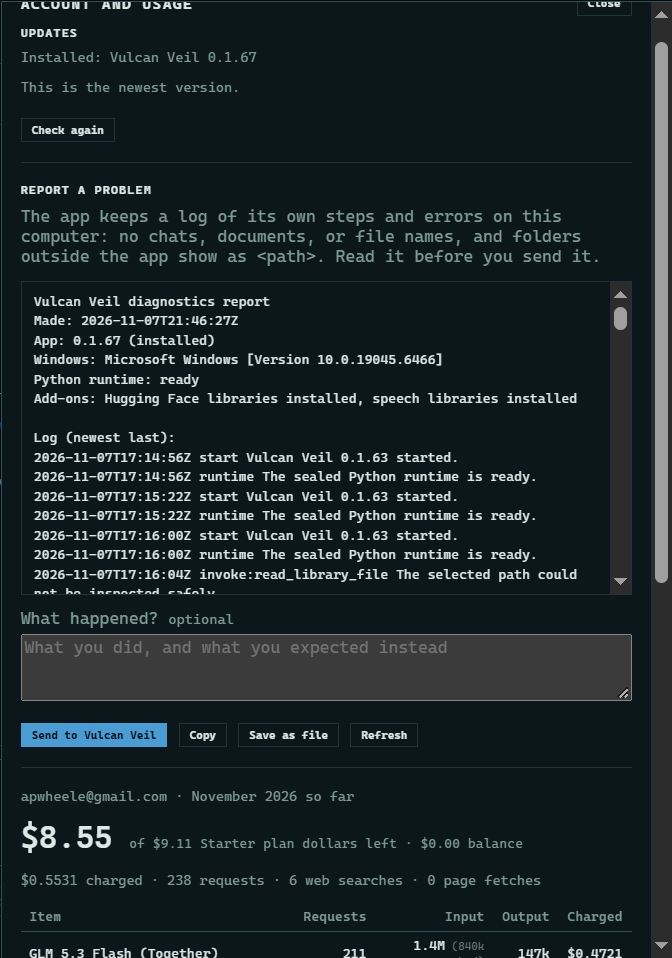
2. Read it
The report starts with your app's version, then lists its steps and errors. Folders outside the app show as <path>.
 Expand
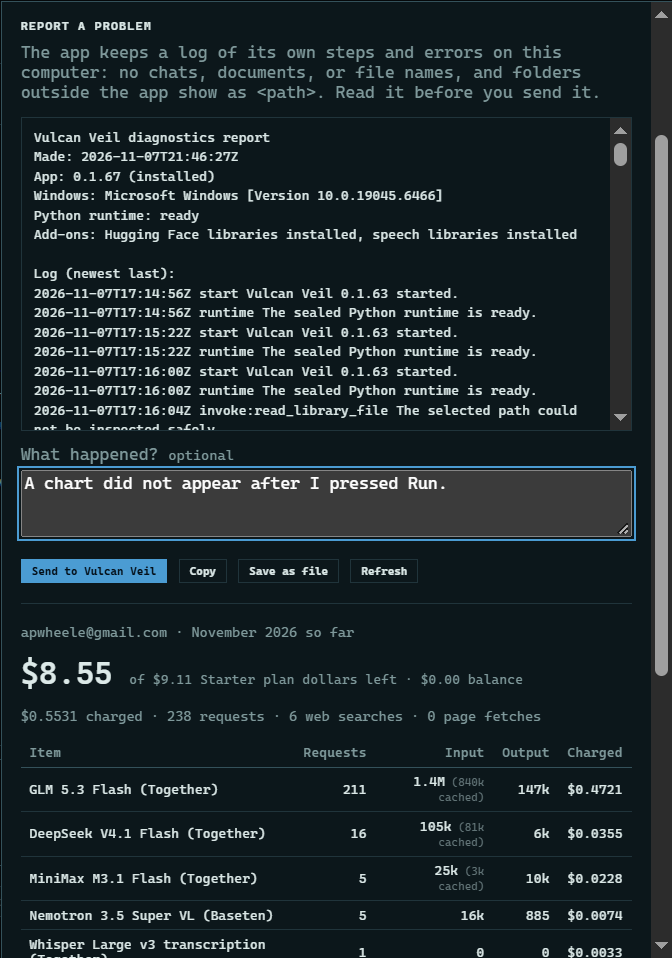
3. Say what happened, and send it
Add a note if you like, then press Send to Vulcan Veil. We reply to your account's email address. Copy and Save as file keep the report on your computer, if you would rather email it yourself.
 Expand
Good to know
- You can send up to five reports a day.