Library settings
Each library has its own settings, so a folder of public reports and a folder of interviews can work differently. The files on this page are made up.
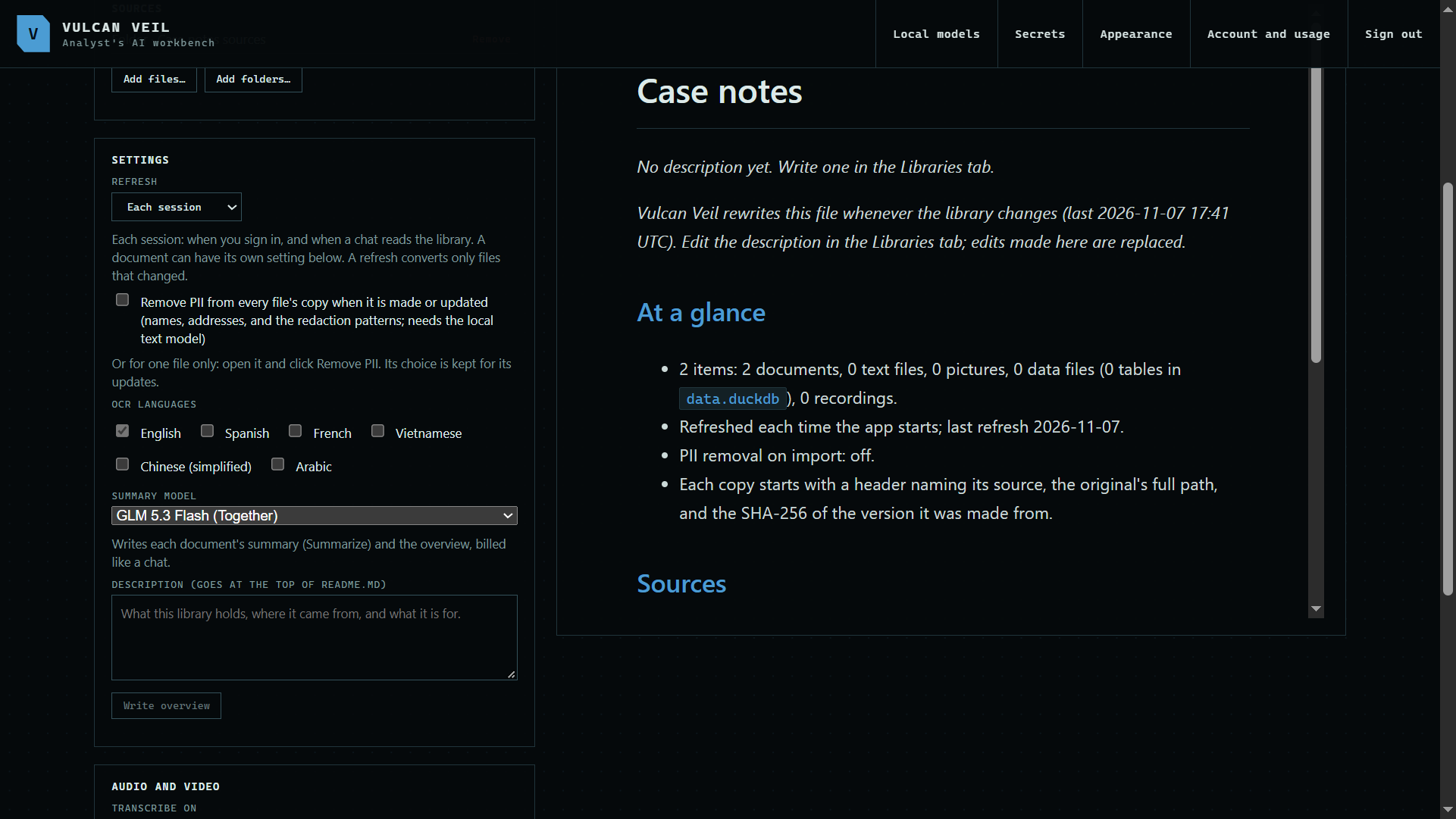
1. Refresh and PII
Refresh sets when the library checks its sources. Remove PII takes personal details out of every file's copy. OCR languages tell it what scanned pages are written in.
 Expand
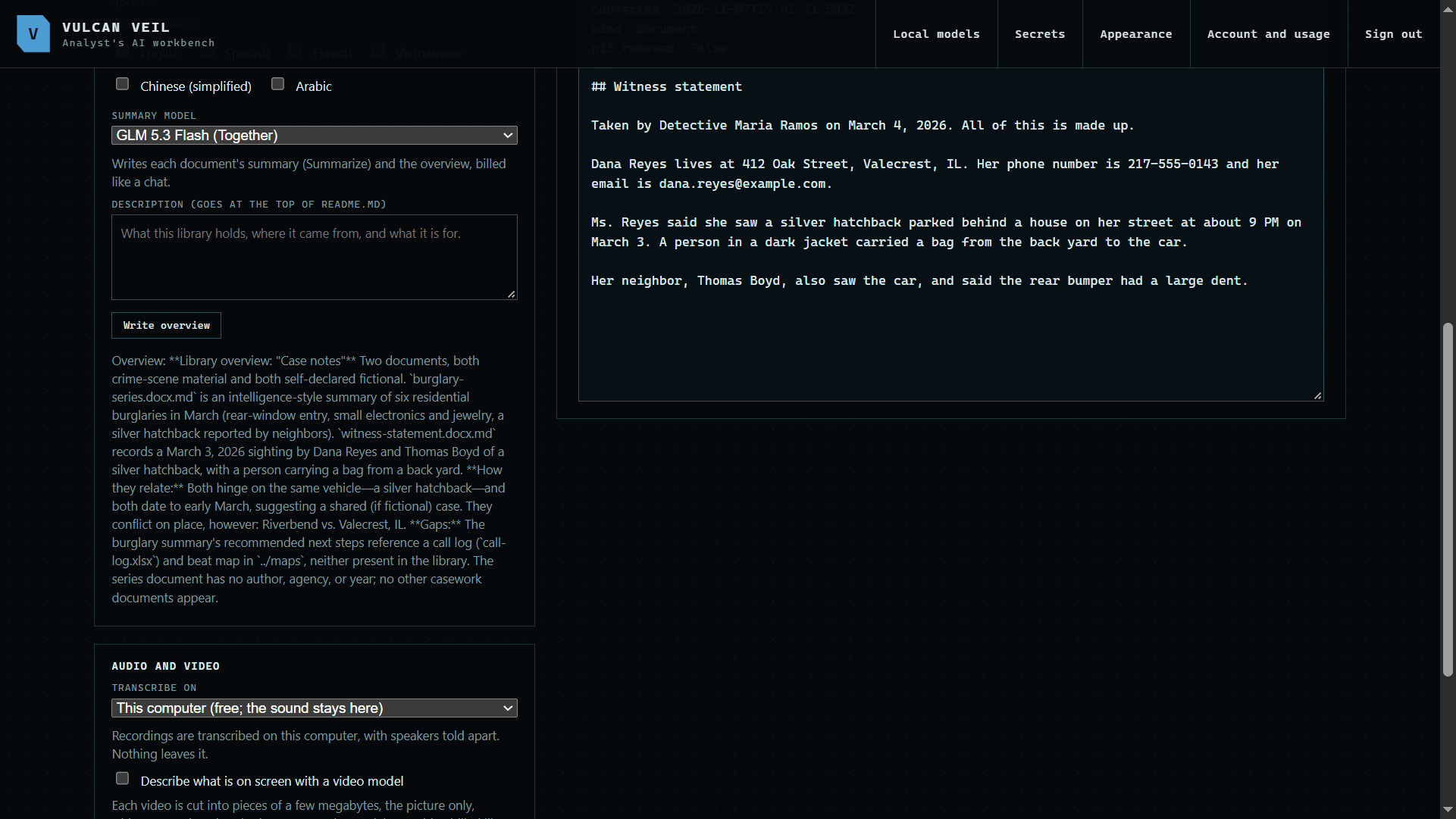
2. Summaries and the overview
Summary model writes each document's summary and the library's overview. Add a description, or summarize your documents and press Write overview to have the model write one from those summaries.
 Expand
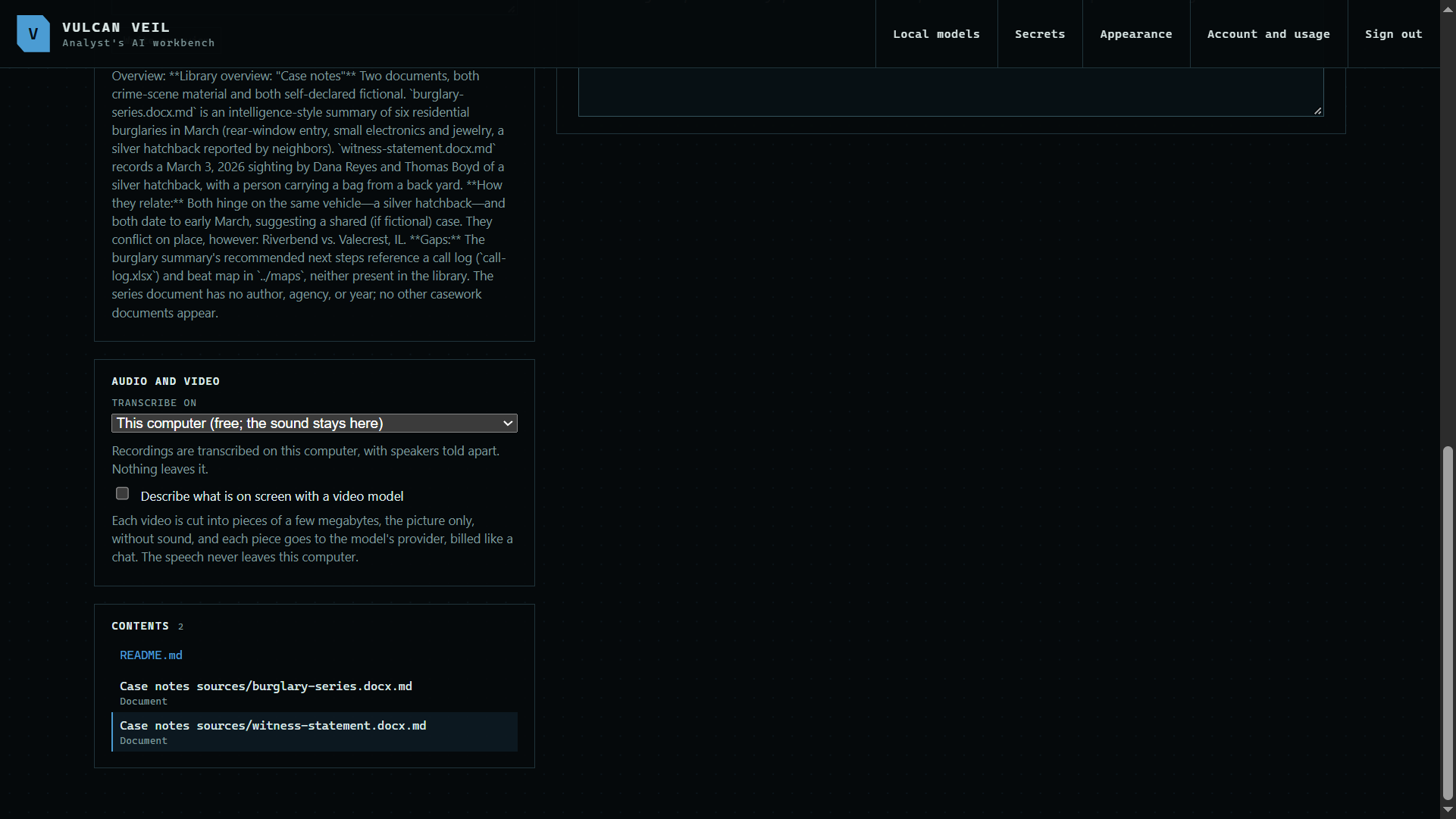
3. Audio and video
Transcribe on chooses this computer or Whisper on Together, and a video model can describe what is on screen.
 Expand
Good to know
- The description and overview go at the top of the library's README, so the assistant knows what the library is for.
- A document can have its own Refresh setting, chosen when you open it.