Editing and re-running code
The code in an answer is yours to change. Run all below runs each block in order, and Edit lets you change a block and run it again without asking the assistant.
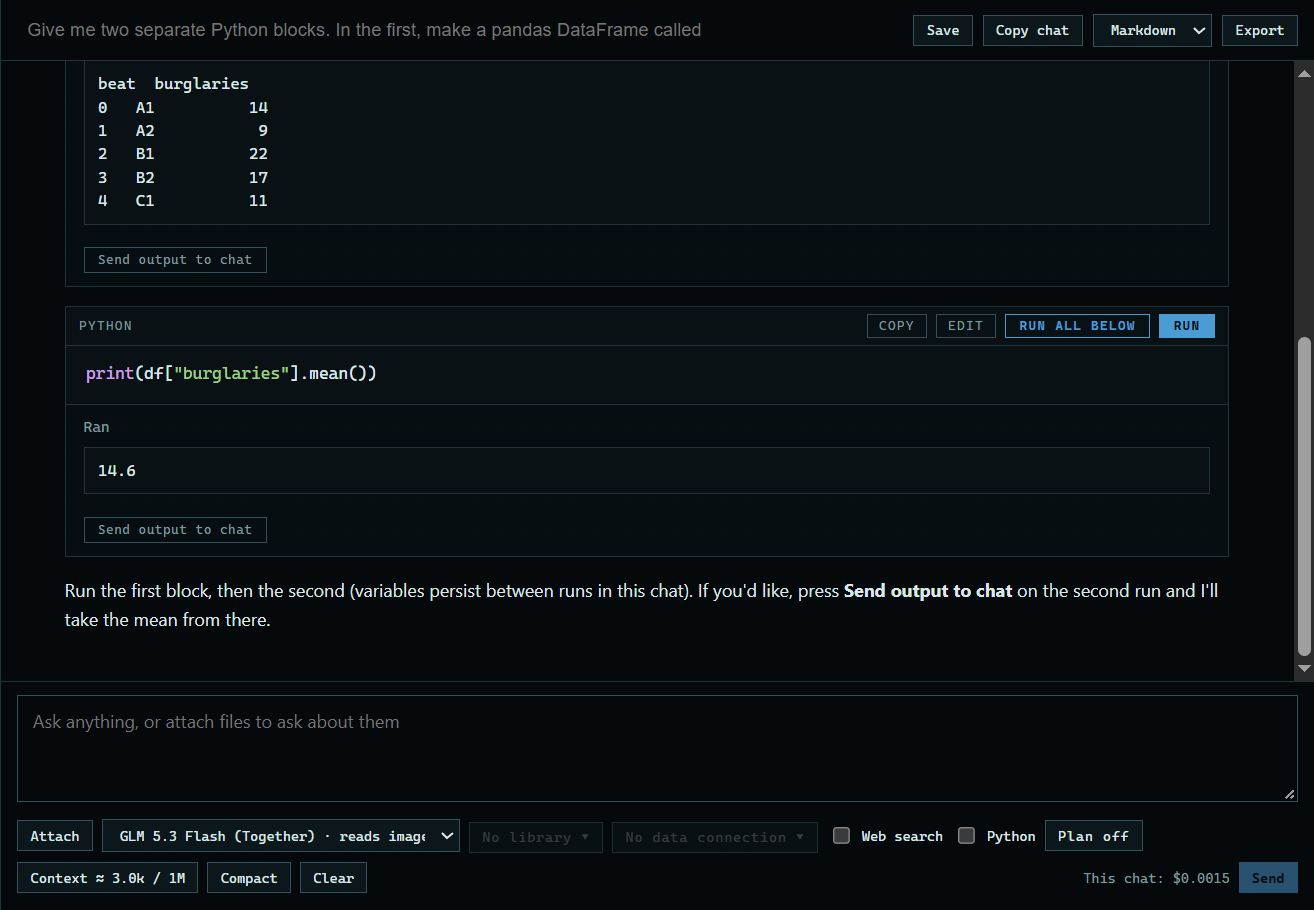
1. Press Run all below
An answer can have several blocks. Here: "Give me two separate Python blocks. In the first, make a pandas DataFrame called df with columns beat and burglaries, for 5 beats of fake data, and print it. In the second, print the mean of burglaries." Run all below runs this block and each one after it, in order, and stops at the first that fails.
 Expand
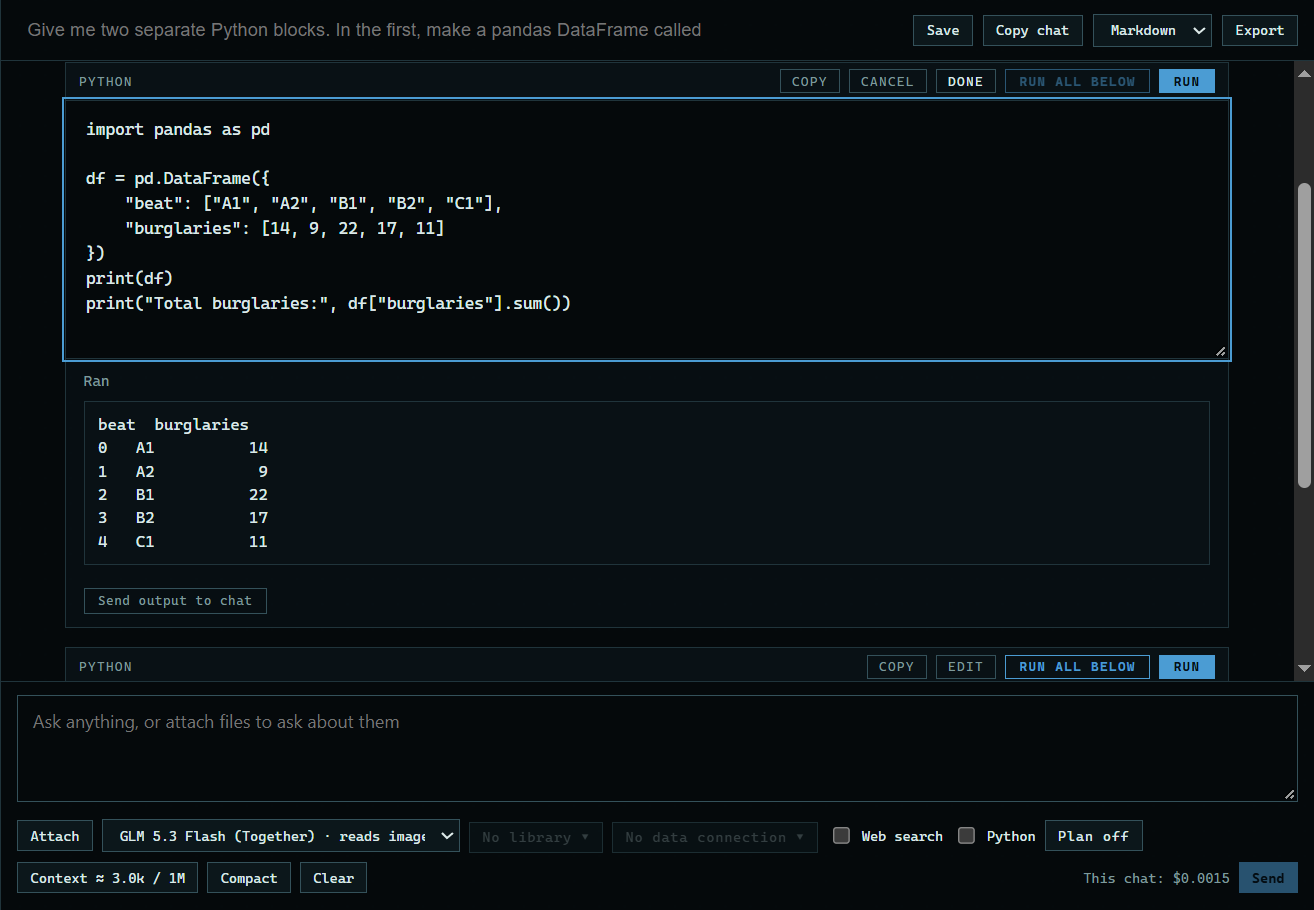
2. Press Edit
Edit turns the block into a box you can type in. Here, a line is added to the end of the first block.
 Expand
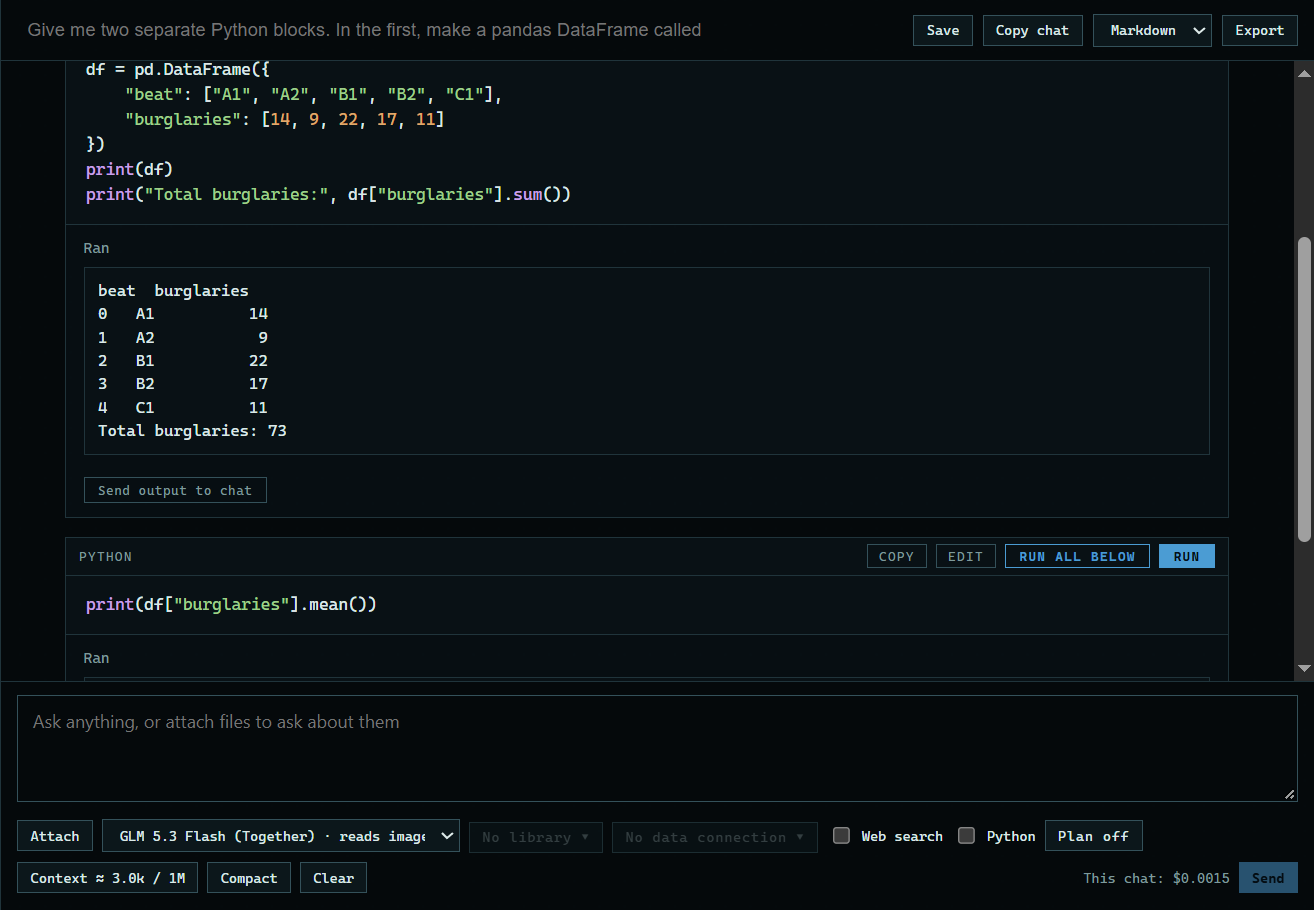
3. Press Run
Run keeps your change and runs the new code. Done keeps the change without running it, and Cancel leaves the code as it was.
 Expand
Good to know
- A later block can use what an earlier one made, because a chat keeps one Python session.
- Your change replaces the block in the answer, so it is saved, exported, and sent to the model.