Monthly limits
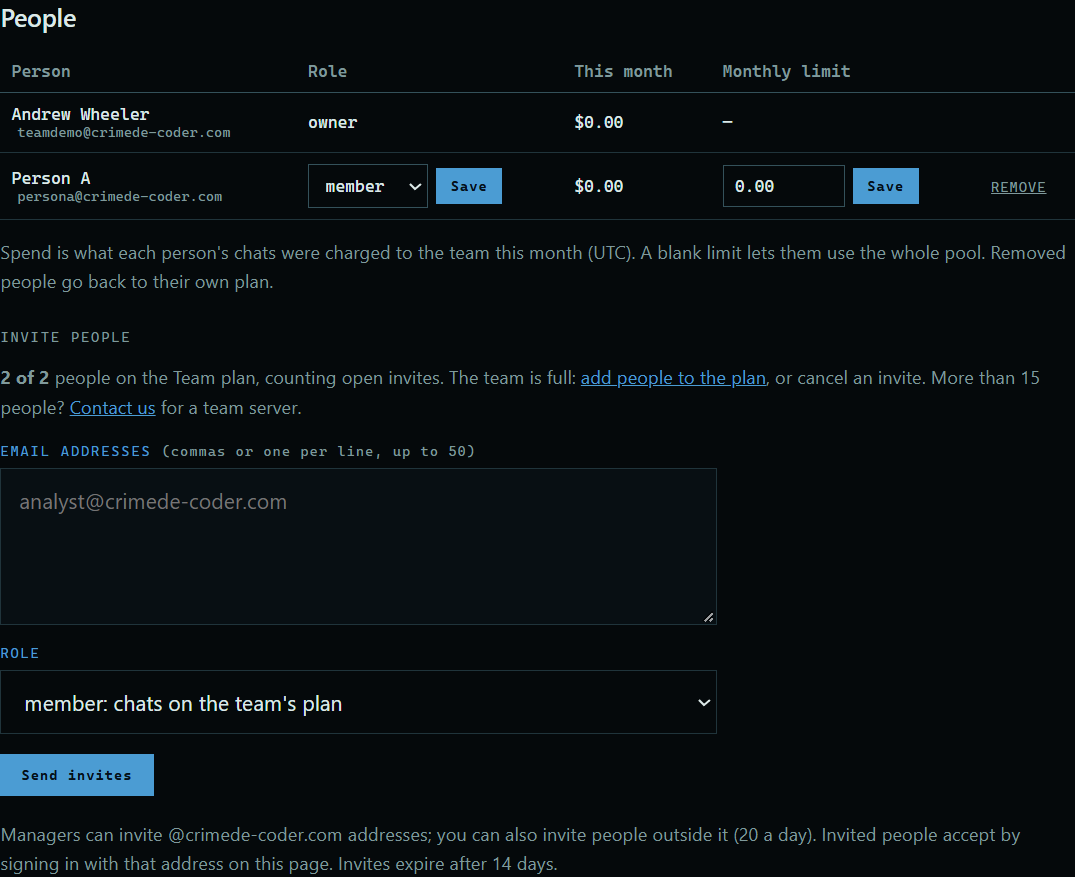
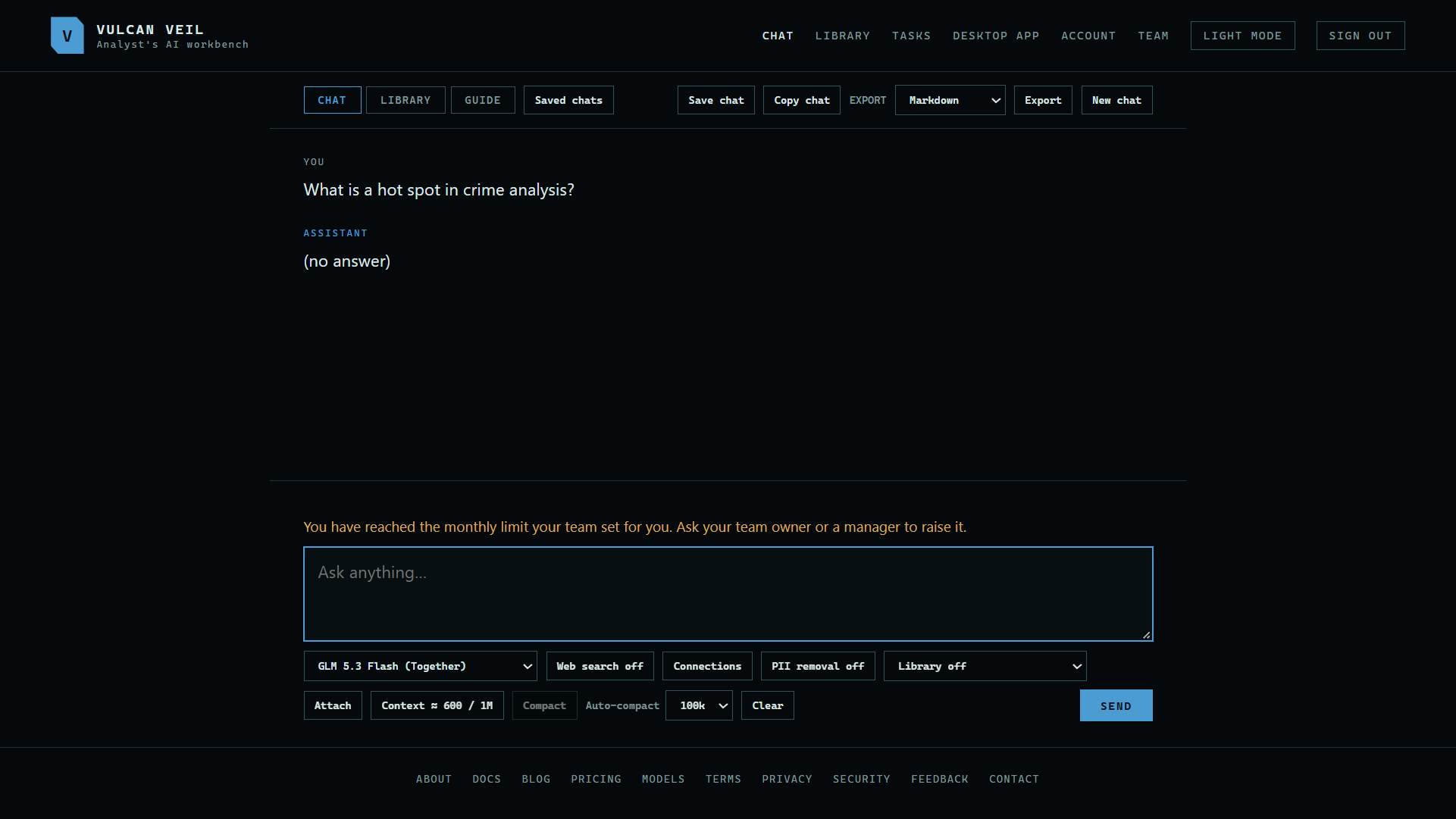
Everyone on a team draws from the same pool, so a monthly limit keeps one person from using it all. You set it per person, and you can change it at any time. Here, Person A's limit is set to $0, so the message they get at their limit shows right away.
1. Set a limit
In the People table, type a dollar amount under Monthly limit beside the person, and press the Save next to it. Leave it blank for no limit, so they can use the whole pool.
 Expand
2. What the person sees
Their Team page shows their limit and what they have used this month. The Account and usage panel in the desktop app shows the same.
 Expand
3. When someone reaches it
Their next message is refused, and the notice tells them to ask the team owner or a manager to raise it.
 Expand
Good to know
- Limits count what that person's chats charged the team this month. They start over on the 1st (UTC).
- The owner can set a limit for anyone but themselves. A manager can set limits for members, but not for other managers.
- The whole team also stops when the shared pool and balance run out.