Using a connection in a chat
Tick a data connection in a chat, and the assistant can read your local copy of the tables. It works from the fields you left in, and never reaches the live database. All the data on this page is made up.
1. Choose a connection
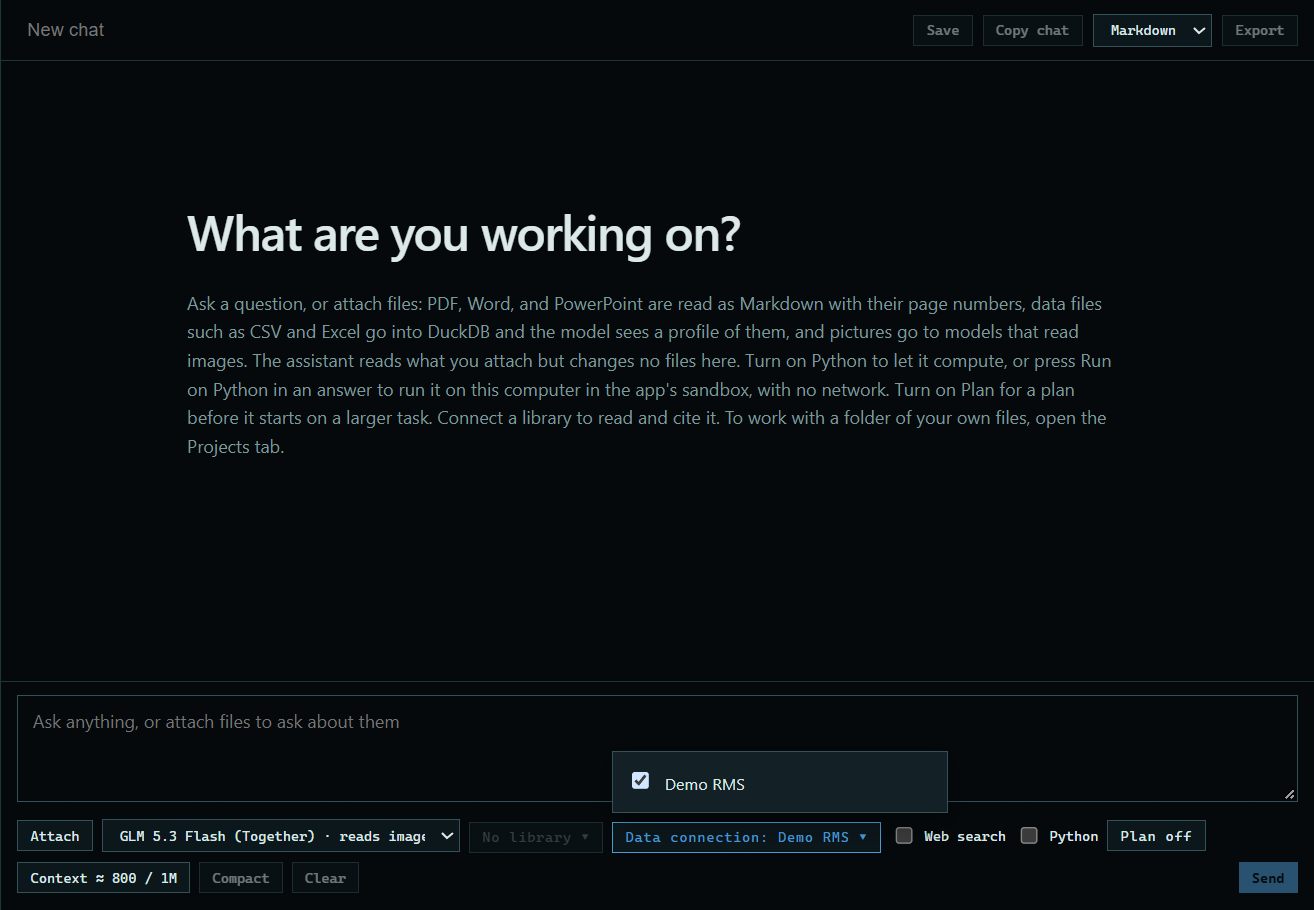
Press No data connection under the message box and tick one. Turn on Python too, so the assistant can run queries.
 Expand
2. Ask your question
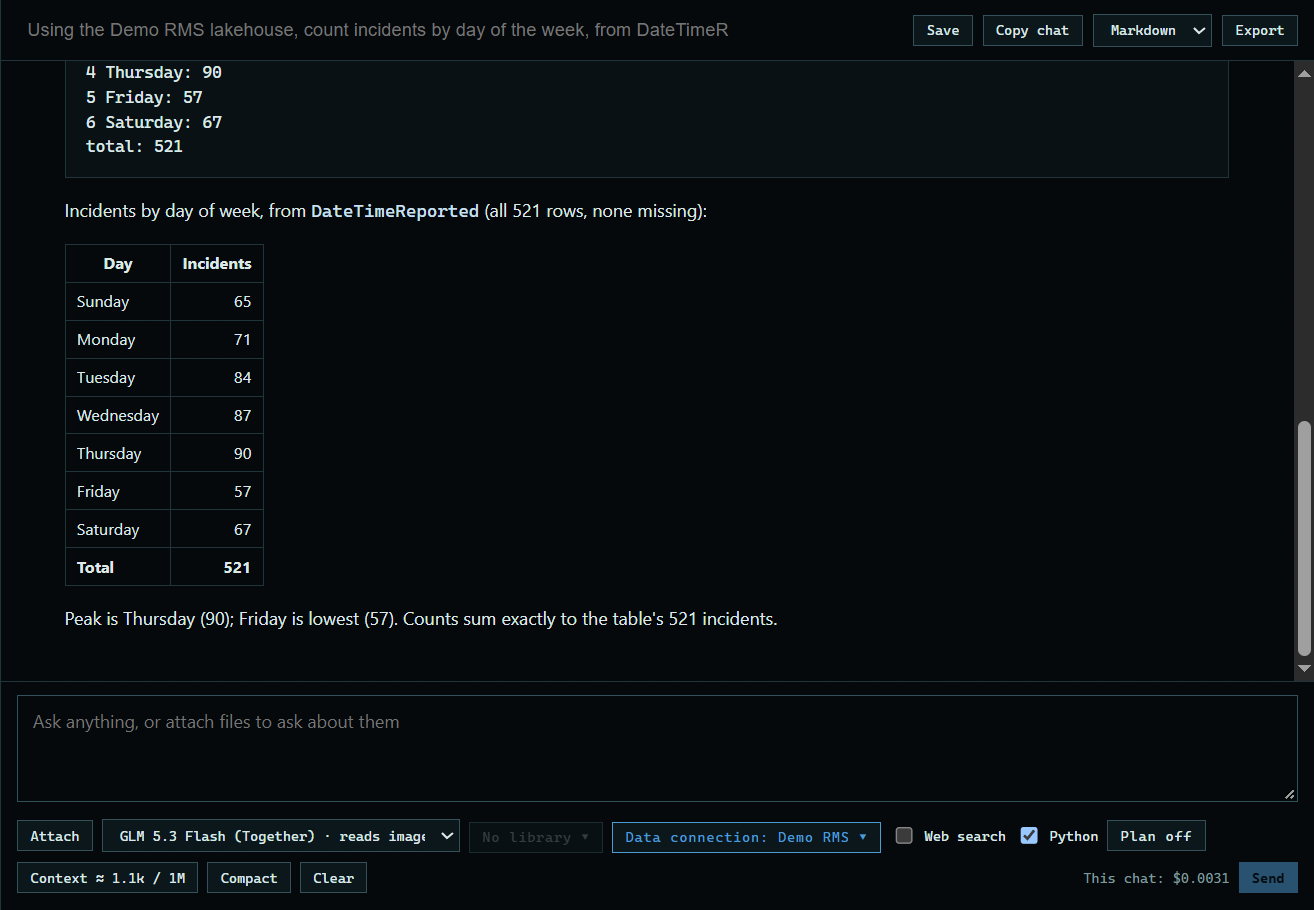
Type your question and press Send. Here: "Using the Demo RMS lakehouse, count incidents by day of the week, from DateTimeReported. Show only a small table." The answer shows the query the assistant ran.
 Expand
Good to know
- The chat reads the lakehouse read-only. Fields hidden from the AI are in a private file it never gets, and coded fields stay codes.
- What the assistant reads goes to the model with your message, like an attached file.