Buying more balance
Each seat on a team adds model dollars to one shared pool each month. If the team needs more before the 1st, the owner can add a balance. It's used after the plan's dollars, and it stays until it's spent.
1. See the shared pool
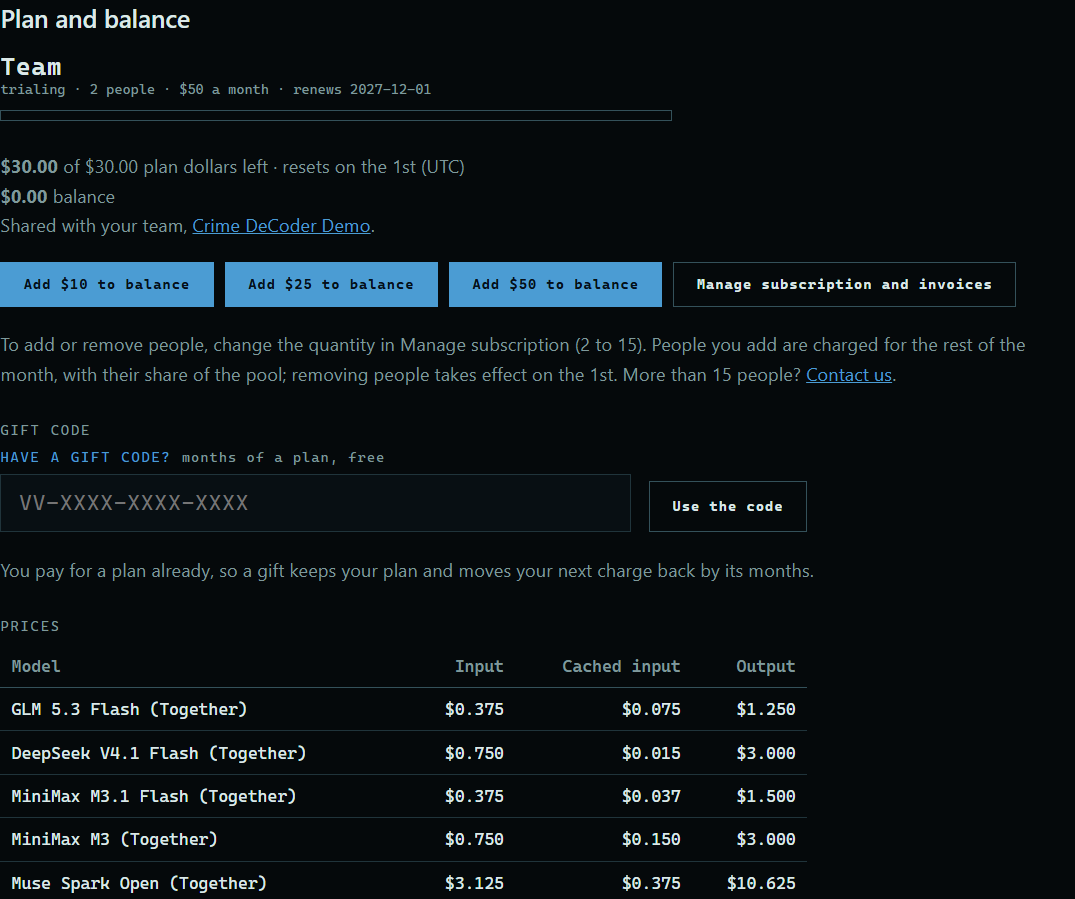
The owner opens Account at the top of the site. Plan and balance shows the team's plan, what is left of it this month, and the balance. Everyone on the team draws from these.
 Expand
2. Add to the balance
Press Add $10, Add $25, or Add $50 to balance. You pay on Stripe's secure page, and a receipt comes by email.
3. What people on the team see
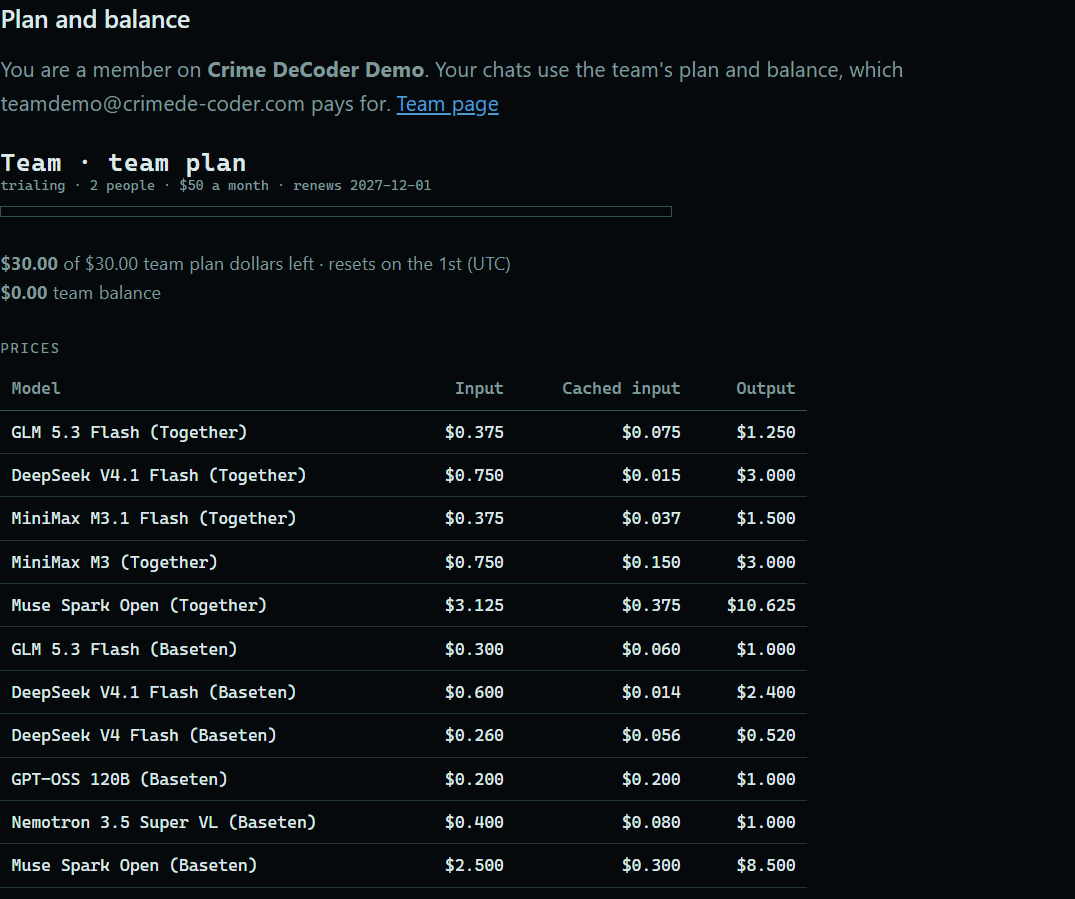
Only the owner can pay. Everyone else's Account page says their chats use the team's plan and has no buttons to add money.
 Expand
Good to know
- Plan dollars start over on the 1st of the month (UTC). A balance never expires.
- To change how many people the plan covers, see Changing or canceling a plan.
- To keep one person from using too much of the pool, see Monthly limits.