Editing a Word document
Attach a Word file and turn on Edit, and the assistant can change it. The file stays in your browser, and you review each change before you download the result. The document on this page is made up.
Follow along: download burglary-series.docx (1 KB) and attach it to a new chat.
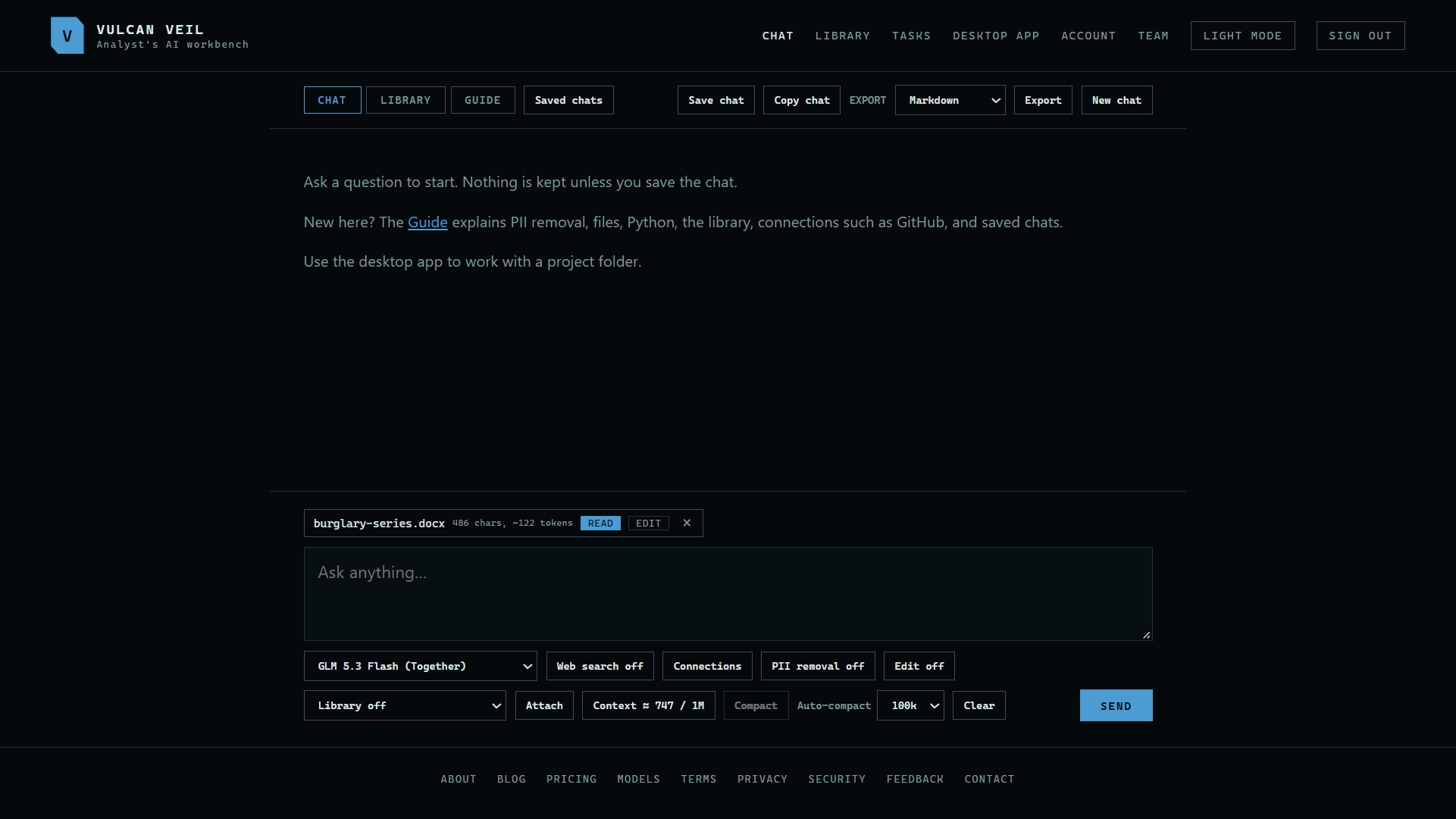
1. Attach the document
Press Attach and choose a Word file. An Edit button appears under the message box.
 Expand
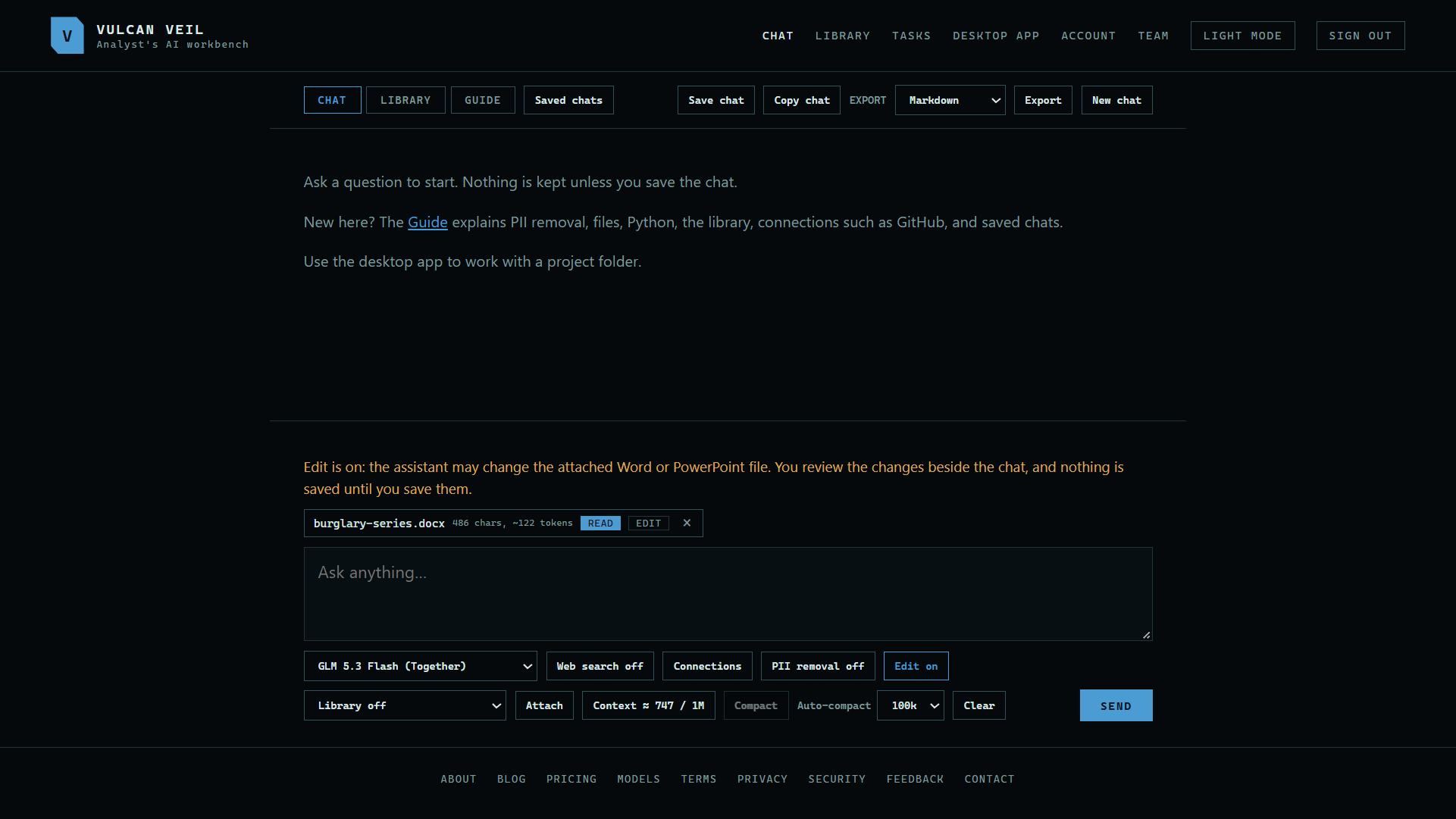
2. Turn on Edit
Press Edit off so it reads Edit on. With it off, the assistant only reads the file.
 Expand
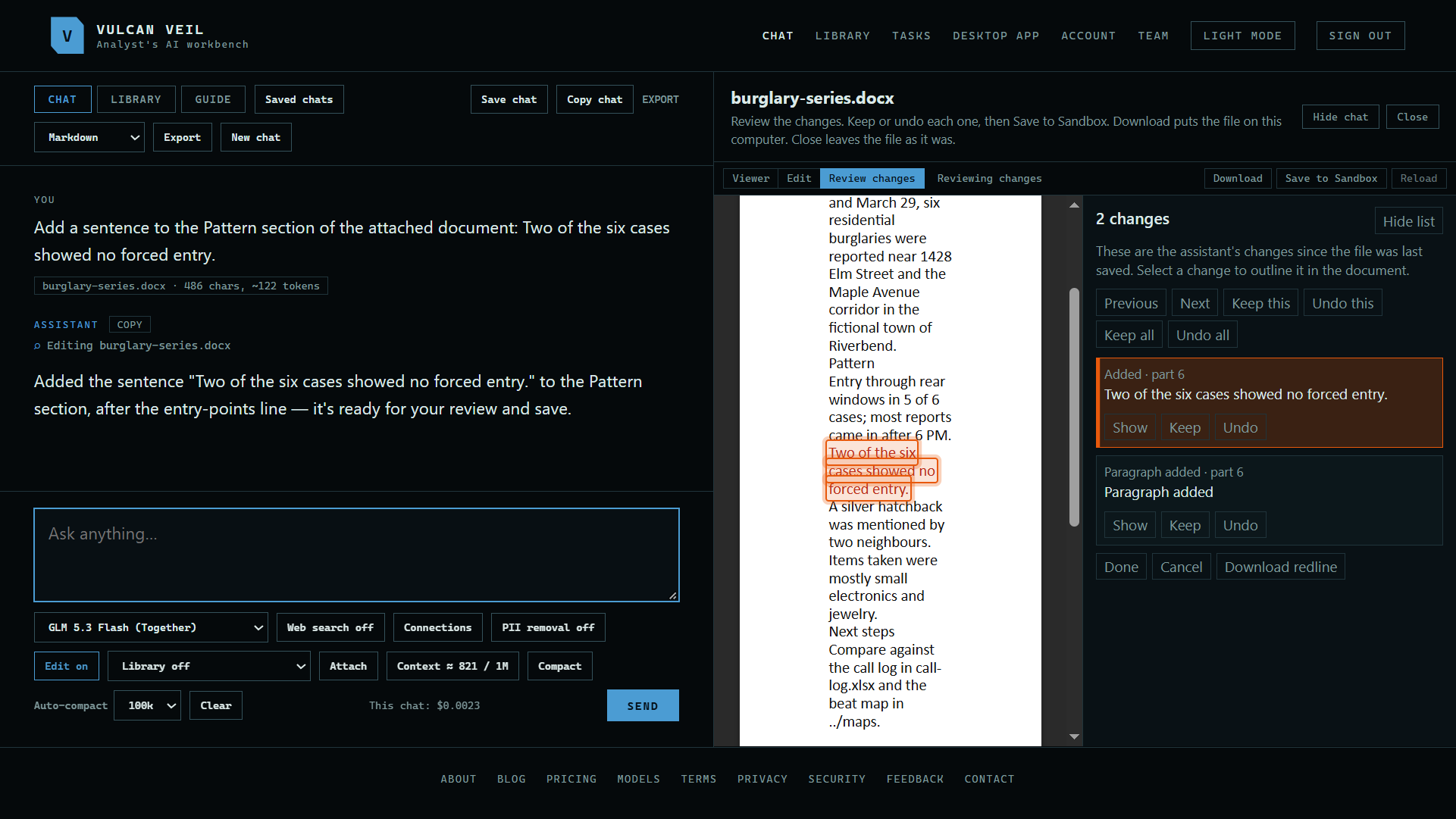
3. Ask for a change
Type your request and press Send. Here: "Add a sentence to the Pattern section of the attached document: Two of the six cases showed no forced entry."
 Expand
Good to know
- Review each change, keep or undo it, then save it and download the document.
- Edit on the file under the message box opens the document beside the chat for you to change, and turns Edit on too.
- Click a picture, such as a logo, to change it: drag it to move it, drag a corner to resize it, or use the bar above the page to set its size, how text wraps around it, its alt text, to replace it with Change picture, or to delete it.
- Hide document gives the chat the full width and keeps your changes. Show document, under the message box, brings it back.
- A model that reads images can look at a page of the document to check how its changes look. The page is drawn in your browser, without headers and footers.
- The assistant can delete a picture, float it behind or in front of the text, move it, resize it, or swap it for another picture in the chat. Moving or resizing a picture is not a tracked change, so the review notes it instead of listing it.
- Editing stays in your browser. Download the file when you are done, as it is not kept for you.
- On the website, Word and PowerPoint files are the only ones you can edit. To edit code, notebooks, data, or other files on your computer, use a desktop project.