Setting up a local copy
A lakehouse is a local copy of the tables you choose, in one DuckDB file on your computer. You work from the copy, so a query cannot slow down the live system, and the assistant only ever sees what you left in it. All the data on this page is made up.
1. Add a table
Open the Lakehouse tab, press + Add a table, and choose one from the live database.
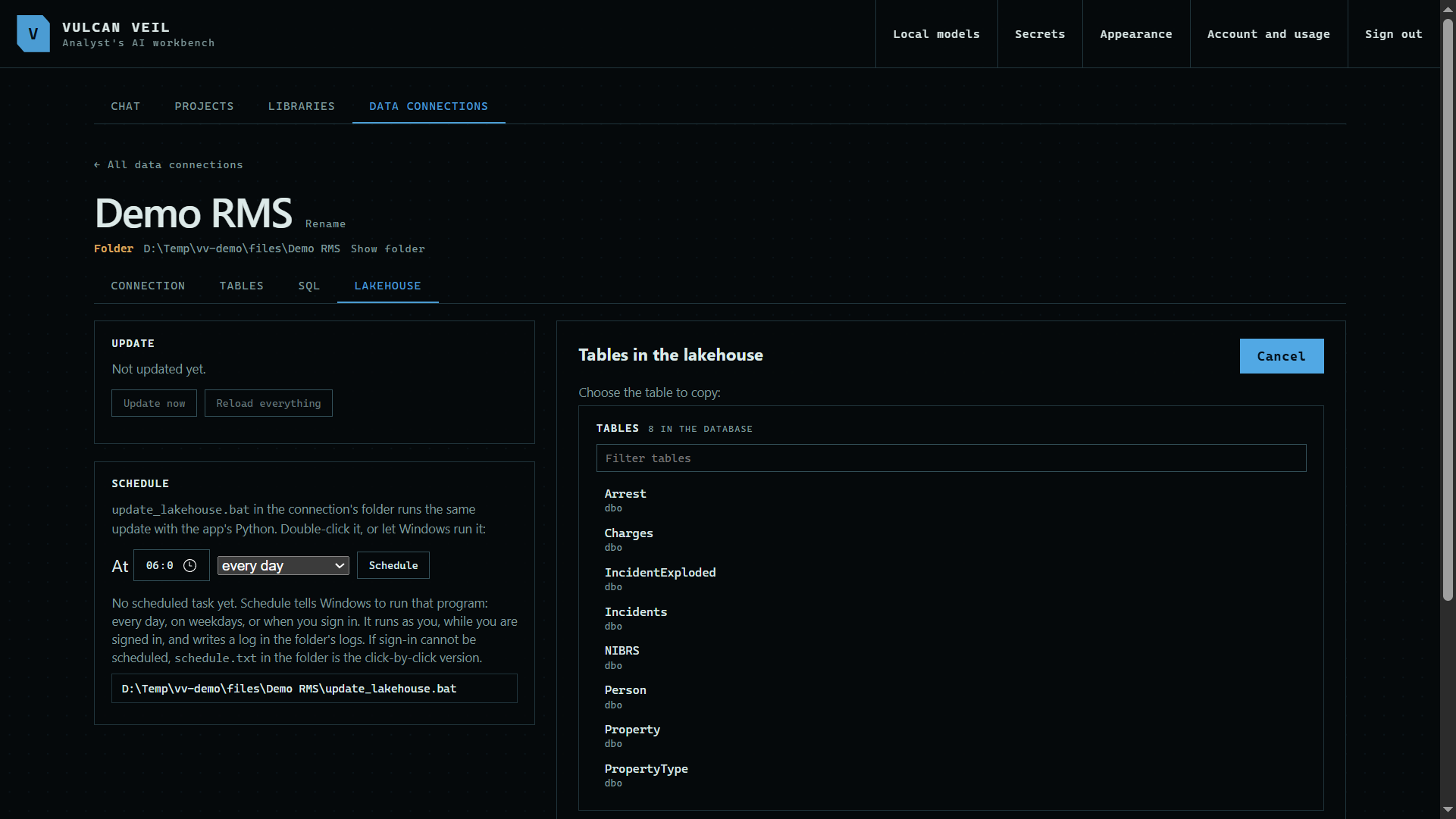 Expand
2. Choose the fields
Tick the fields to copy. Personal details start unticked. If you copy one, choose how it is kept: Visible to the AI, Coded, or Hidden from the AI.
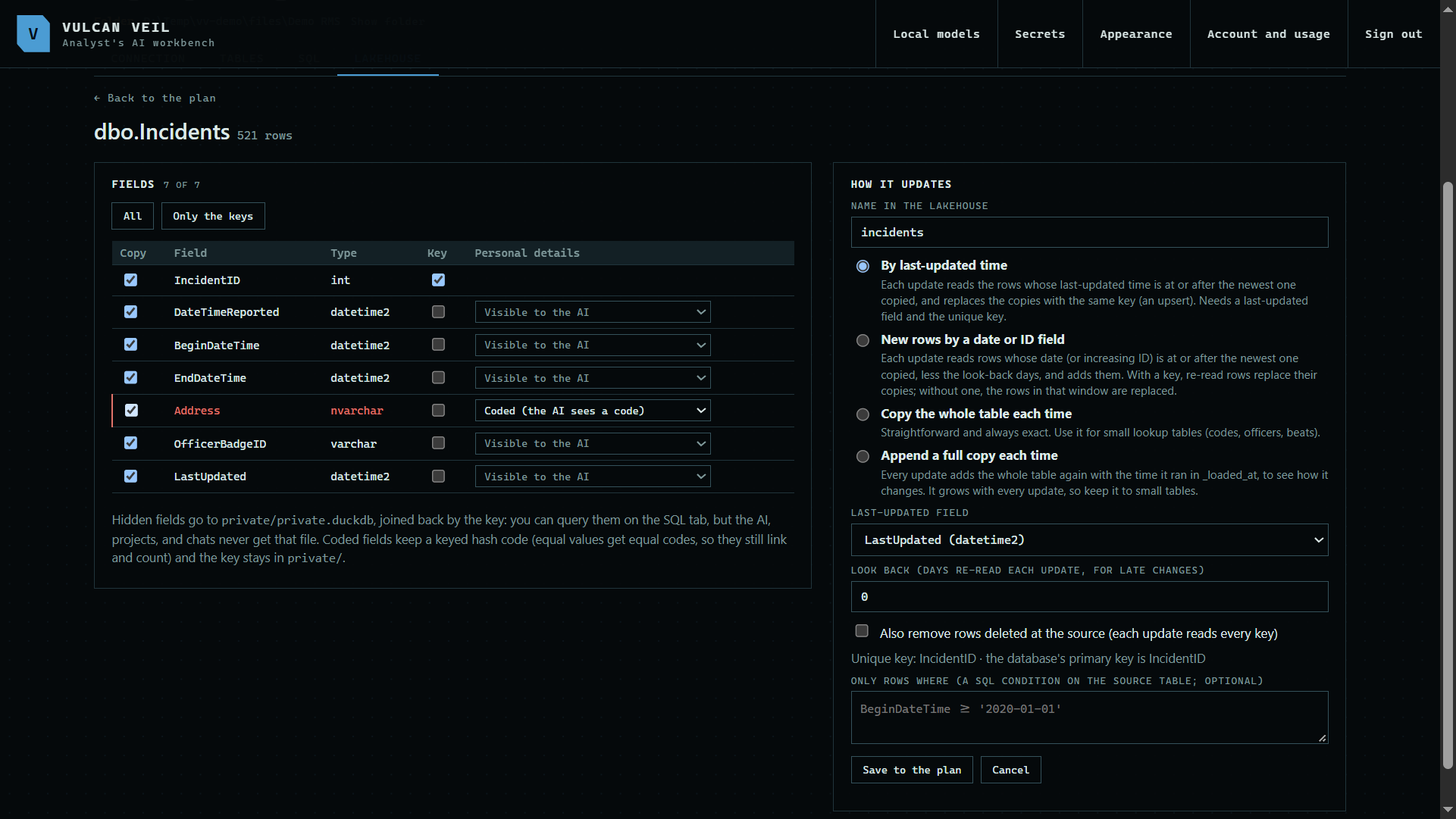 Expand
3. Choose how it updates
By last-updated time reads rows changed since the last update. New rows by a date or ID field reads only rows past the newest one. Copy the whole table each time suits small lookup tables, and Append a full copy each time keeps every copy as a snapshot.
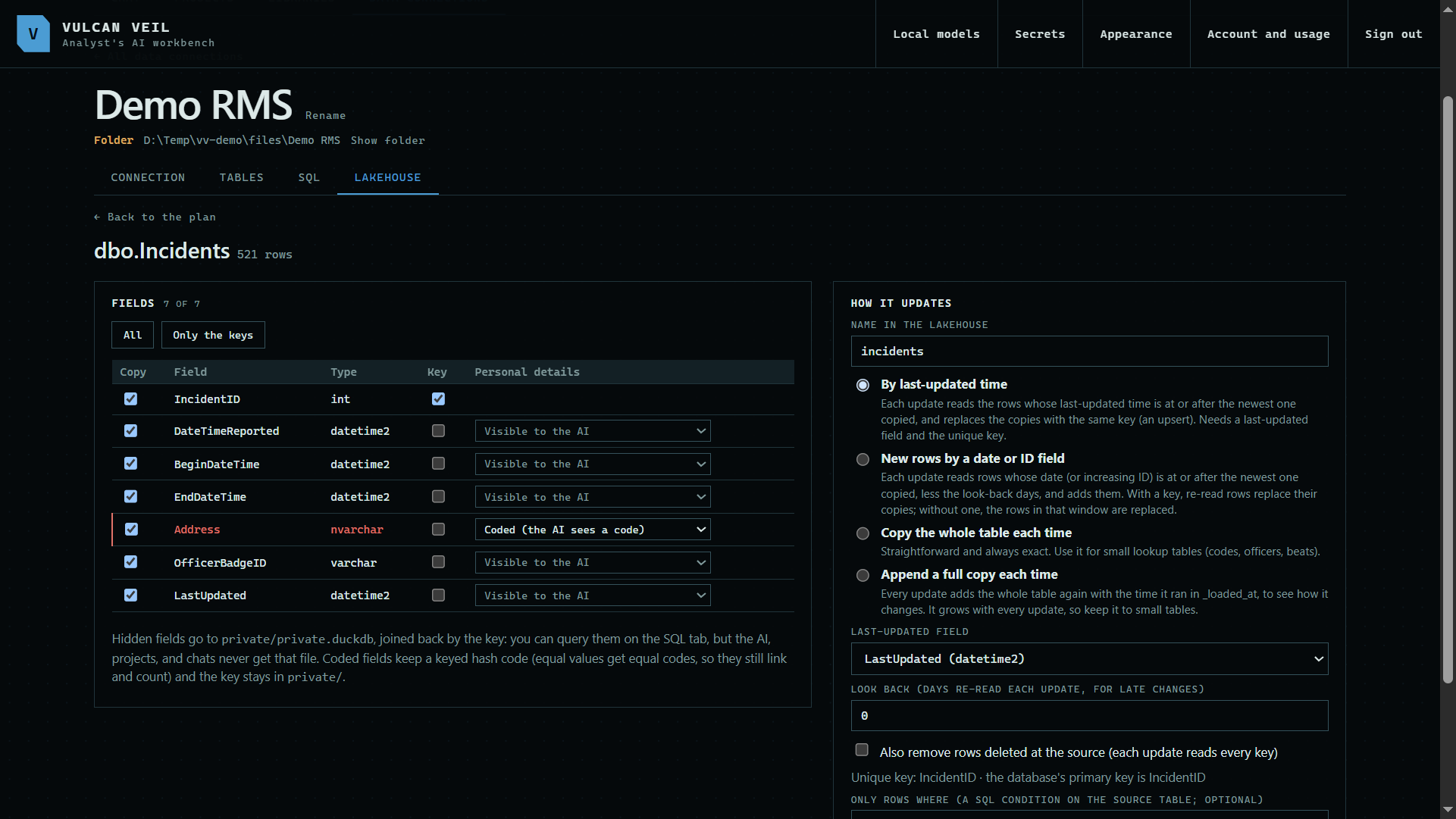 Expand
4. Update
Press Update now. The log shows each table as it is copied, and the plan shows how many rows came across.
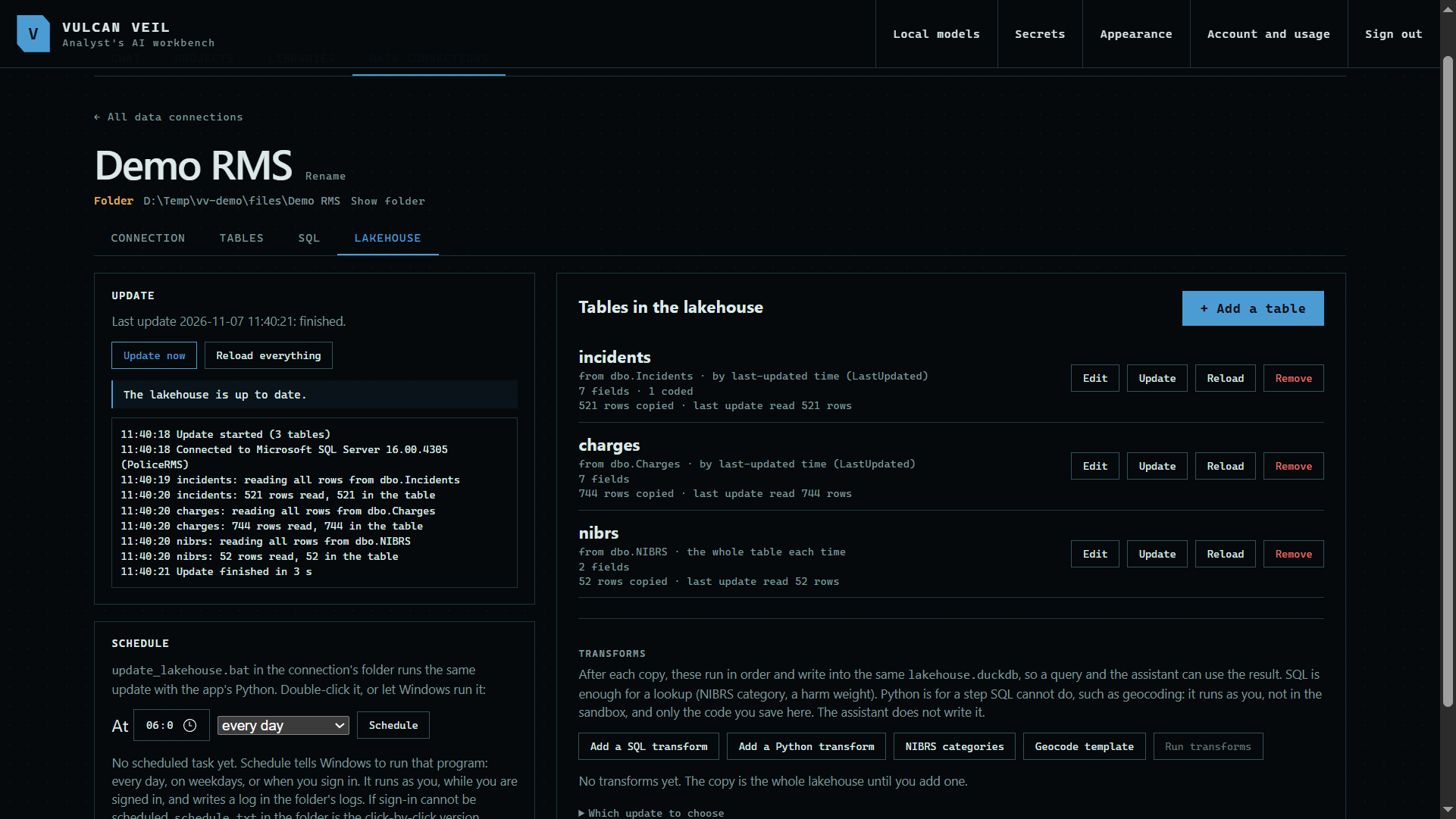 Expand
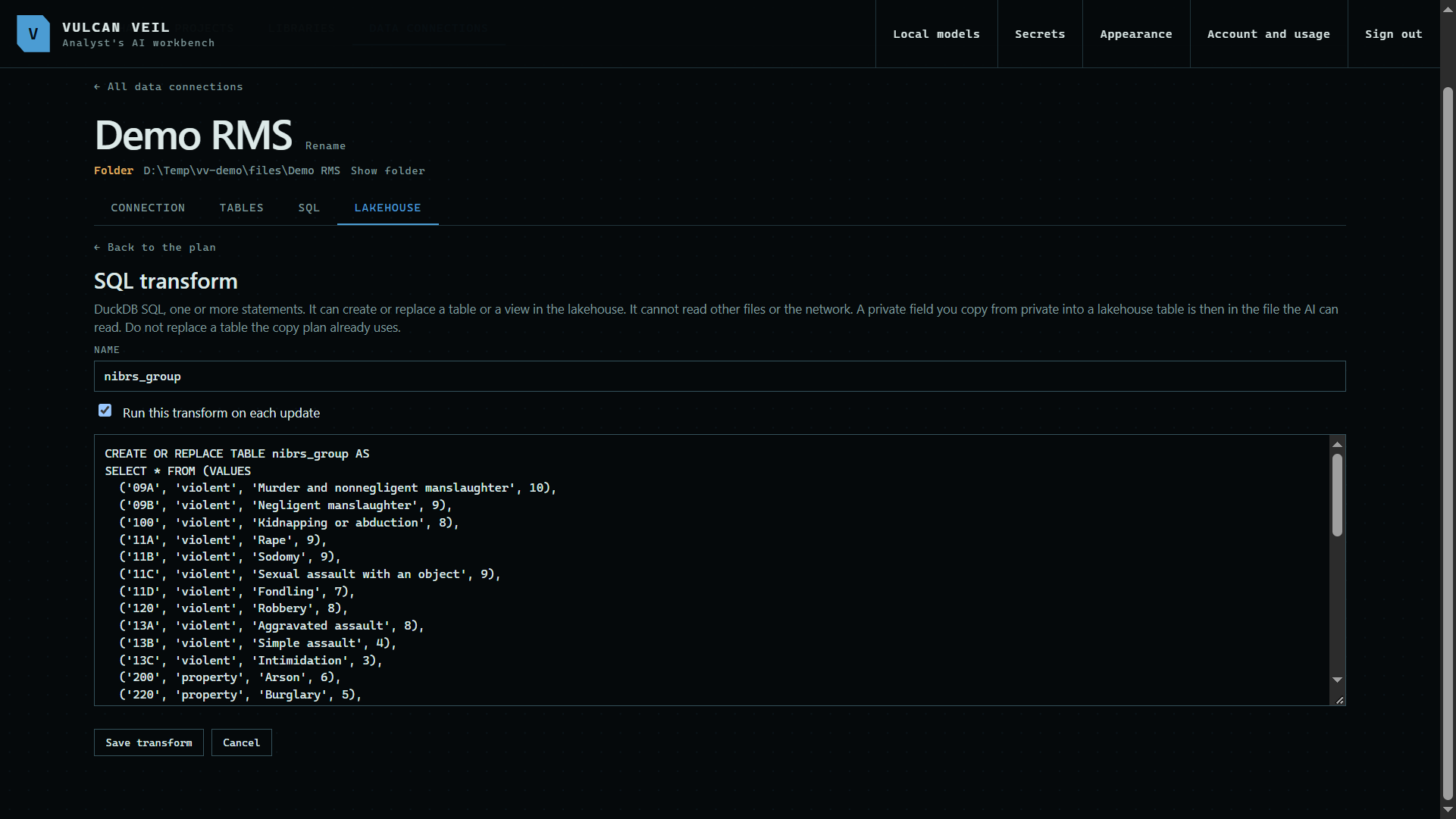
5. Add a transform
A transform runs after each copy and writes a new table into the lakehouse, so the assistant can use it. NIBRS categories is a ready-made one that groups offense codes.
 Expand
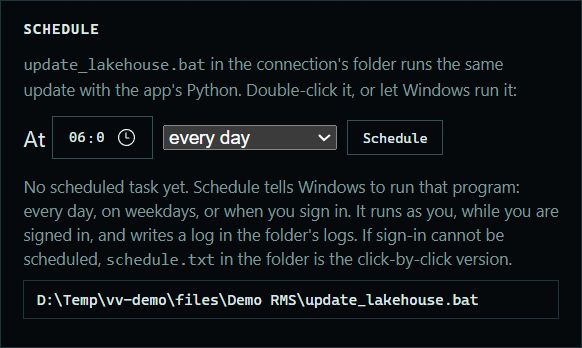
6. Schedule it
Choose a time and press Schedule, and Windows runs the update for you while you are signed in. update_lakehouse.bat in the connection's folder runs the same update, if you would rather run it yourself.
 Expand
Good to know
- Coded fields keep a keyed hash, so the same value always gets the same code. You can still count repeat addresses without the AI seeing one.
- Hidden fields go in a private file beside the lakehouse. You can query them on the SQL tab, but the AI, chats, and projects never get that file.
- Also remove rows deleted at the source, under How it updates, reads every key on each update to catch deletions.
- Python transforms run as you, not in the sandbox, and only the code you save here runs. The assistant does not write it.
- More on transforms and scheduling updates.