Managing a long chat
Every message sends the whole chat to the model again, so a long chat costs more and can run out of room. The Context button shows how much you are using, and Compact shortens the chat so you can keep going.
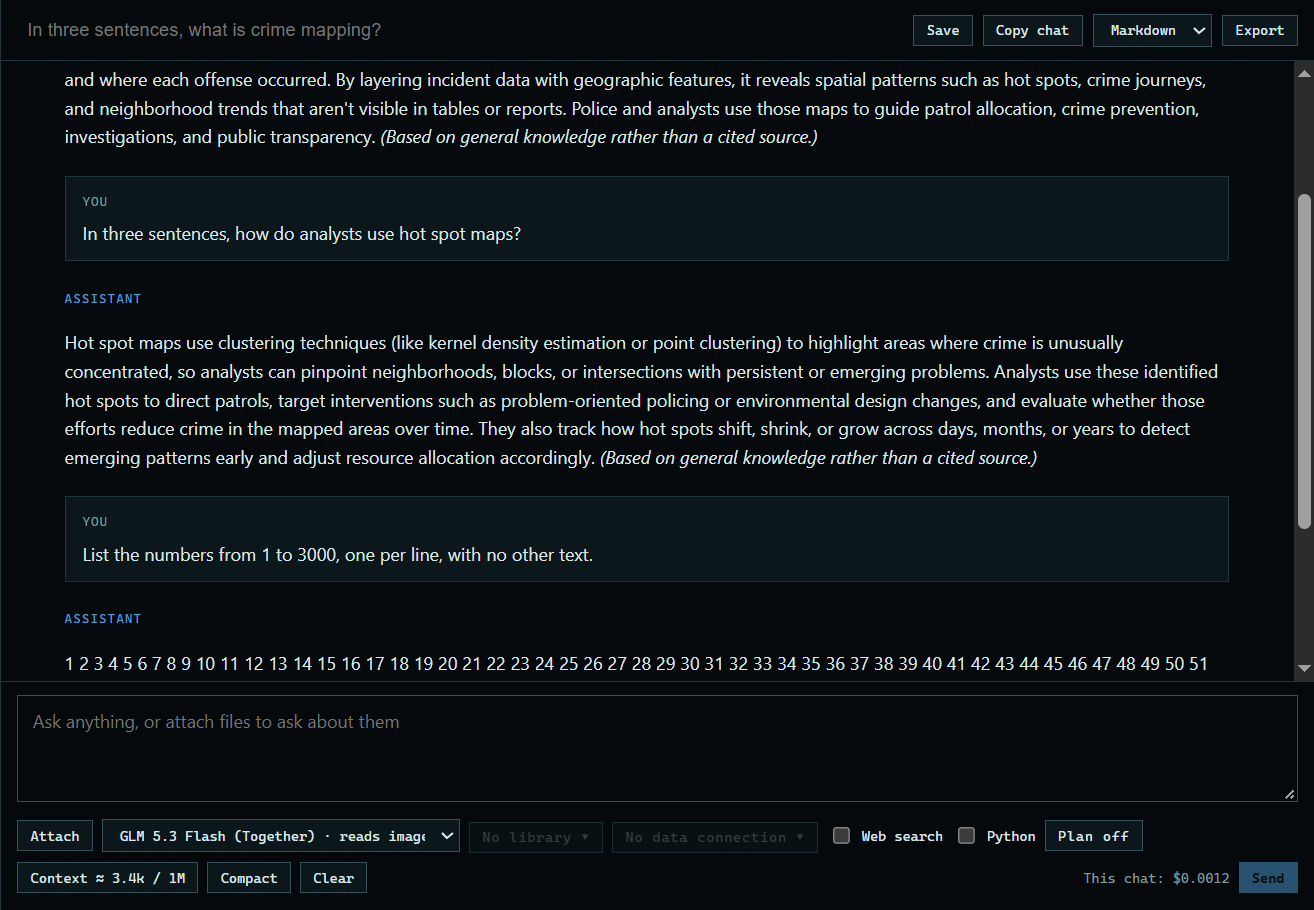
1. Stop an answer
Press Stop while an answer is coming in if it is going the wrong way. You keep what it wrote so far.
 Expand
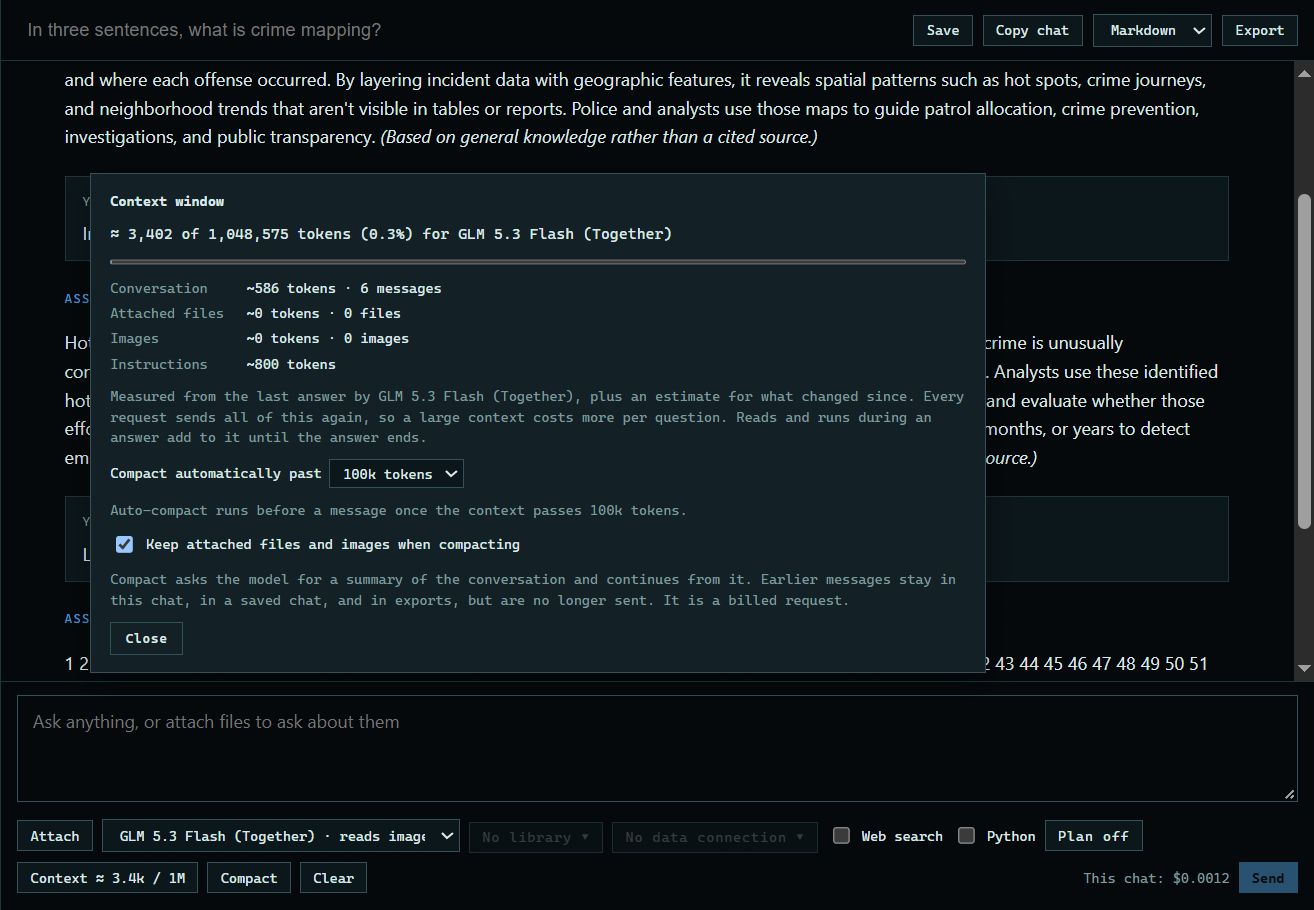
2. Open Context
The Context button shows how much of the model's window this chat uses. Open it to see what takes up the room, and to set when the app compacts by itself.
 Expand
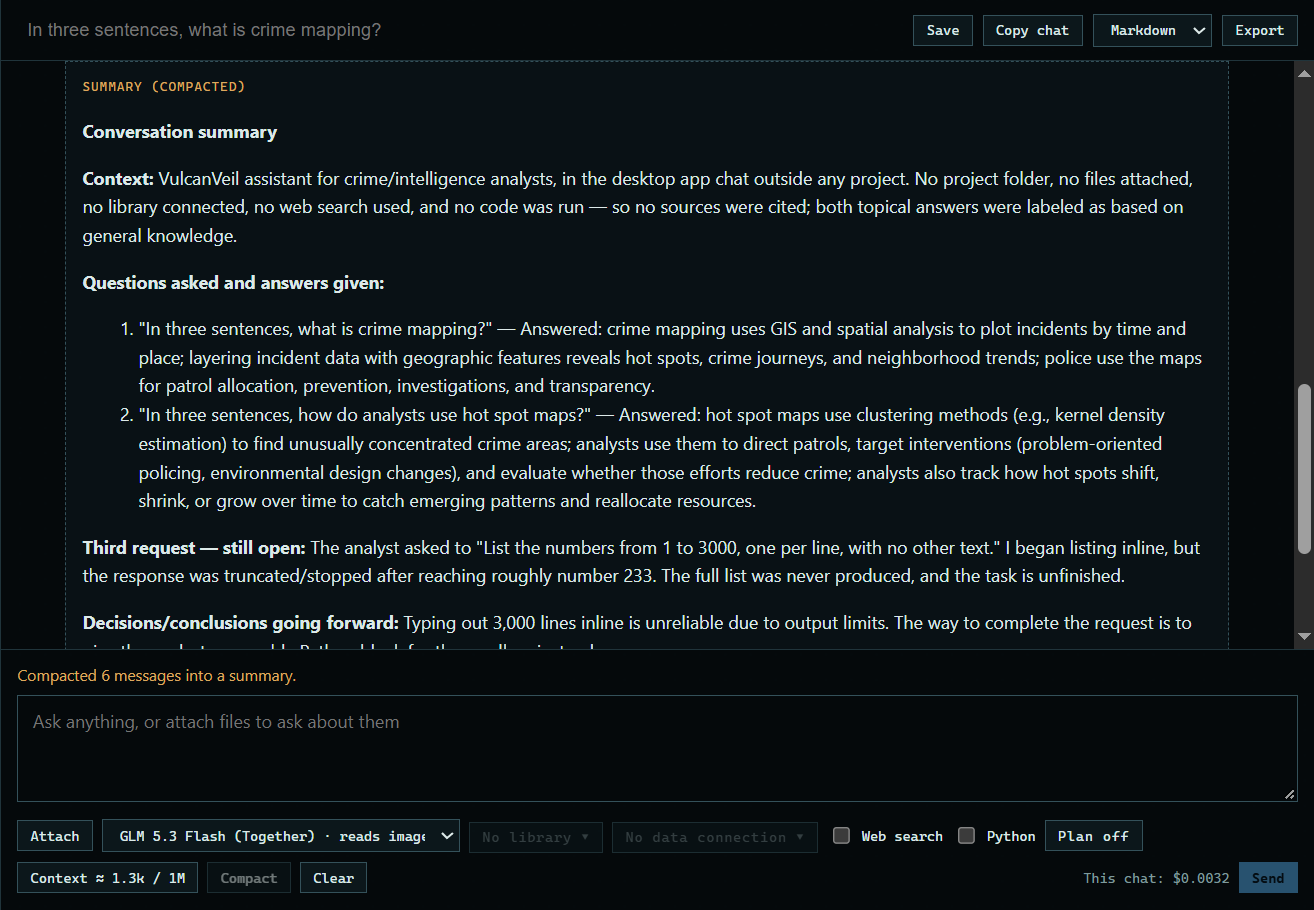
3. Press Compact
Compact asks the model for a summary, and the chat continues from that. Earlier messages stay on screen, in a saved chat, and in exports, but they are no longer sent.
 Expand
Good to know
- Compact is a billed request, since the model writes the summary.
- Attached files and images are kept when compacting, unless you untick that in the Context panel.