Editing and deleting messages
A chat is not stuck with what was said. You can go back and change a question, or take out a part that went wrong, so it stops being sent to the model.
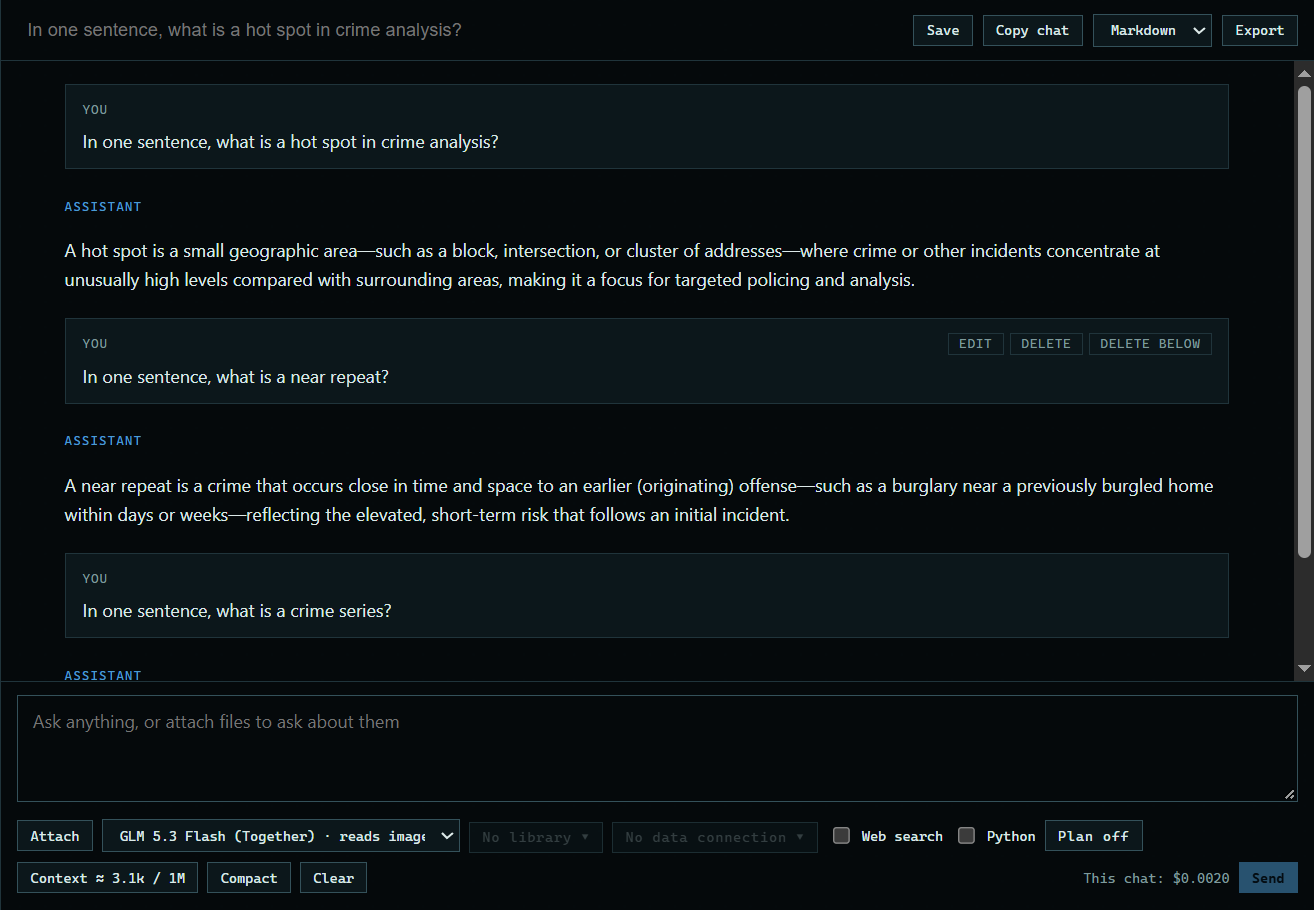
1. Find the tools
Each message has its tools at the top right: Edit on your questions, then Delete and Delete below.
 Expand
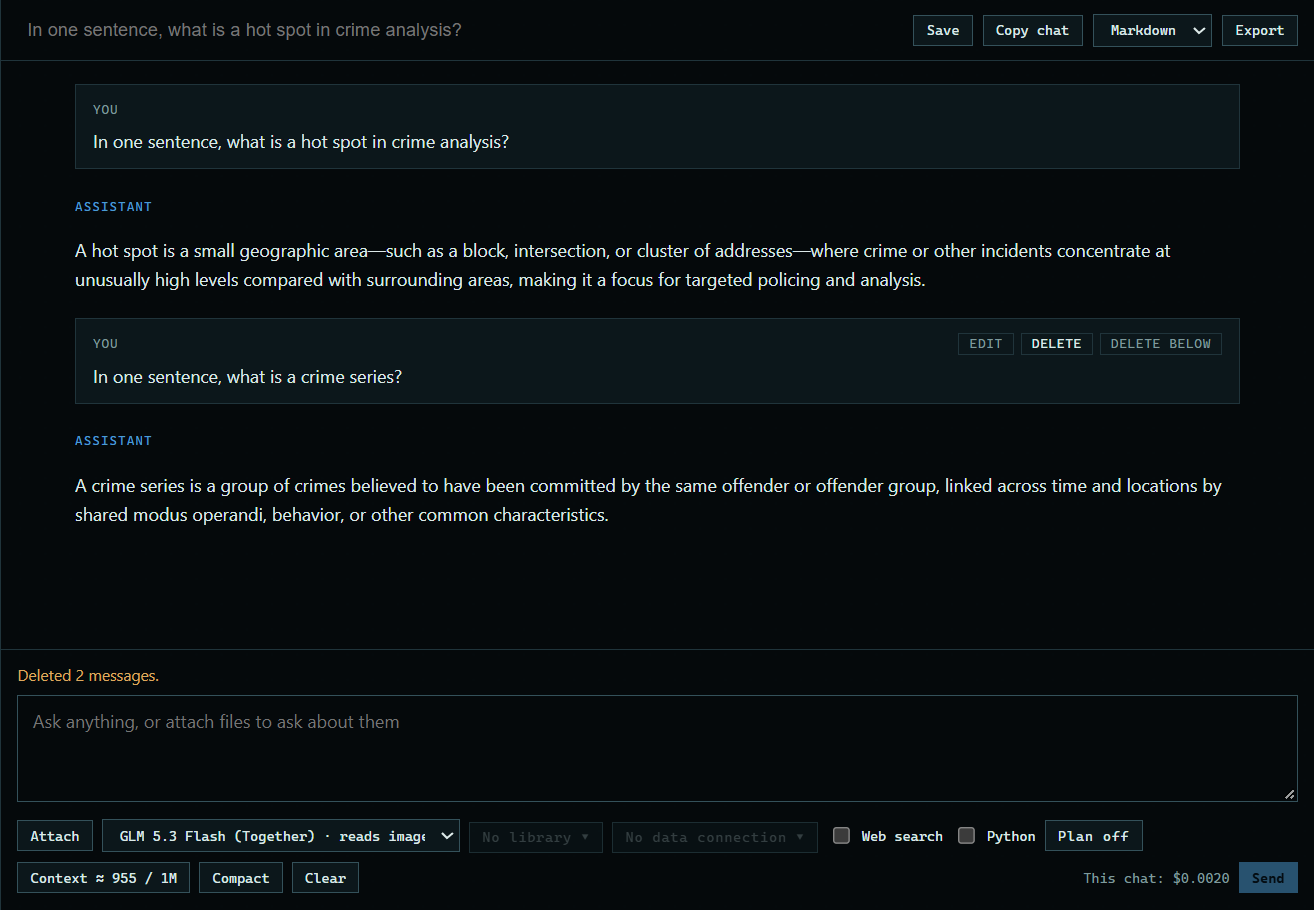
2. Delete a message
Press Delete, then press it again to confirm. On a question, that removes the question and its answer.
 Expand
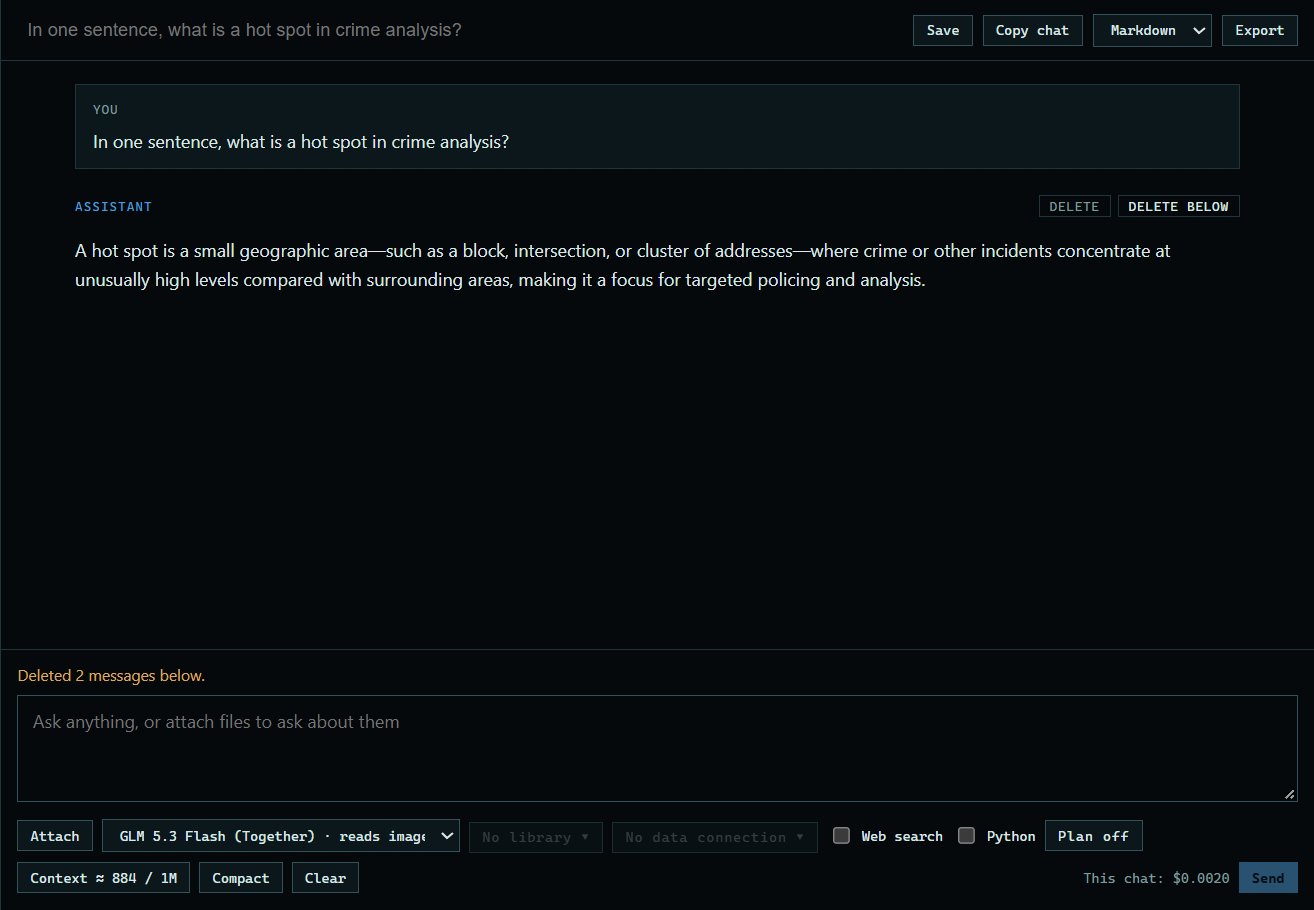
3. Delete everything below
Delete below removes everything after that message, which is handy when a chat went the wrong way. It also asks you to press twice.
 Expand
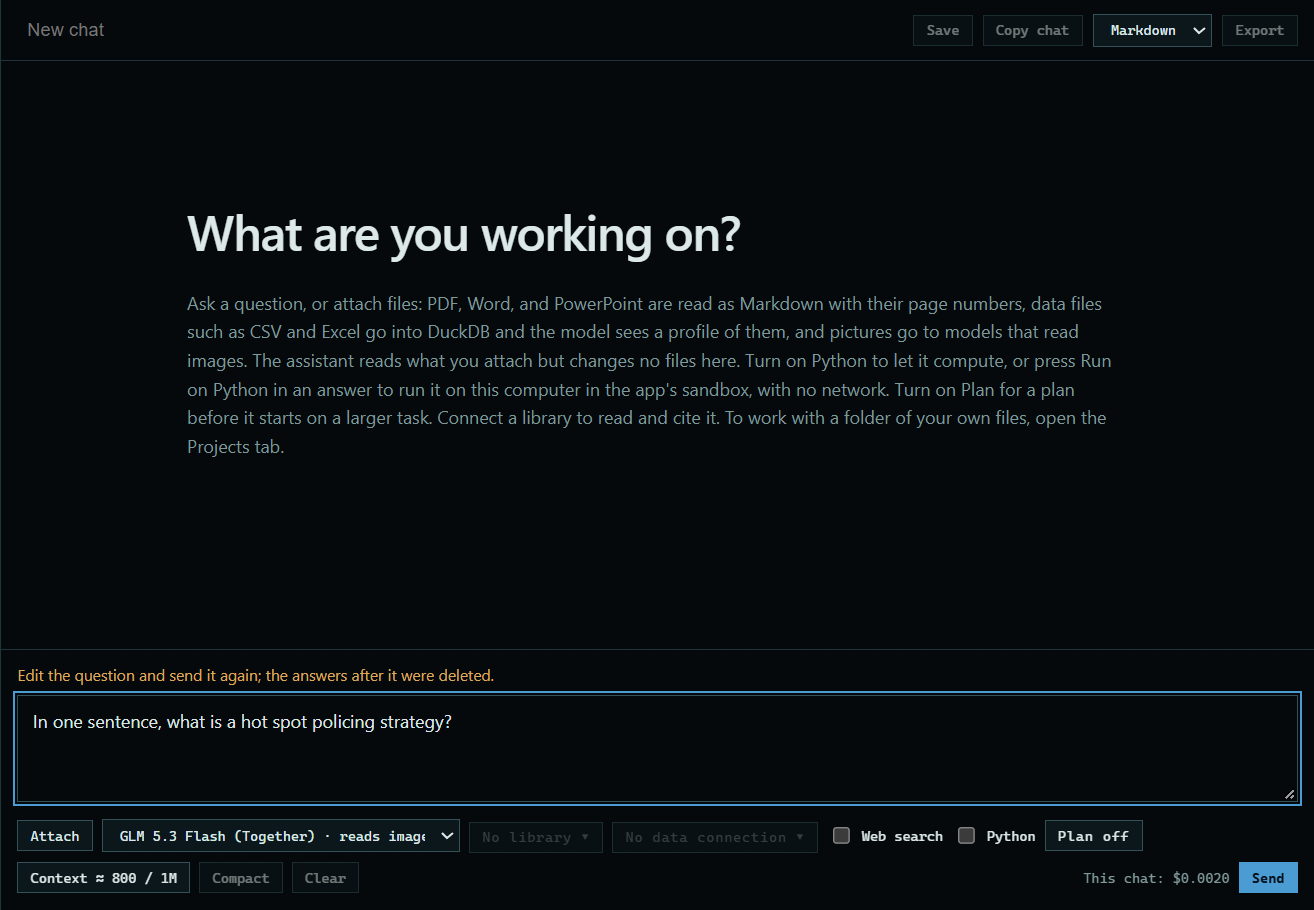
4. Edit a question
Edit goes back to that question: it and everything after it are removed, and its text returns to the message box. Change it and press Send.
 Expand
Good to know
- Deleted messages are gone from the chat and are no longer sent to the model.