Inviting people
The owner of a team pays for it, and everyone on the team shares one pool of model dollars. You add people by email: each person gets an invite and accepts it from their own account. Here, the owner invites Person A, and Person A joins.
1. Open your team
Press Team at the top of the site. People lists everyone on the team, what they have spent this month, and how many seats your plan covers.
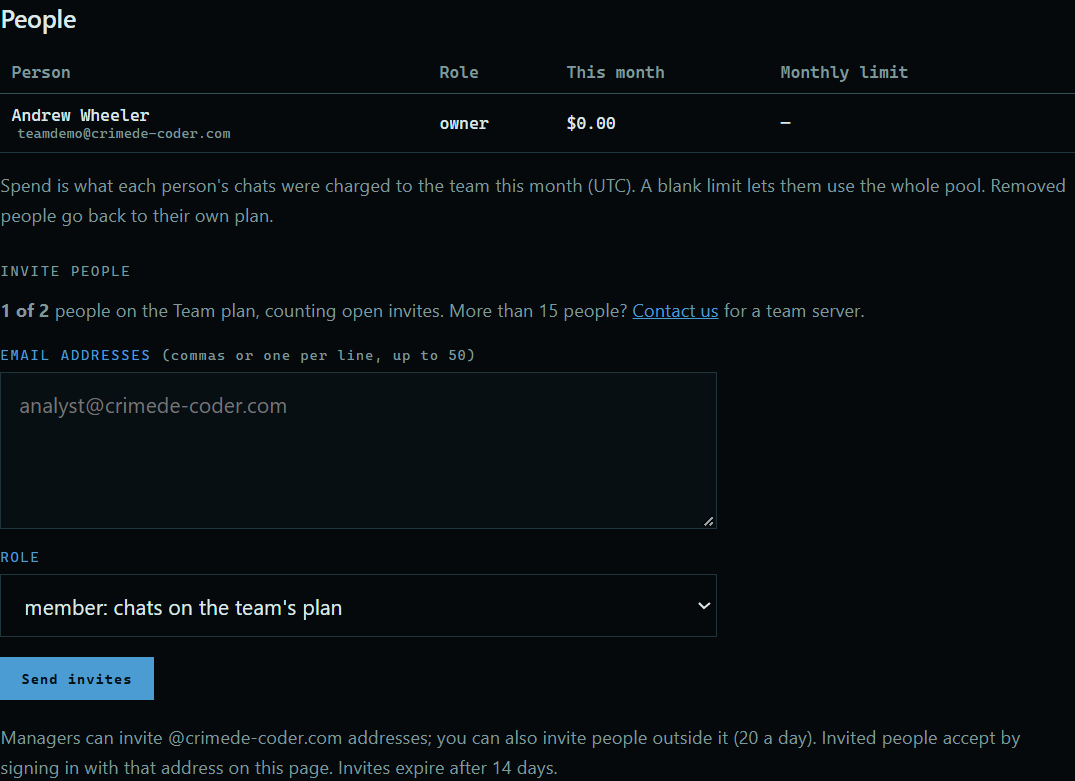 Expand
2. Send an invite
Under Invite people, enter one or more email addresses, choose a role, and press Send invites. The person gets an email, and the invite shows in the table.
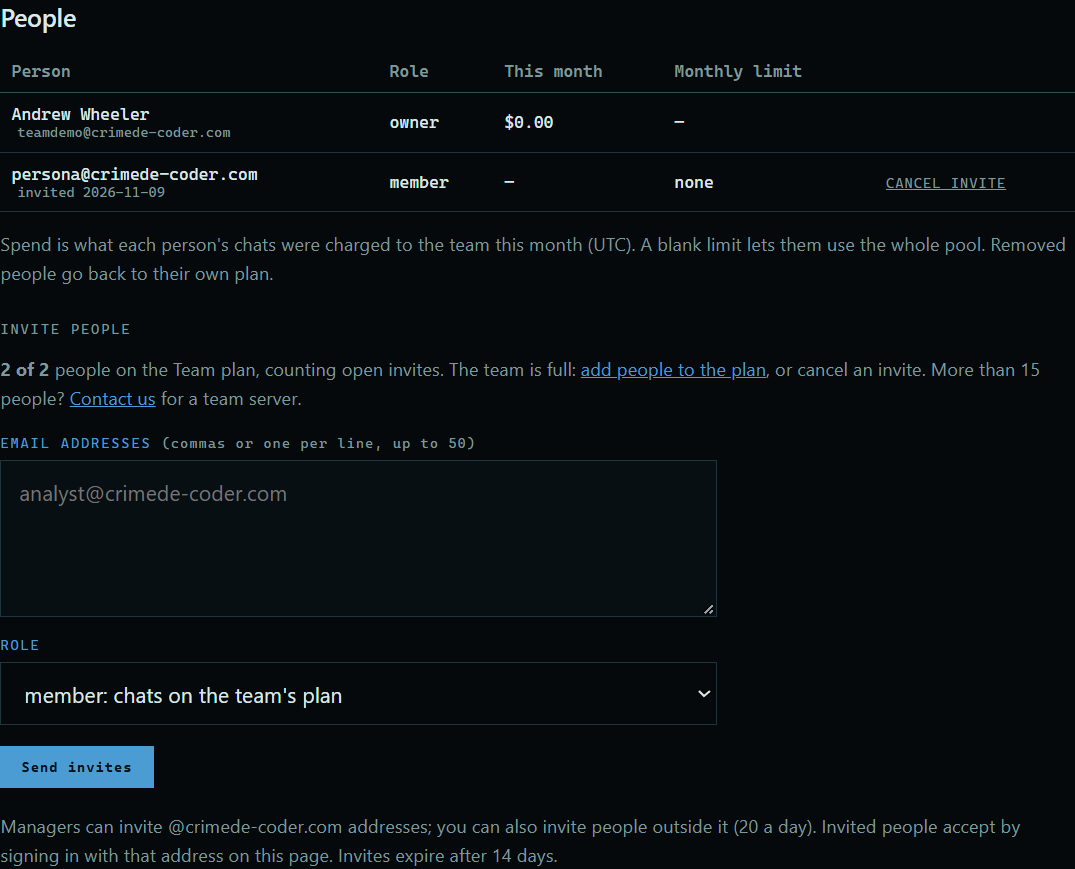 Expand
3. Accept it
The person signs in with that address and opens Team. The invite is there, with what joining means. They press Join.
 Expand
4. Start working
Their chats now use the team's plan and balance, on the website and in the desktop app.
 Expand
Good to know
- An open invite holds a seat. Invites expire after 14 days.
- A team is tied to the owner's organization email domain. Managers can invite only addresses there. The owner can also invite people outside it, up to 20 a day.
- If you have more people than seats, add people to the plan from your account page.
- Team admins see how much each person spends each month, never what they ask.