Keeping copies up to date
A library remembers where each copy came from. When you add a folder, new files in it join the library, and only the files that changed are converted again. The files on this page are made up.
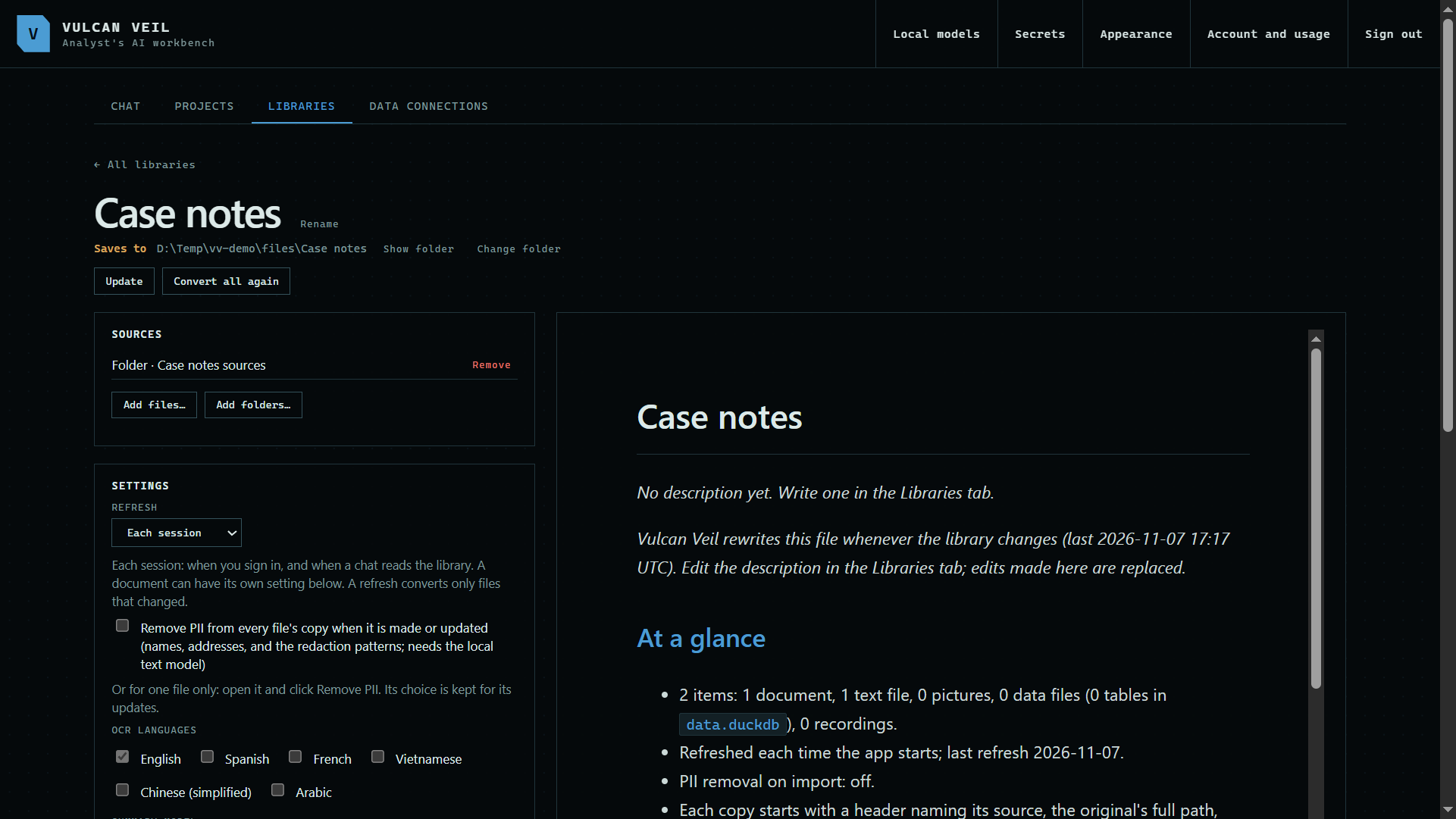
1. Start with a folder
A folder added under Sources stays in step, while a single file follows only that file.
 Expand
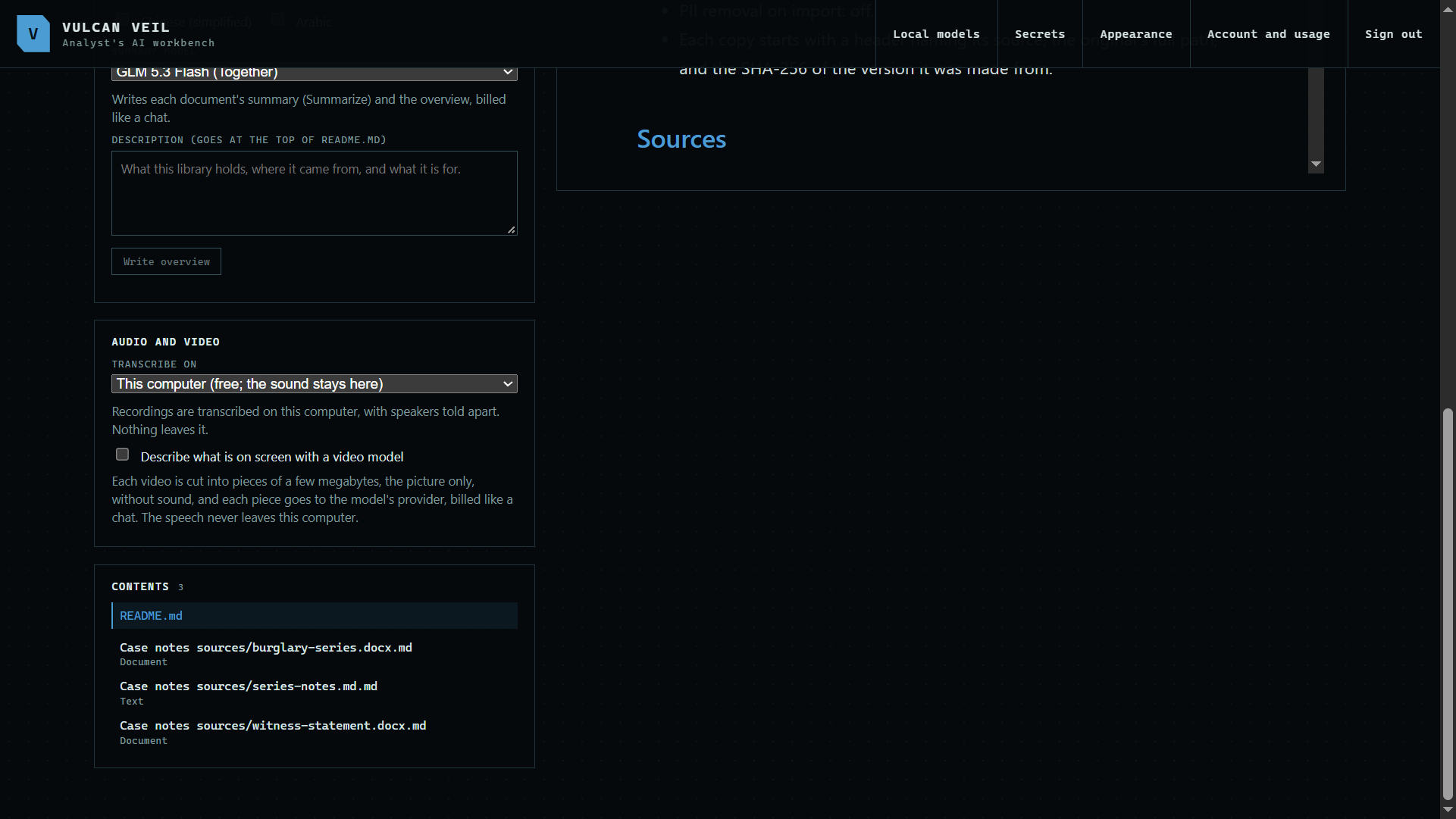
2. Press Update
Change a file, or add one to the folder, then press Update. Only those files are read again, and new ones join the library.
 Expand
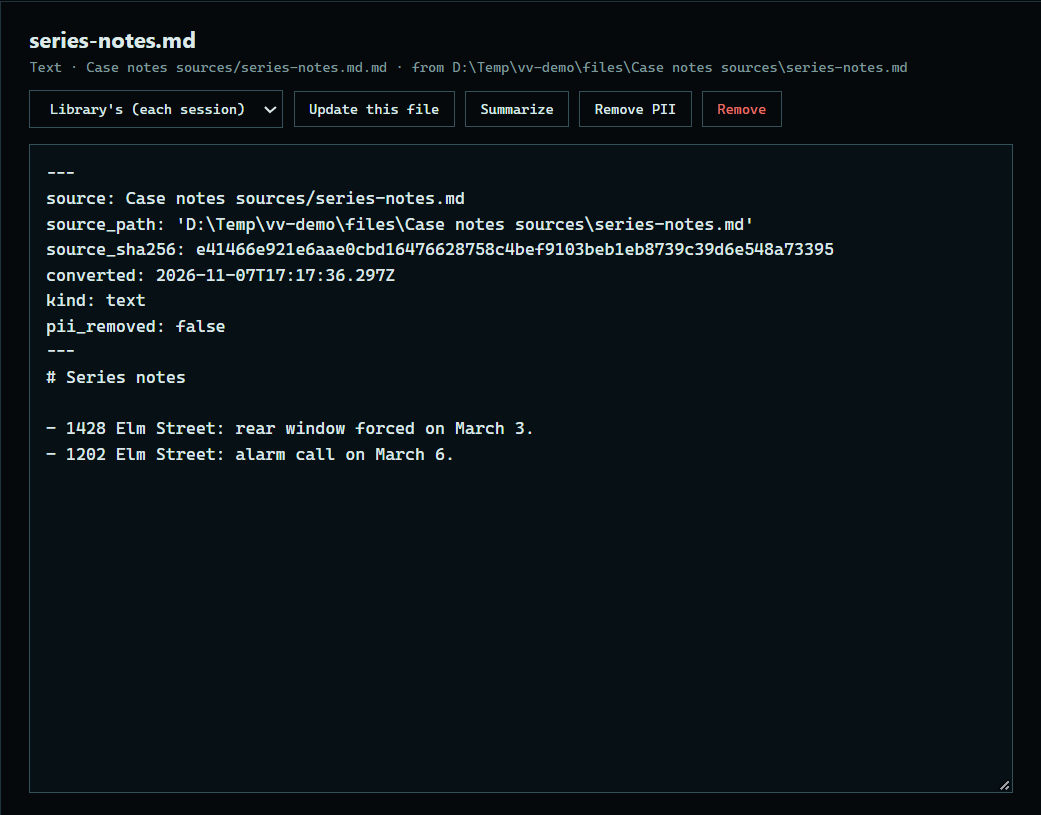
3. See the change
Open a copy to see its new text.
 Expand
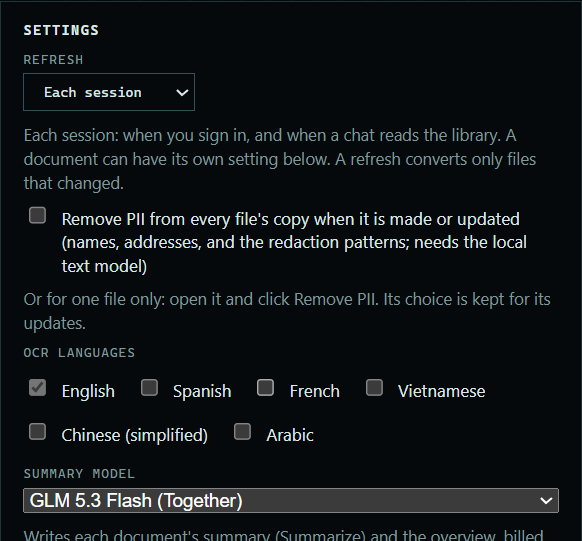
4. Choose when it refreshes
Refresh, under Settings, can be Each session, Every N days, or Only on Update. A document can have its own setting.
 Expand
Good to know
- Each session means each sign-in, and before a chat reads the library, at most once a minute.
- A file with the same size and date as last time is not read again.
- Convert all again reads every file, changed or not. Copies edited by hand are kept.