Using your own models
Besides Vulcan Veil's models, the desktop app can use a model from a provider you have an account with (OpenAI, Anthropic, Google Gemini, xAI, or another host that speaks the OpenAI API), or one you run on your own computer or network with Ollama, LM Studio, llama.cpp, or vLLM. The chat goes from your computer straight to that host, and the host bills you.
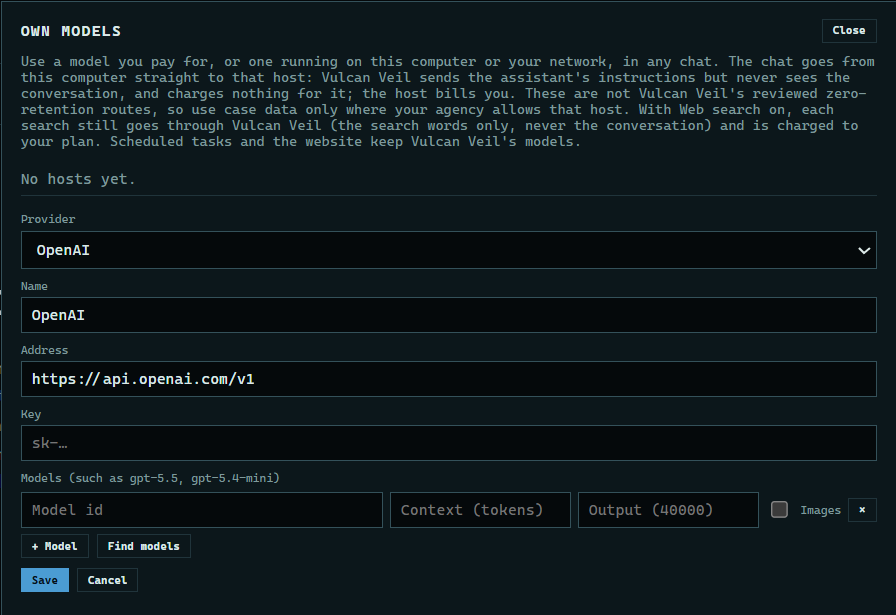
1. Open Own models
Press Own models at the top of the start screen, then Add a host.
 Expand
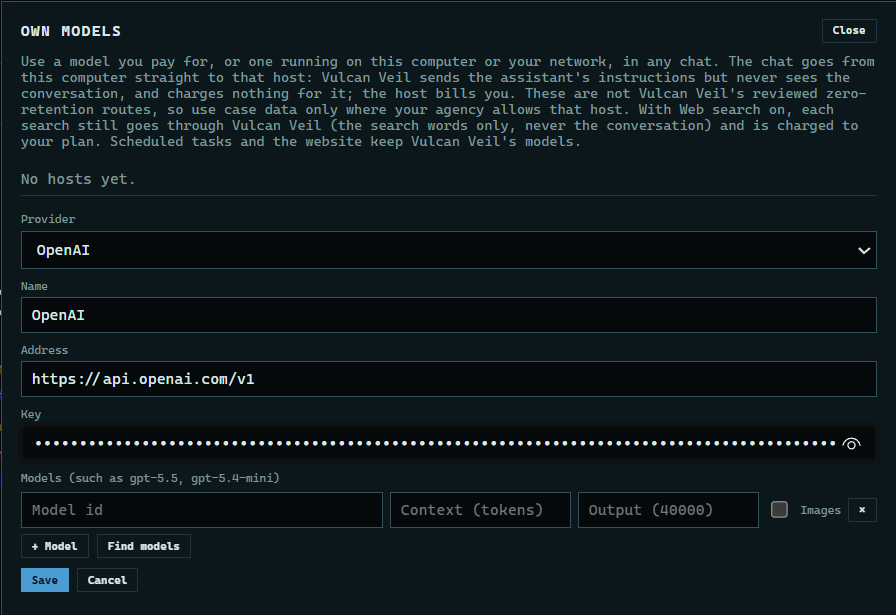
2. Choose the provider and paste your key
Choose the provider. For OpenAI, Anthropic, Gemini, and xAI, the app fills in the address, and it cannot be changed. Paste your API key. It is kept in Windows Credential Manager and never shown again.
 Expand
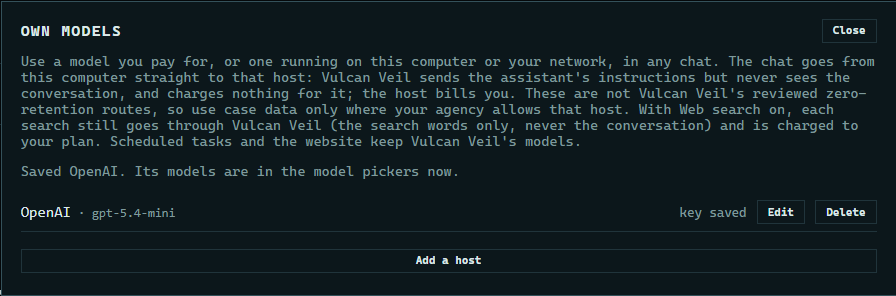
3. Add a model and save
Press Find models to list the models your key can use, and pick one, or type a model's id. Fill in how many tokens it takes (its context) if you know it, and tick Images if it reads pictures. Press Save.
 Expand
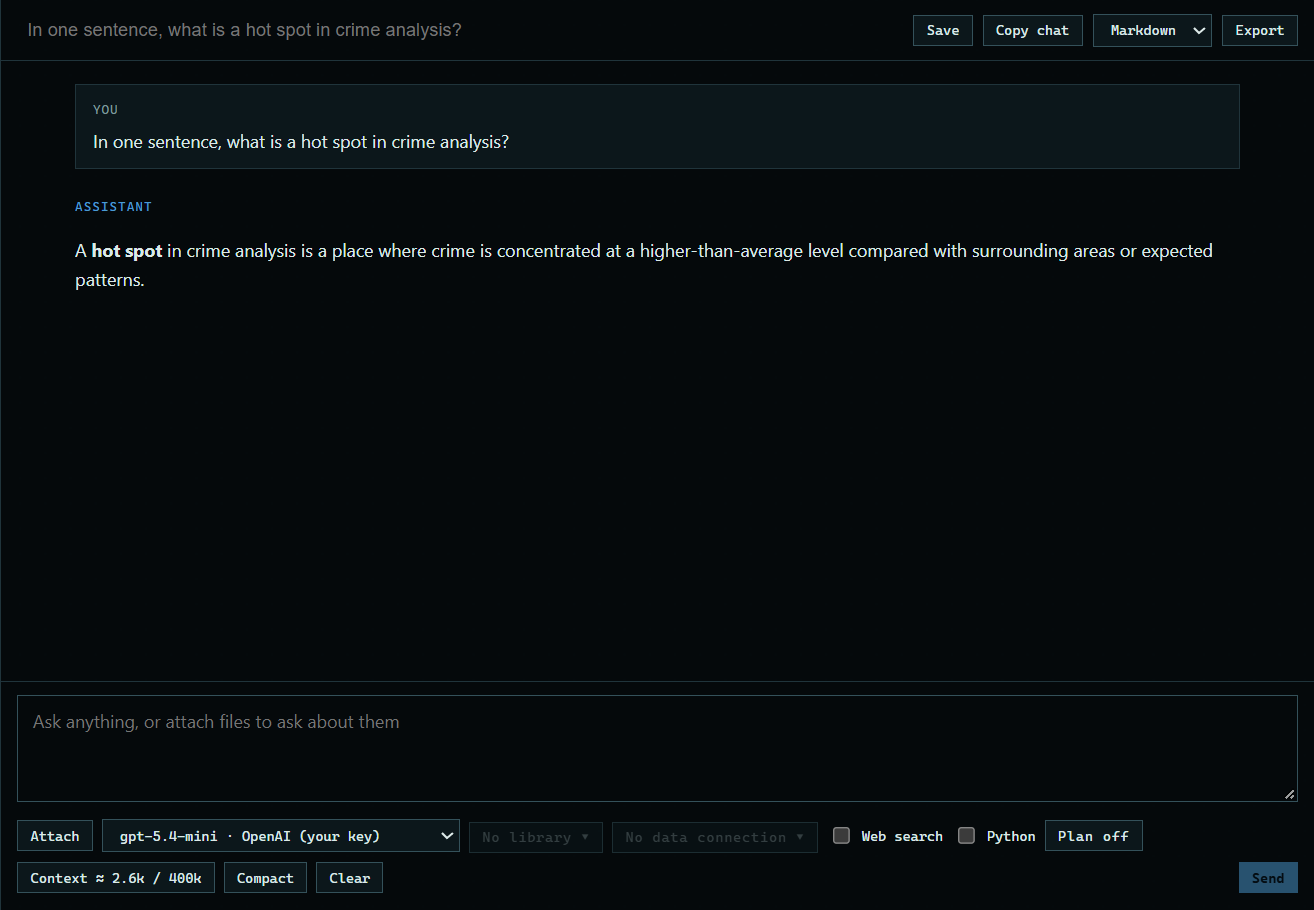
4. Chat with it
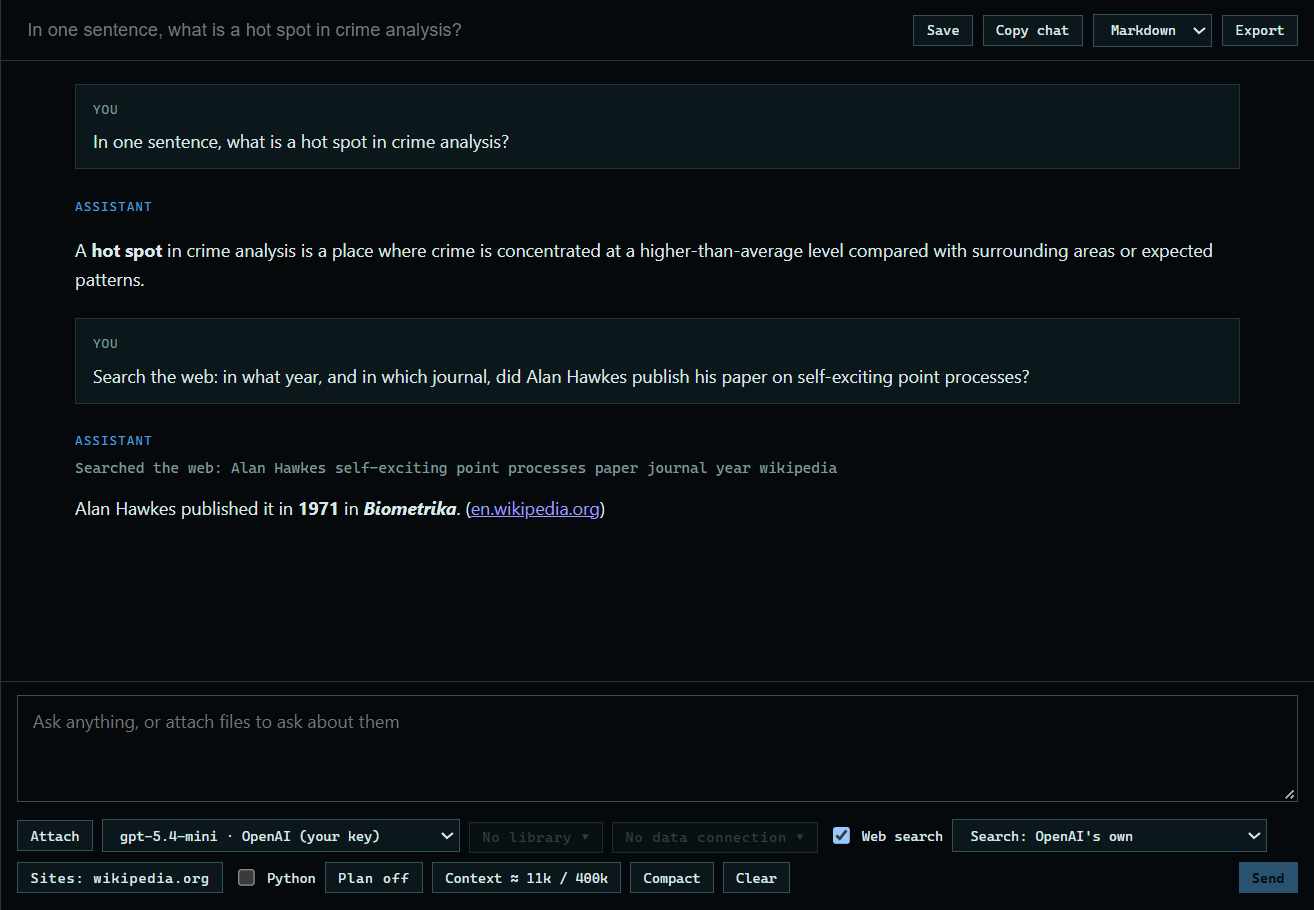
Choose it from the model list under the message box. Your own models say "your key" or "local". Then ask as usual. Here: "In one sentence, what is a hot spot in crime analysis?"
 Expand
5. Search the web with it
Tick Web search. The list beside it chooses who runs the search: Vulcan Veil, charged to your plan, or, with an OpenAI or xAI model, the provider's own search, billed to your key. Here: "Search the web: in what year, and in which journal, did Alan Hawkes publish his paper on self-exciting point processes?"
 Expand
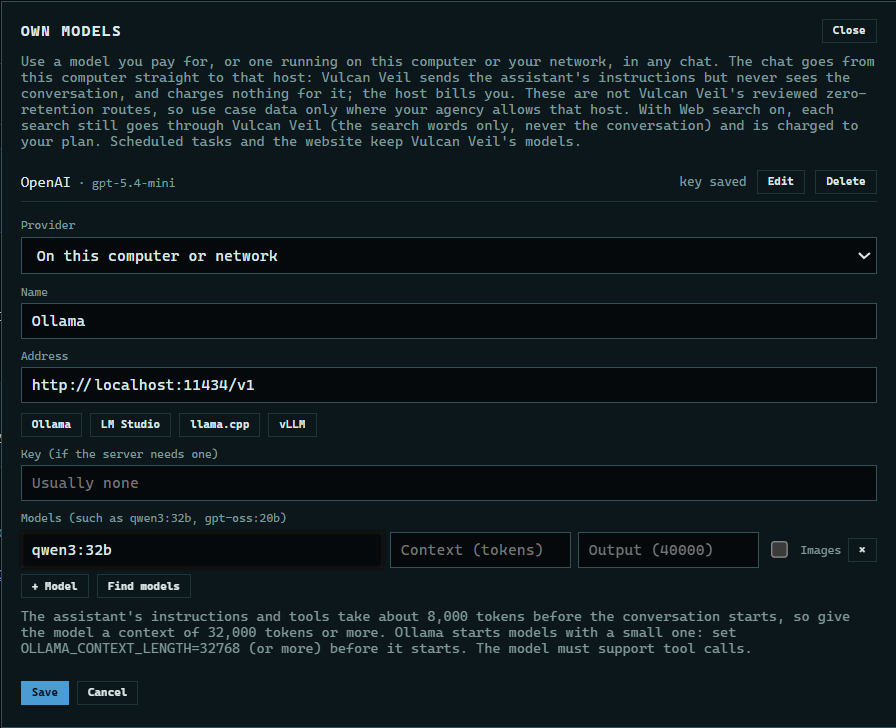
6. Use a model on your computer
Choose On this computer or network. The buttons fill in the usual address for Ollama, LM Studio, llama.cpp, and vLLM, and most of them need no key. Then add the model's name as the server knows it, such as qwen3:32b.
 Expand
Good to know
- Vulcan Veil sends the assistant's instructions to your model, but never sees the conversation, and charges nothing for these chats. They still need a plan.
- These hosts are not Vulcan Veil's reviewed zero-retention routes. Send case data only to a host your agency allows.
- Web search works with your own models. Each search goes through Vulcan Veil's search service, which gets the search words or page address but never the conversation, and is charged to your plan's dollars like any other search. With an OpenAI or xAI model you can choose that provider's own search instead in the chat box: the provider runs it, bills it, and applies your site list itself. Scheduled tasks and the website use Vulcan Veil's models.
- If your team's owner limits the team's models, your own models are not offered.
- A model on your computer needs room for the assistant's instructions and tools, about 8,000 tokens before the conversation starts. Start Ollama with OLLAMA_CONTEXT_LENGTH=32768 or more, and use a model that supports tool calls.
- Edit changes a host's models or key. Delete removes the host and its key.