Reading scanned documents
A scan is a picture of a page, so nothing can search it or read it aloud. The app reads scanned pages on your computer with OCR, and nothing is sent anywhere. The page in this demo is made up.
Follow along: download demo_scanned.pdf (94 KB) and put it in a project.
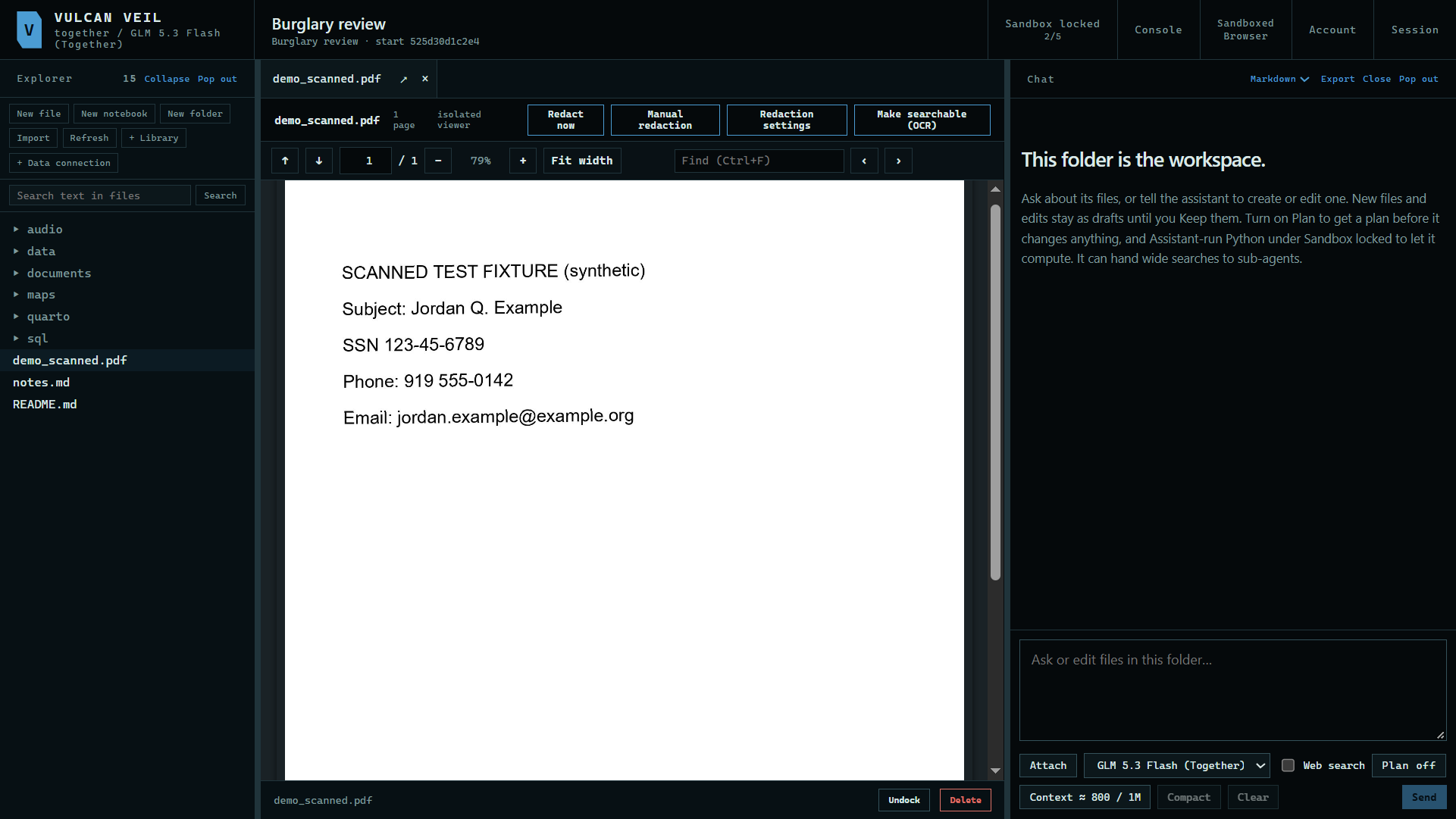
1. Open the scan
Press the PDF in the Explorer.
 Expand
2. Make it searchable
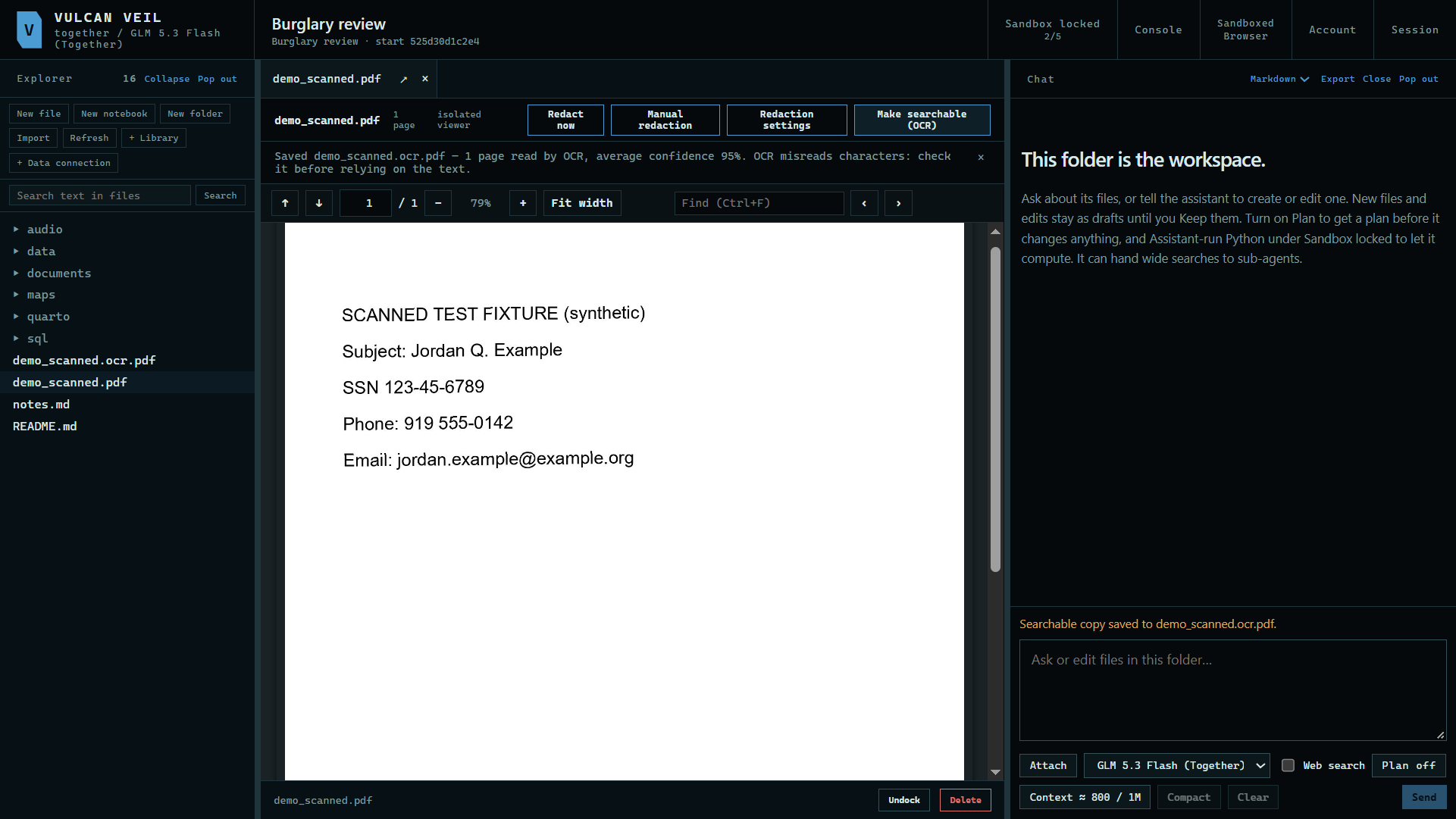
Press Make searchable (OCR). The app saves a copy with a text layer beside the original, and the original does not change.
 Expand
3. Or make a Markdown copy
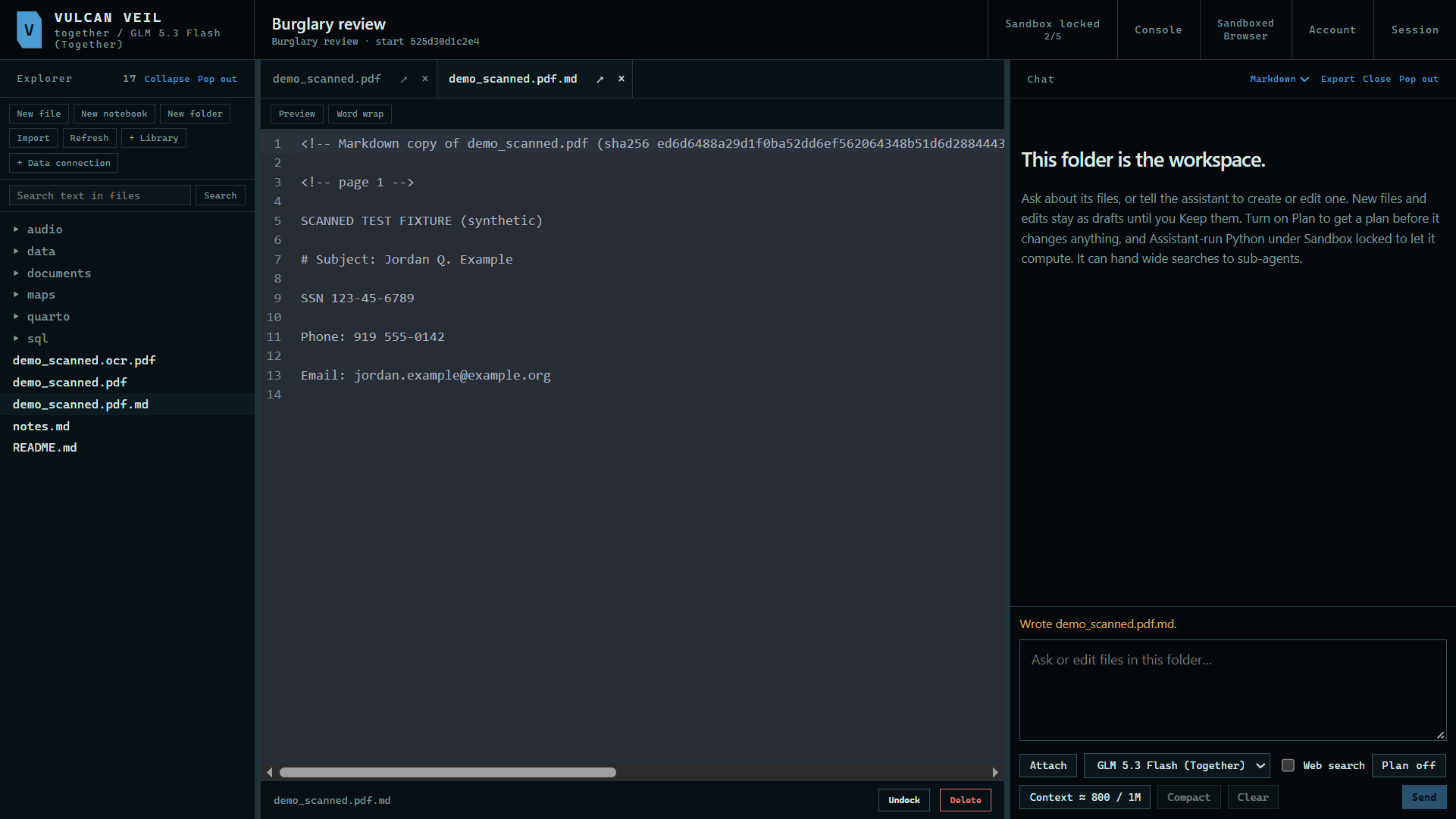
Right-click the PDF and press Convert to Markdown. Scanned pages are read with OCR on the way, so the copy holds the text.
 Expand
Good to know
- OCR reads English by default. Other languages are under Redaction settings, or OCR languages in a library. More languages make it slower.
- Read important details against the scan, as OCR can misread a character.