Reading a PDF in the chat
Attach a PDF and ask about it, the same way you would a data file. The app reads the PDF on your computer and keeps its page numbers, so the assistant can say where an answer came from. This page uses a public Raleigh police directive on searches and seizures.
Follow along: download RaleighSearchSeizure.pdf (581 KB) and attach it to a new chat.
1. Attach the PDF
Drag the file onto the chat, or press Attach and choose it. A long file shows its progress, and Send waits until it is read.
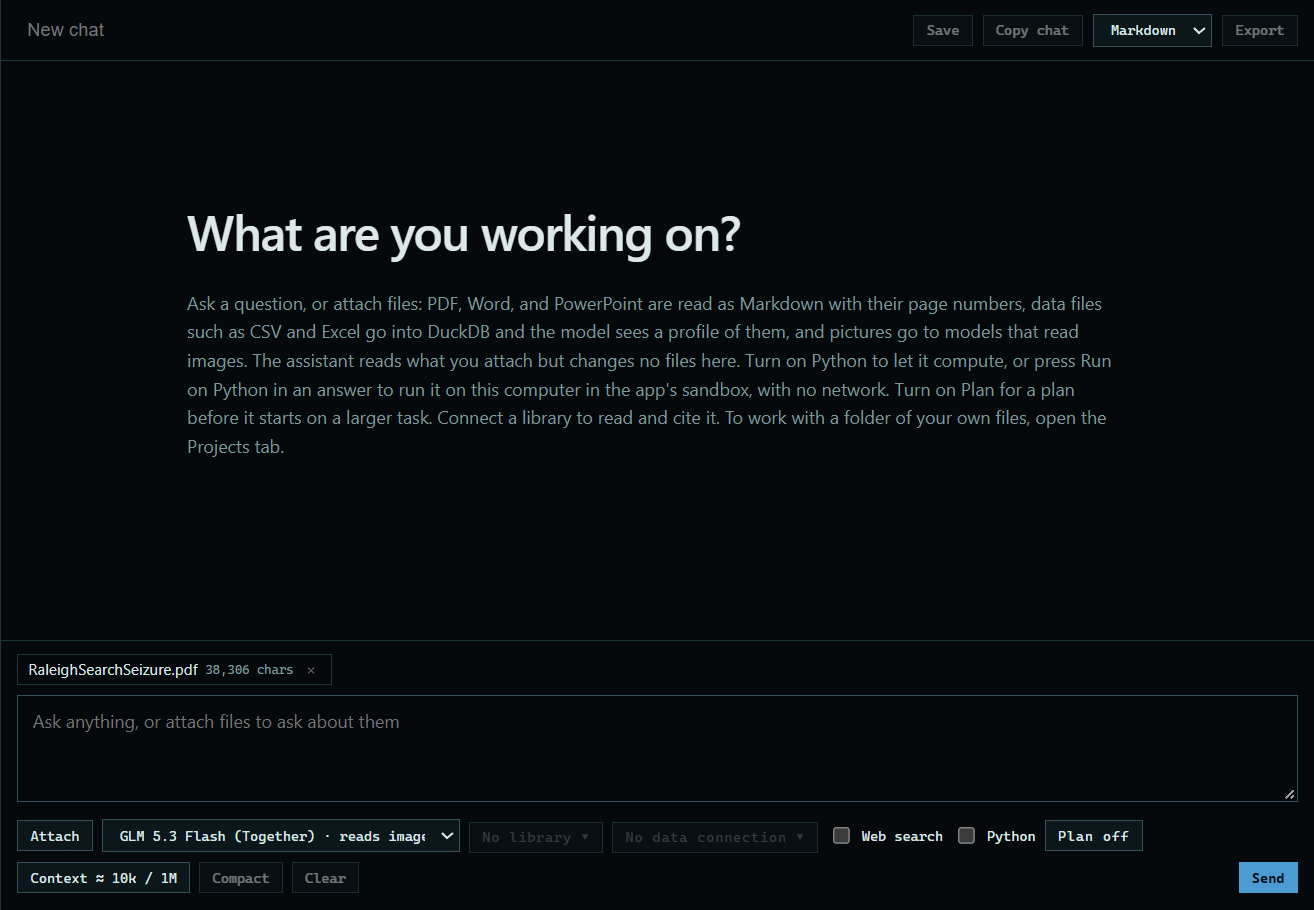 Expand
2. Ask about it
Type your question and press Send. Here: "What does this directive say about consent searches? Tell me which page it is on."
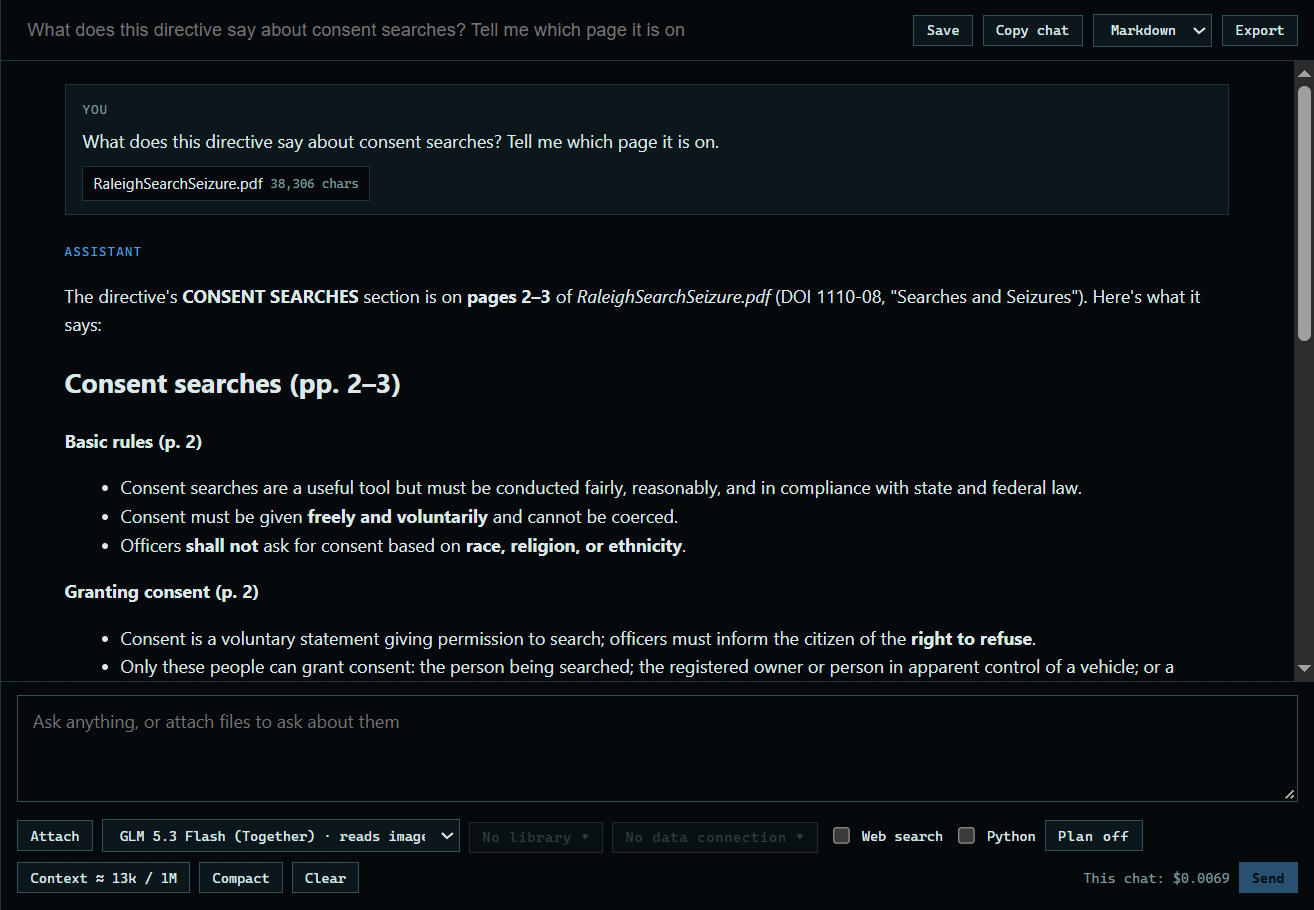 Expand
Good to know
- Scanned pages are read on your computer too, with OCR.
- For a very long PDF, the assistant gets an outline and reads the parts it needs, rather than the whole file.