Models and prices
Vulcan Veil offers open-weight models from two US hosts, and you choose one for each chat. The models page lists them all, with what each can read, who made it, where it runs, and its price. This page explains how to read it.
1. Open the models page
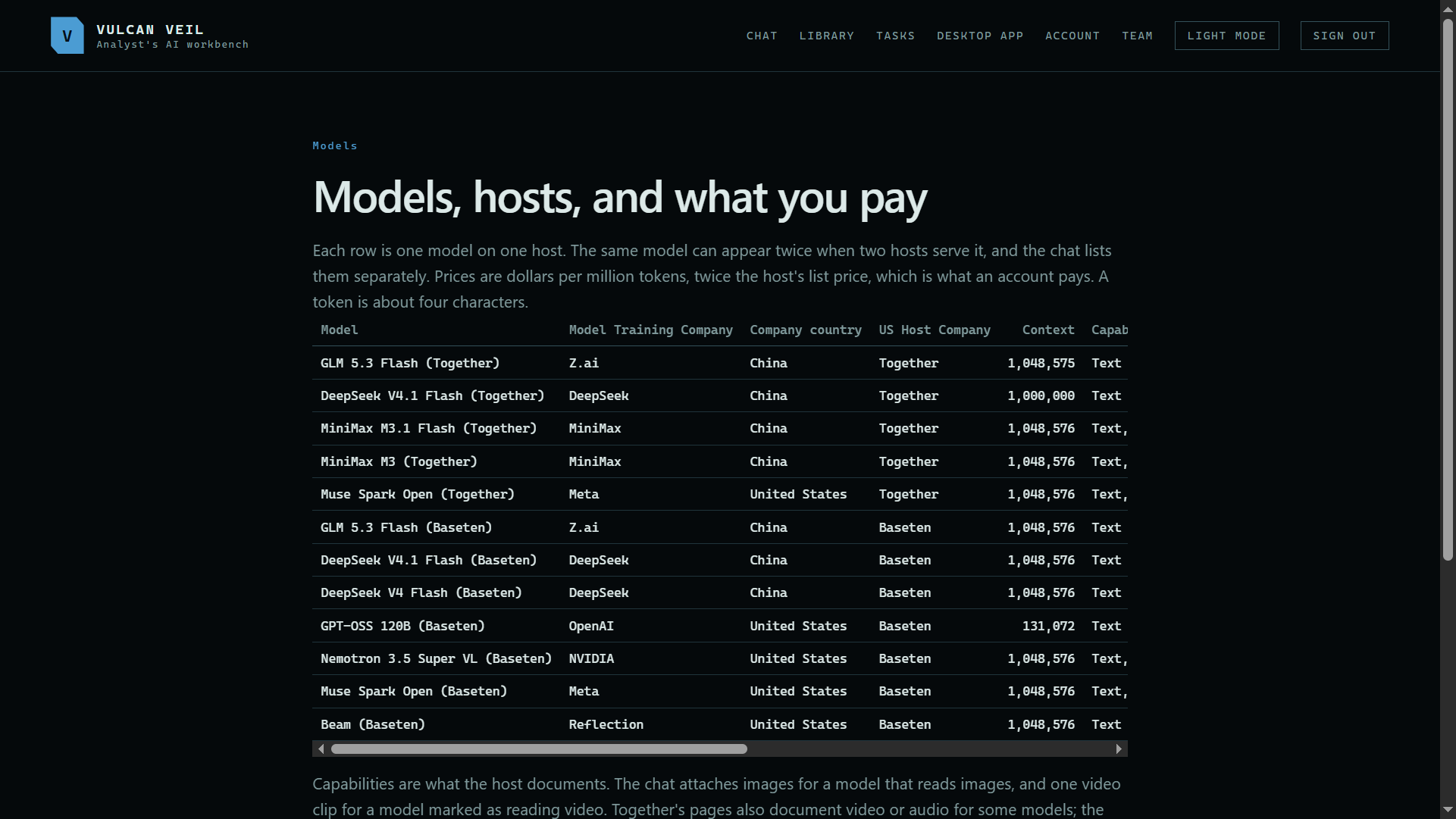
vulcanveil.com/models lists every model and host. Each row is one model on one host, so a model that two hosts serve appears twice, and the chat lists both.
 Expand
2. What a model can read
Every model reads text, code, and tables. Text and images means it can also look at pictures, charts, and the pages of a PDF. Video means it takes one short clip in the web chat and can describe the video in a library. Context is how much a model can read at once, in tokens.
3. Who made it and where it runs
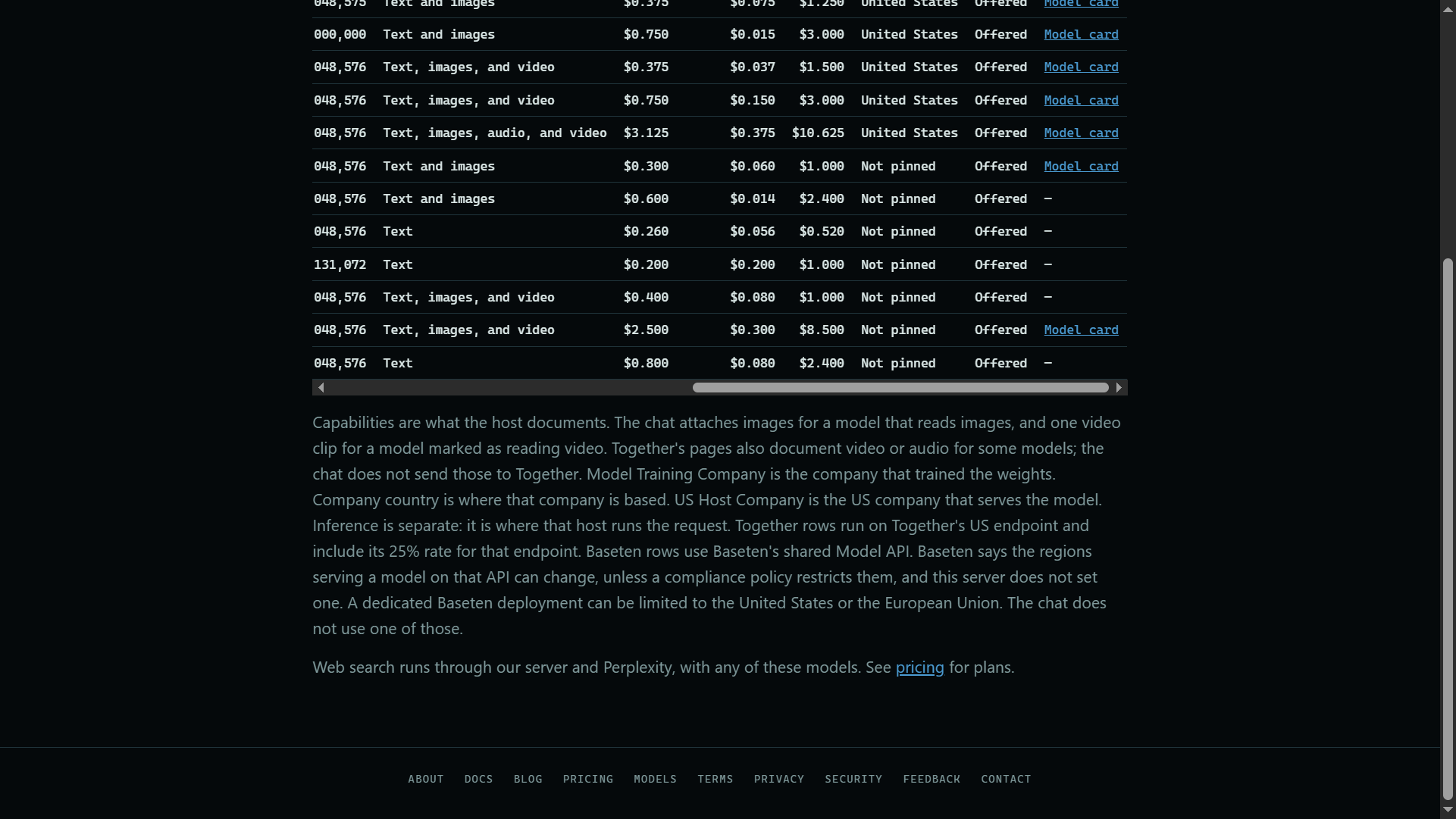
Model Training Company trained the weights, and Company country is where that company is based. US Host Company is the US company that runs the model for us. Inference says where the request runs: Together's rows always run in the United States, while Baseten's shared service can move between regions.
 Expand
4. What a request costs
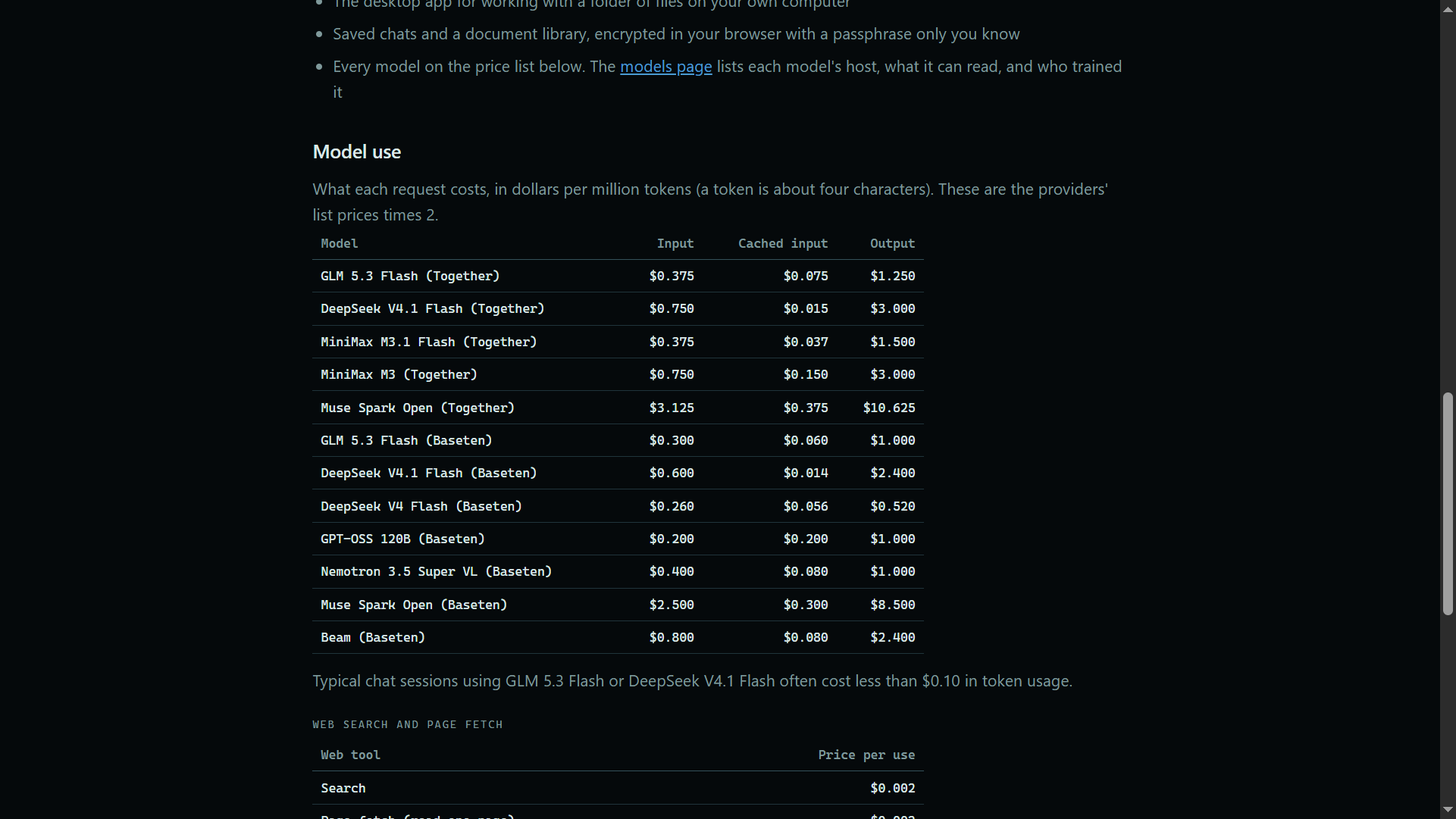
Prices are dollars per million tokens, at twice the host's list price, and a token is about four characters. Input is what the model reads, output is what it writes, and cached input is the part of a long chat it has read before, at a lower price. At the prices shown here, a question to GLM 5.3 Flash (Together) that sends 20,000 tokens and gets a 1,000-token answer costs under a cent: $0.0075 to read and $0.00125 to write.
5. Plans and other charges
Every plan includes dollars of model use each month, and a team shares one pool. Web searches and page reads, and transcription with Whisper, are charged on their own. Pricing has the plans and these prices.
 Expand
Good to know
- Models and prices change. The models and pricing pages always show the current list.
- Web search works with every model. It runs through our server and Perplexity.
- The desktop app's local models, for reading scans, finding personal details, and transcribing, run on your computer at no charge. See Local models.
- Your account page shows what you have used, by model. See Seeing your usage.