Keeping secrets safe
Code often needs a key or a password, and those should never sit in a file or a chat. Secrets are kept in Windows Credential Manager. Python gets them as environment variables, and the assistant never receives them. Why this matters.
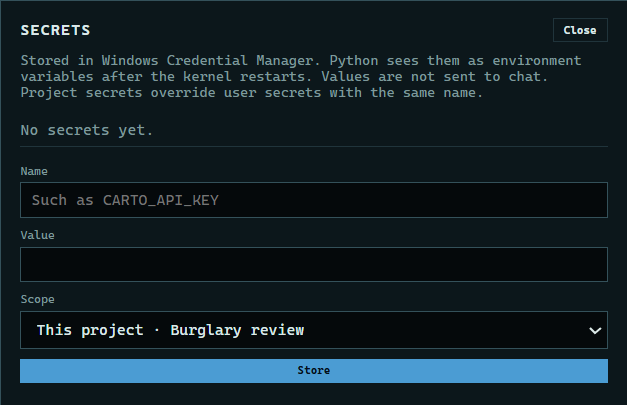
1. Open Secrets
Press Session, then Secrets. Secrets on the start screen apply to every project.
 Expand
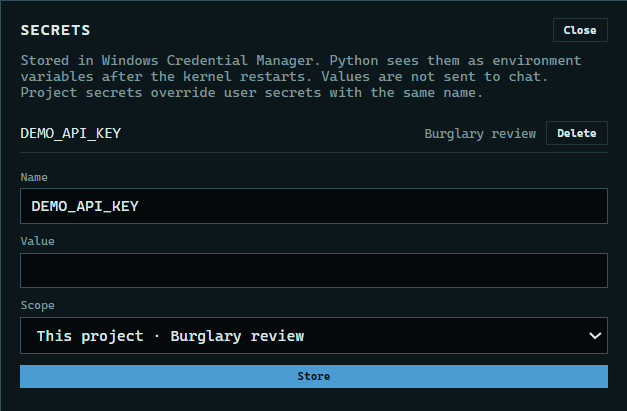
2. Add a secret
Type a name and its value, choose this project or all your projects, and press Store. Only the name shows from then on.
 Expand
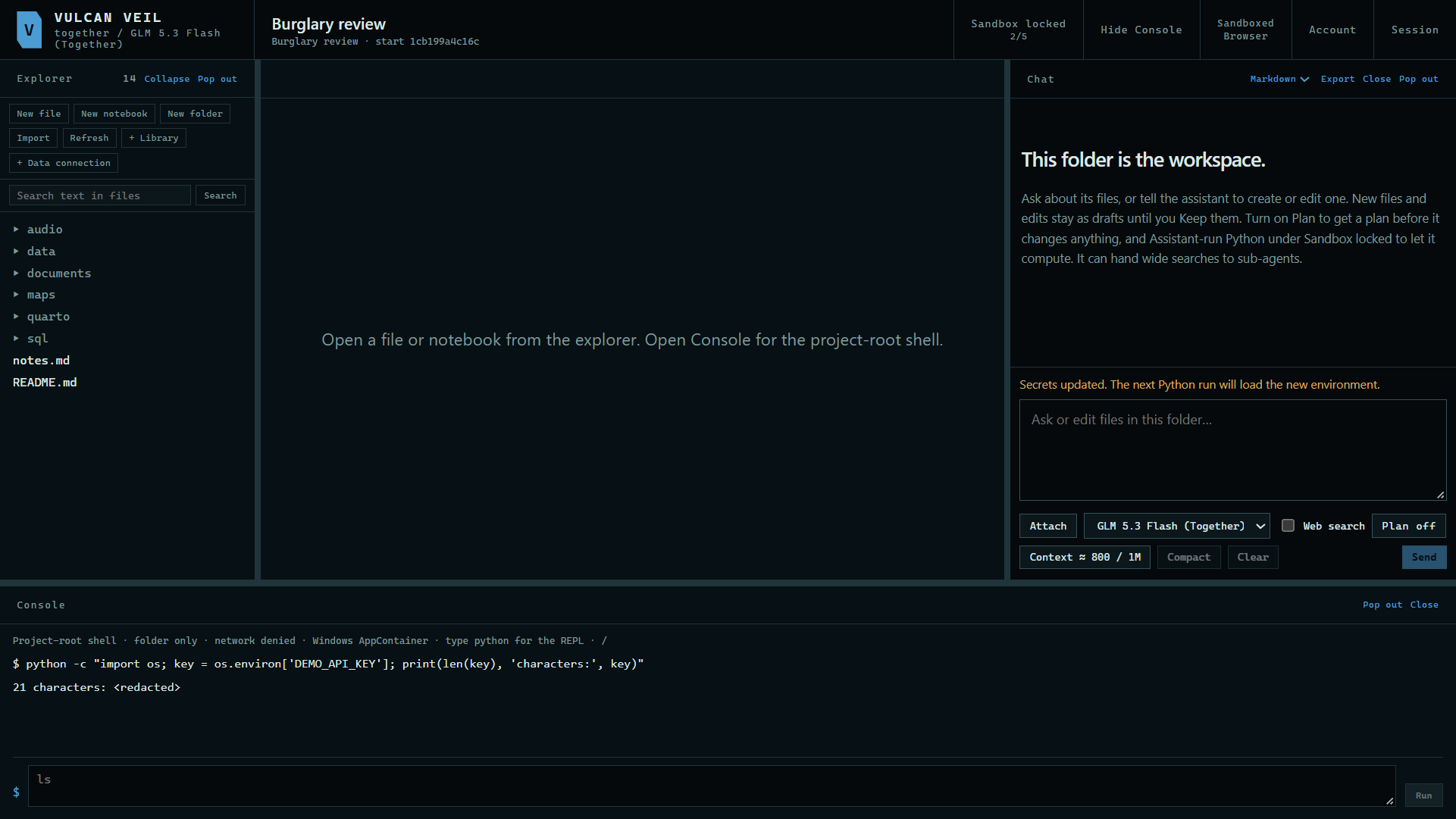
3. Use it from Python
Your Python reads it as an environment variable with that name.
 Expand
4. See it filtered
If a secret is printed, the output shows <redacted> in its place. Values of 8 characters or more are filtered.
Good to know
- The assistant never receives a secret, and assistant-run Python gets none.
- The editors flag text that looks like a secret, and saving such a file asks you to confirm first.
- Chat messages that look like they hold a secret are held once, with a warning.