Cleaning up a document
You can clean up a document after it is in your library. Remove PII swaps personal details for placeholders, in your browser. Edit Markdown fixes anything the conversion got wrong. The statement on this page is made up.
Follow along: download witness-statement.docx (36 KB) and add it to a folder.
1. Remove PII
Press Remove PII on a document, then press it again to confirm. Its text is checked in your browser, and each detail becomes a placeholder such as [NAME A]. The original is deleted.
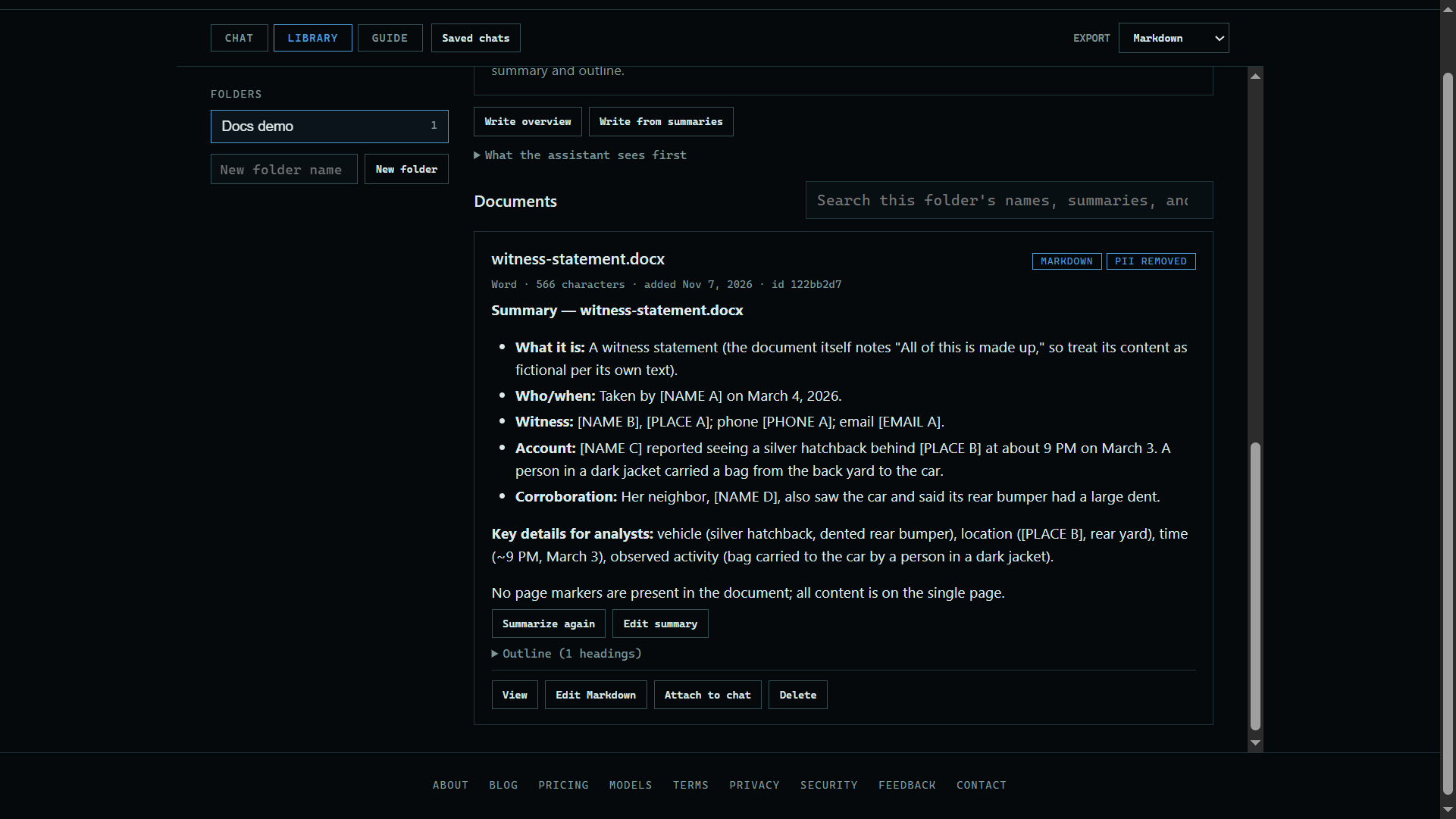 Expand
2. Read the result
Press View to read the document with its placeholders.
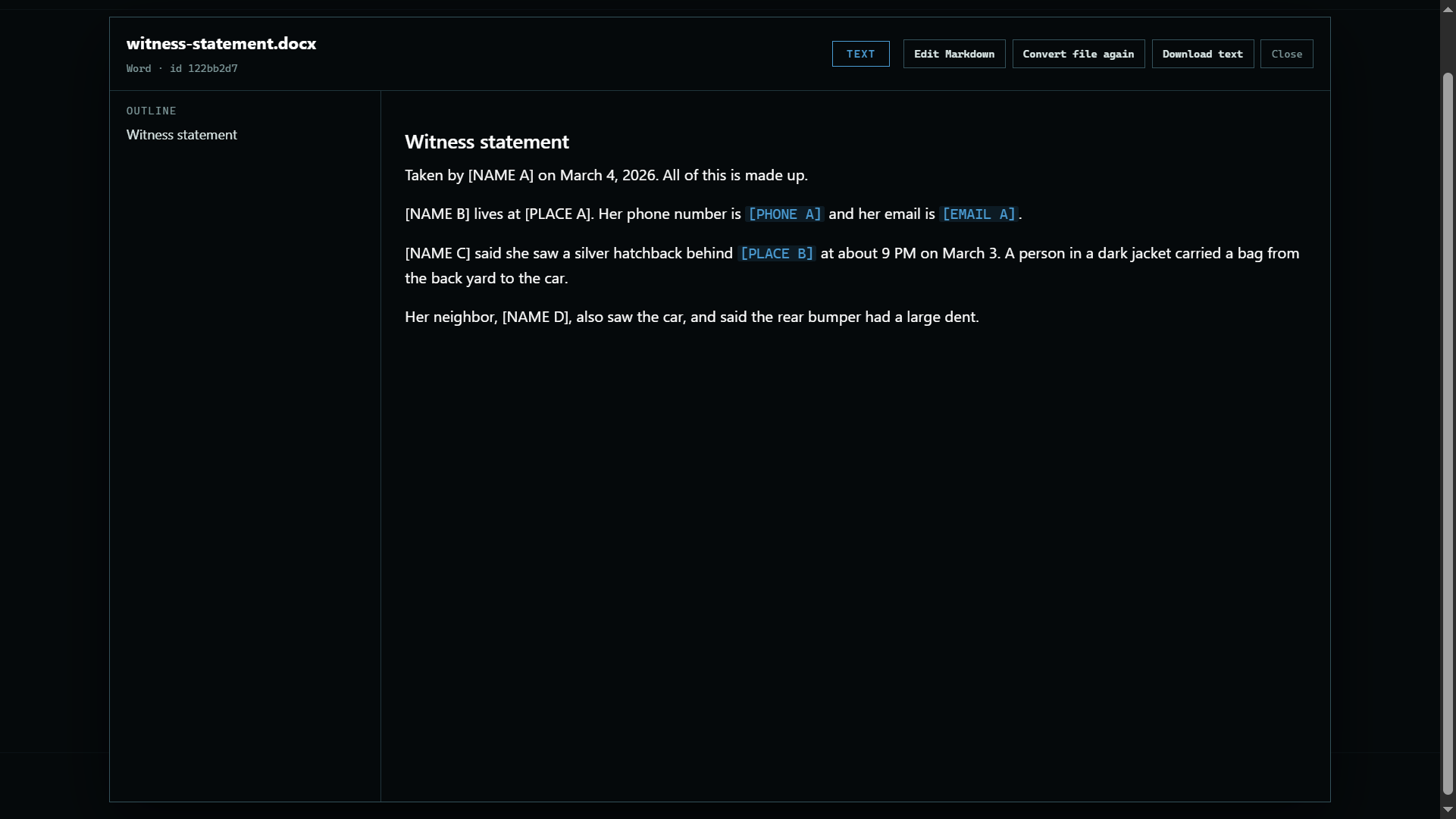 Expand
3. Edit the Markdown
Press Edit Markdown to correct the text by hand, then save it. Convert file again, in the viewer, makes a new copy from the original file, which replaces your edits.
Good to know
- To remove PII as a file is added, tick Remove PII above the file list. The original is then never kept.
- It reads text only, so pictures are not checked. Placeholders are not proof that a document is de-identified.