Limiting web search
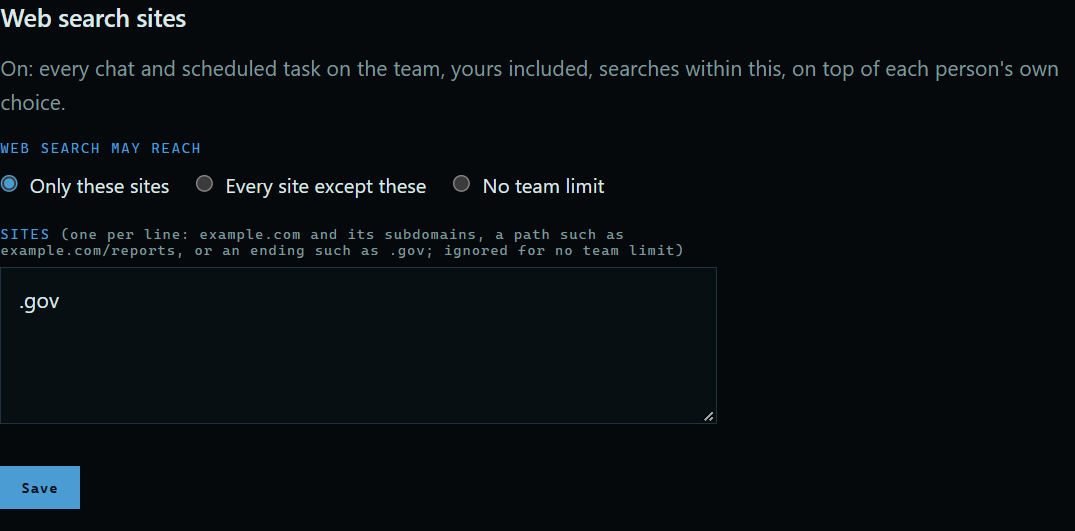
Web search is useful, but what the assistant reads and asks shapes what goes out to the web. The owner can keep the whole team to a list of sites, or block some. Here, the team may only search government sites.
1. Find Web search sites
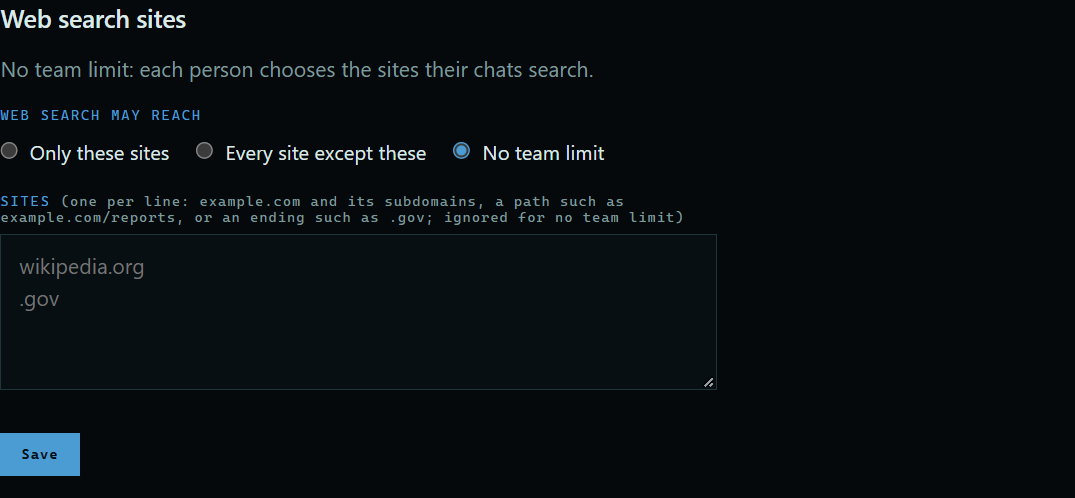
On the Team page, scroll to Web search sites. With No team limit, each person chooses for themselves.
 Expand
2. Choose what to allow
Choose Only these sites or Every site except these, enter the sites one per line, and press Save. An entry can be a site, a path, or an ending such as .gov.
 Expand
3. What people see
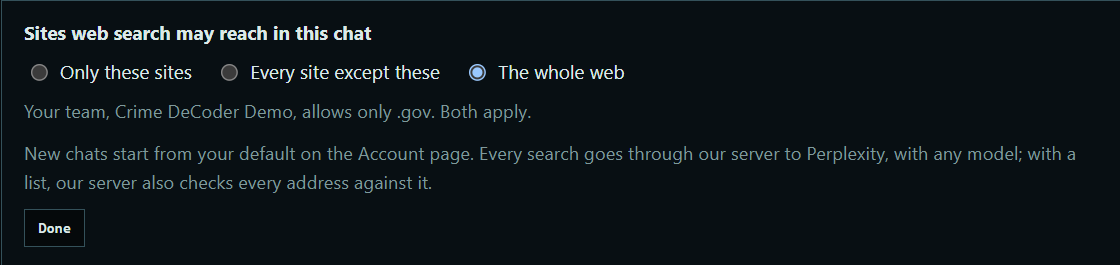
On the chat page, the Sites panel tells each person what your team allows. Even if they choose the whole web, your list still applies.
 Expand
Good to know
- It applies on top of each person's own choice, so a site has to be allowed by both.
- It covers chats and scheduled tasks, on the website and in the desktop app.
- A list can hold up to 20 sites.
- Only the owner can change it. Choose No team limit to take it off.