Working with CSV and Excel files
You do not need another program to look at a data file. A CSV opens as a table you can sort, filter, and edit. An Excel file opens with its sheets, and Open in Excel is there when you need the real thing.
Follow along: download NearbyPark1500ft.csv (413 KB) and call-log.xlsx (7 KB) and put them in a project. It is a trimmed copy of public police incident records from the Dallas open data site.
1. Open a CSV
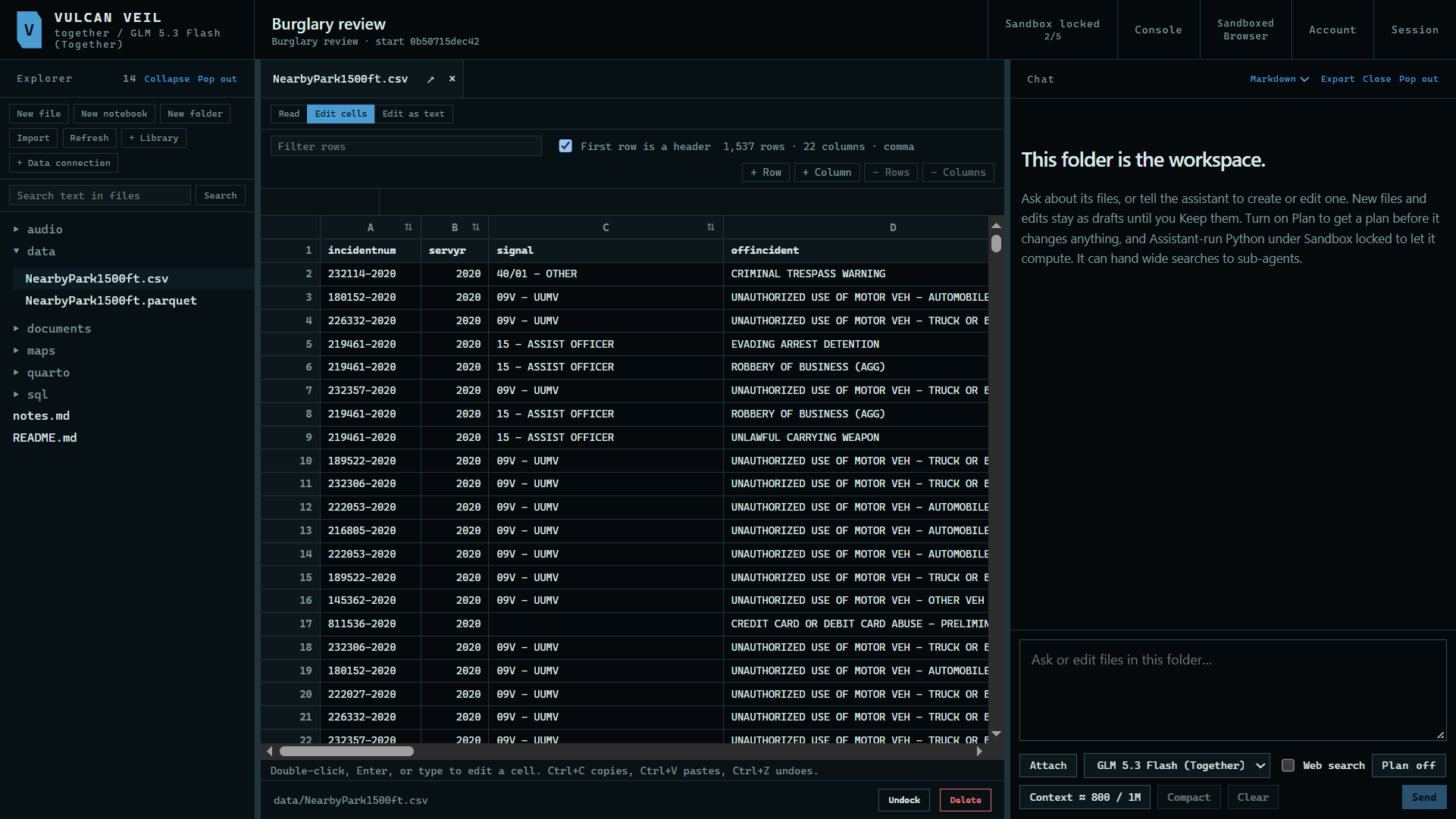
Press a .csv file in the Explorer. It opens as a table, with its first row as the header.
 Expand
2. Filter and sort
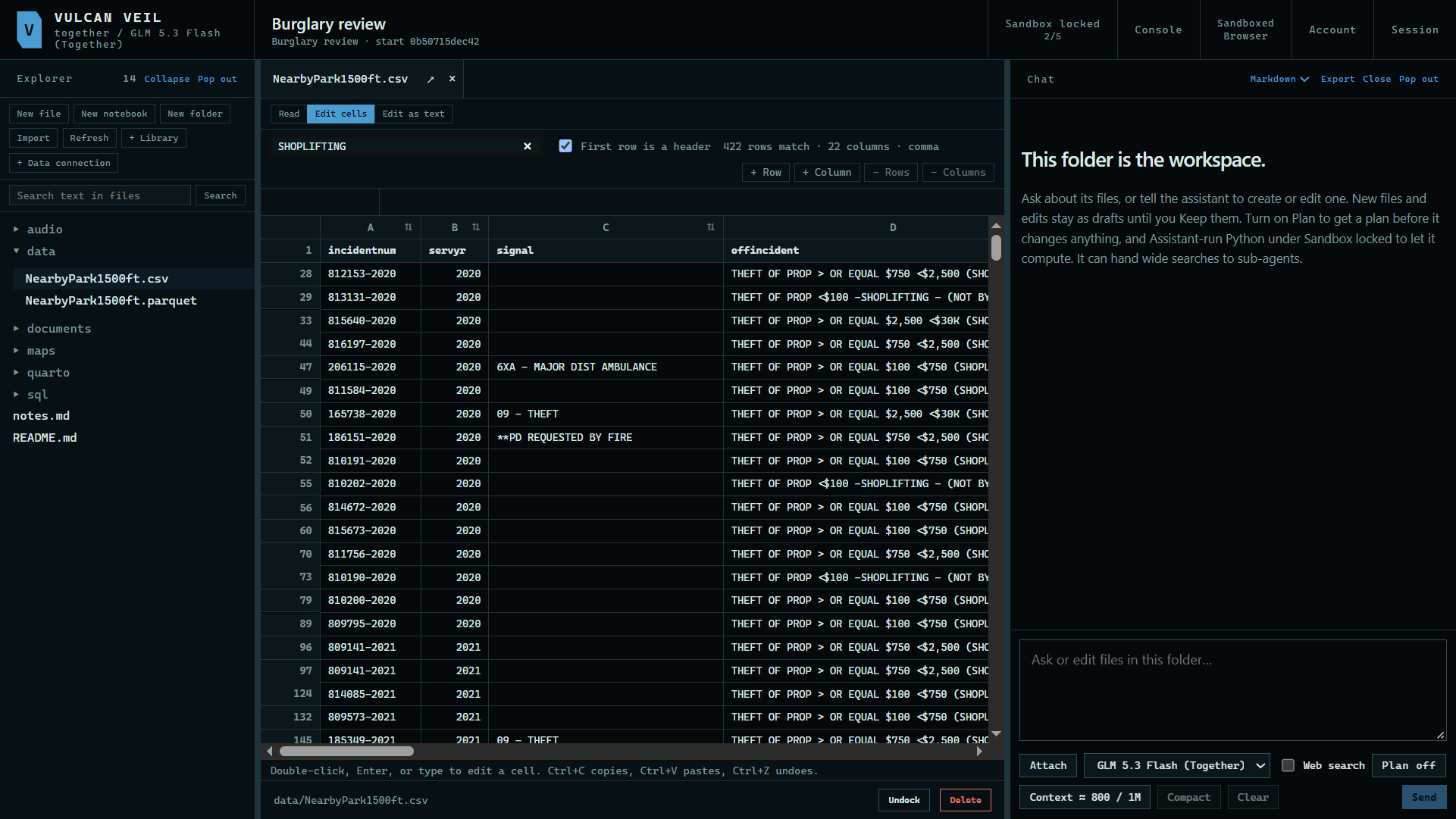
Type in Filter rows to keep the rows that match, and press the arrows in a column's heading to sort by it.
 Expand
3. Open an Excel file
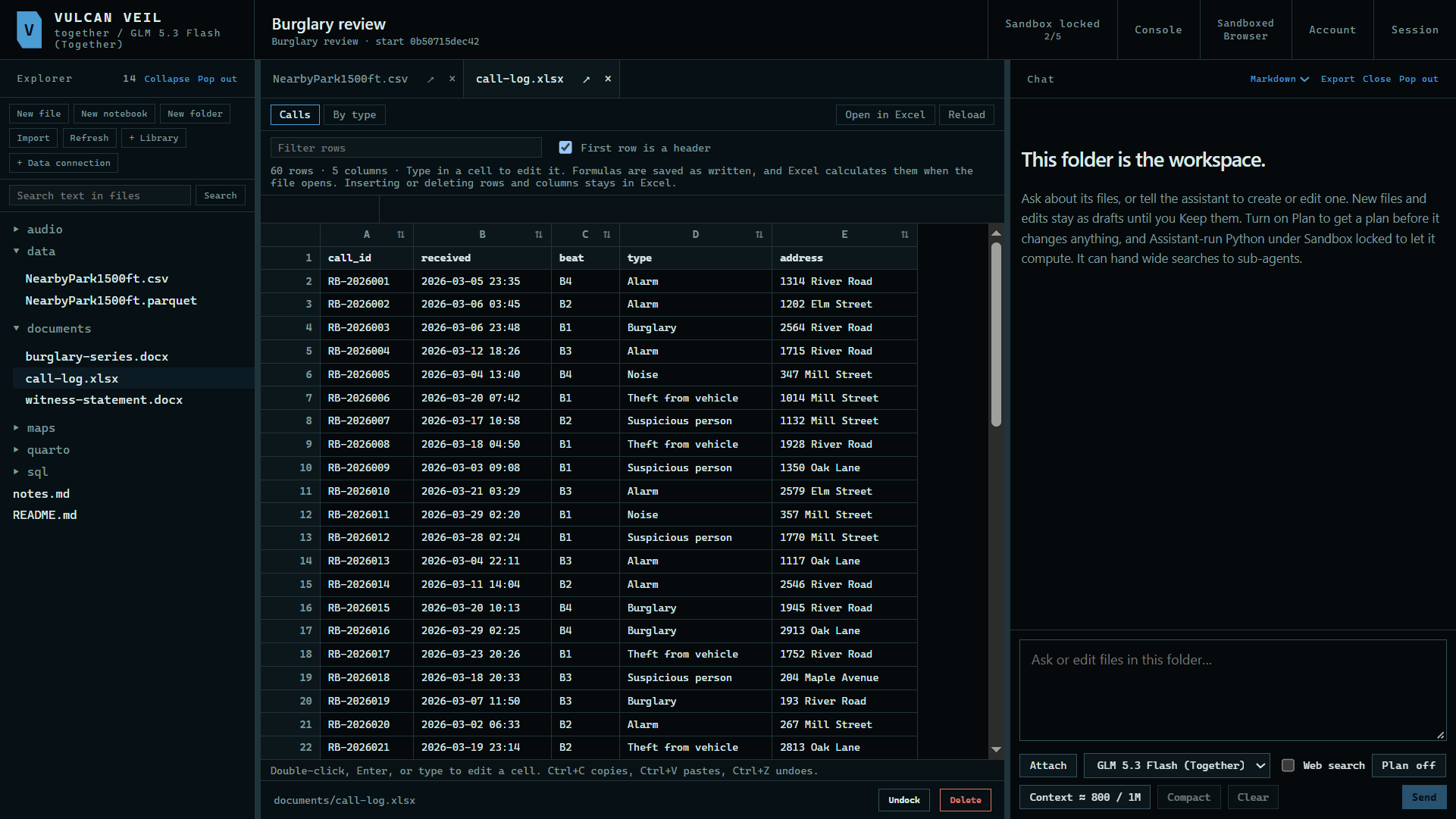
Press an .xlsx file. Each sheet has a tab at the top. Type in a cell to edit it, and select cells to see their sum.
 Expand
4. Change sheets
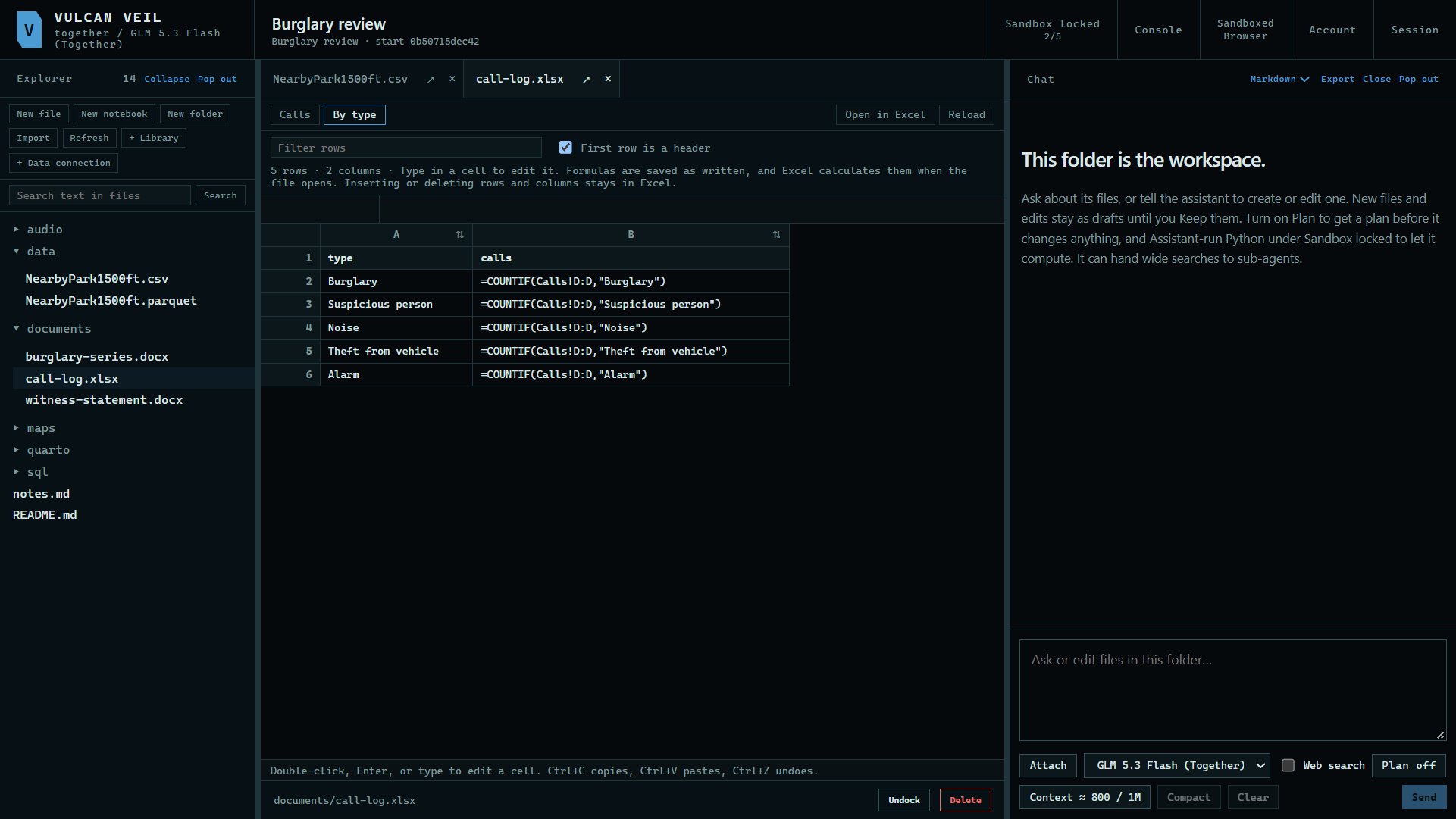
Press a sheet's tab to open it. Open in Excel hands the saved file to Excel for anything else, such as inserting rows.
 Expand
Good to know
- Formulas are saved as written, and Excel calculates them when the file opens.
- The assistant can edit these files too, and you review the change before it is saved.