Removing someone
When someone leaves your unit, take them off the team so their seat is free for the next person. It takes effect right away, and they go back to their own plan and balance.
1. Press Remove
On the Team page, press Remove beside the person in the People table.
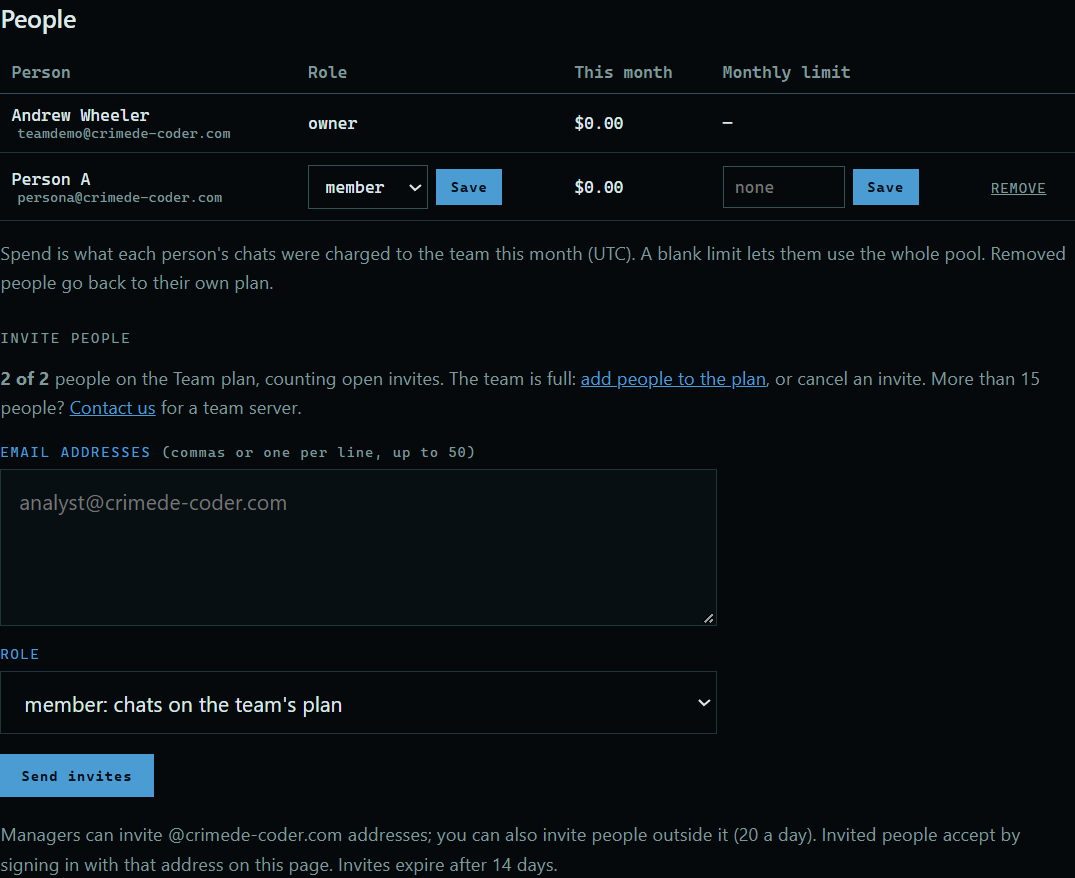 Expand
2. Their seat is free
They are off the team, and the count of people under Invite people goes down by one.
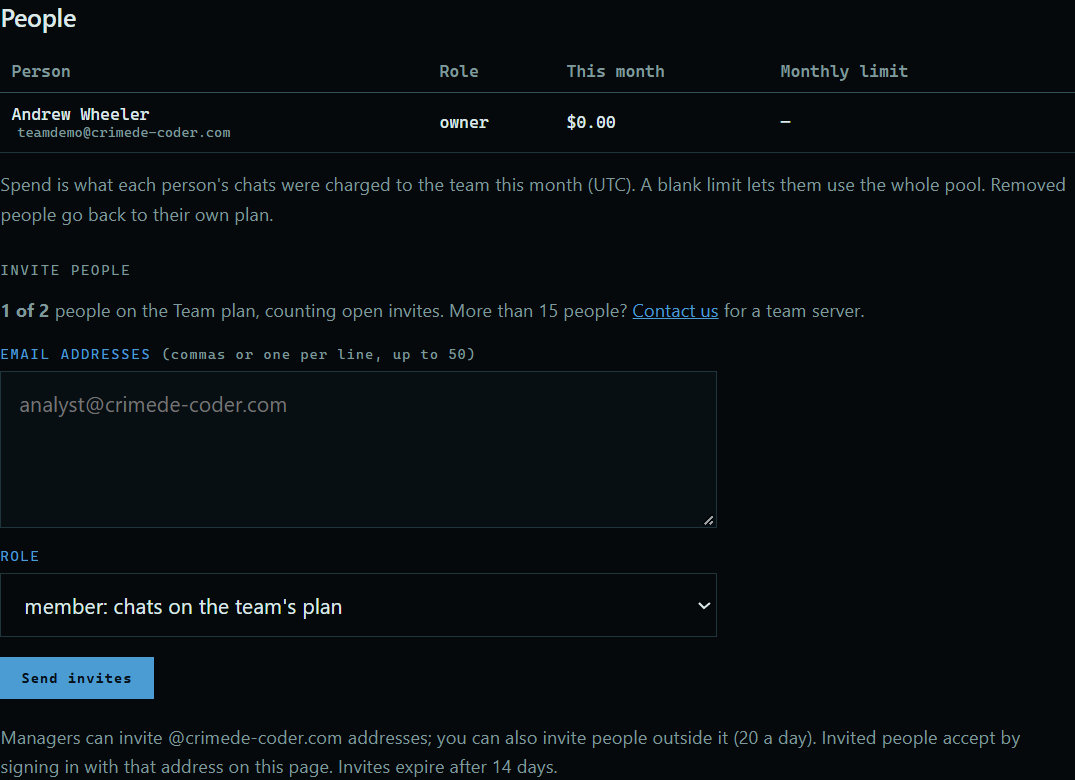 Expand
Good to know
- An invite nobody has accepted has Cancel invite in the same place.
- What they spent so far stays on the team's history.
- The owner can remove anyone. A manager can remove members, but not other managers.
- Removing someone doesn't change how many people you pay for. To pay for fewer, change the number under Manage subscription on your account page. That takes effect on the 1st.