Controlling what the agent can see and edit
You decide what the agent can touch, file by file. A hidden file is out of its reach, and a protected file can be read but not changed. The app enforces these limits, so the agent cannot talk its way around them.
1. Hide a file
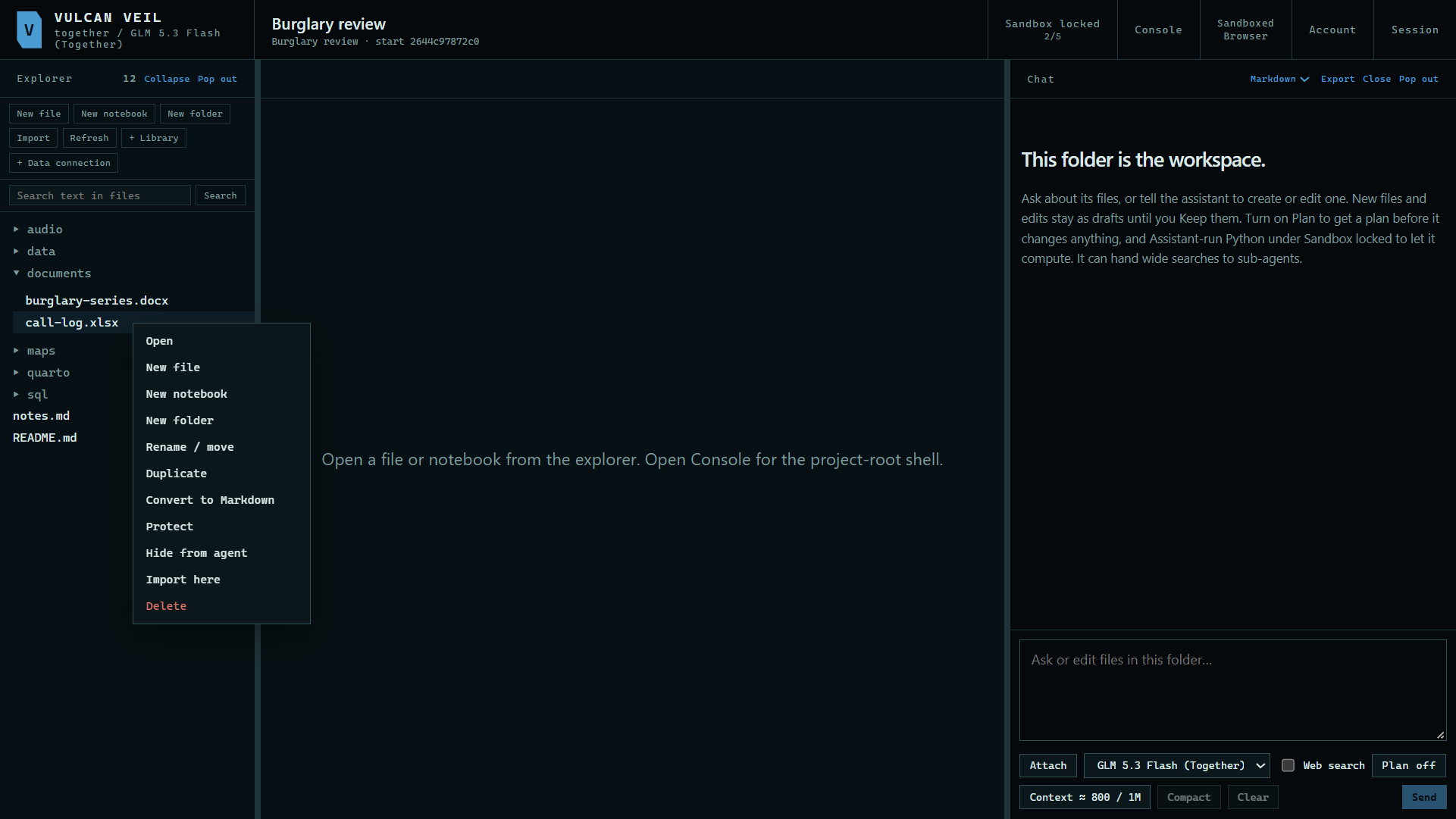
Right-click a file in the Explorer and press Hide from agent. A folder offers Hide all from agent. You can still open it yourself.
 Expand
2. Check that it worked
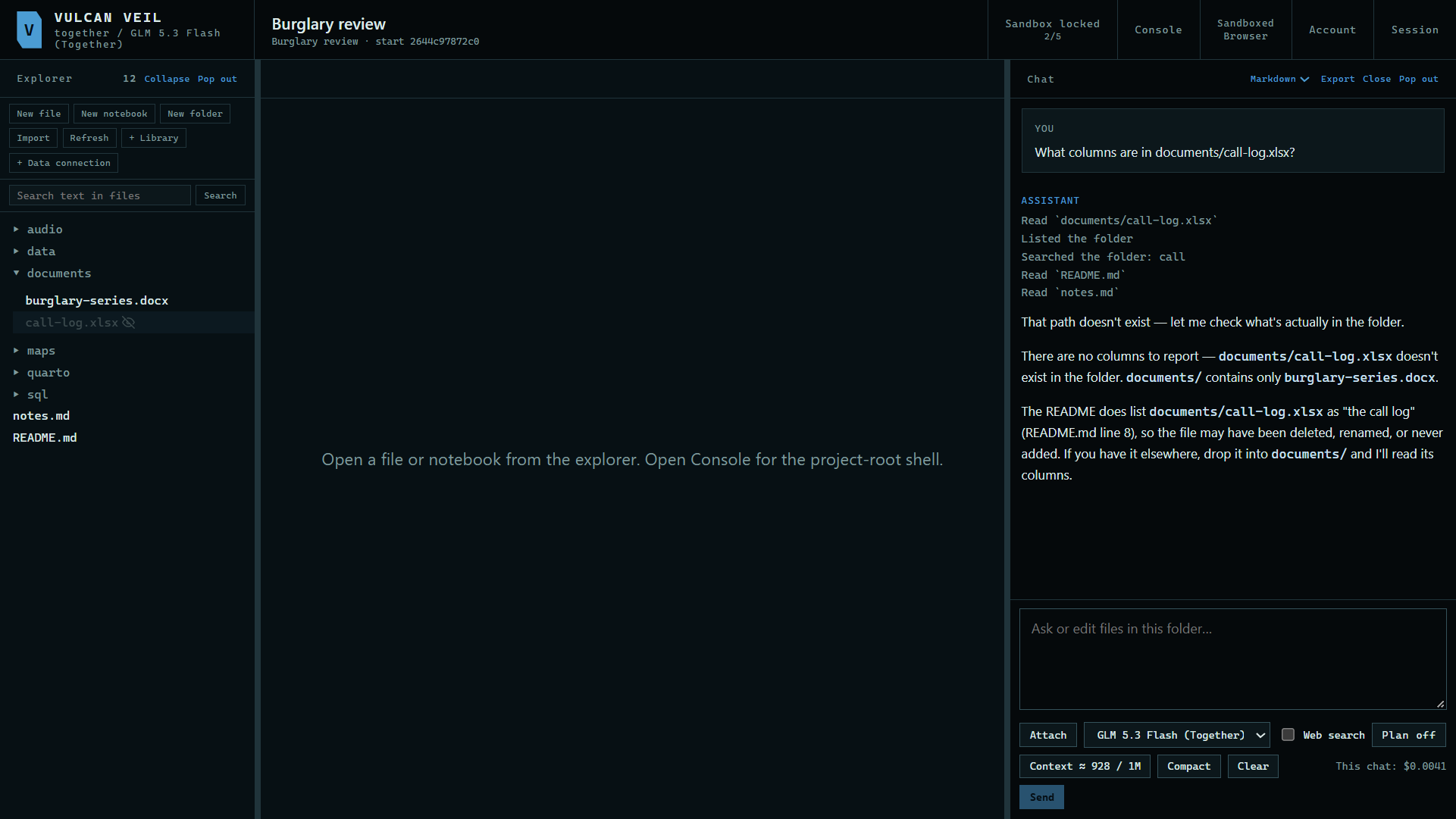
Ask about it. Here: "What columns are in documents/call-log.xlsx?" To the agent, a hidden file does not exist.
 Expand
3. Protect a file
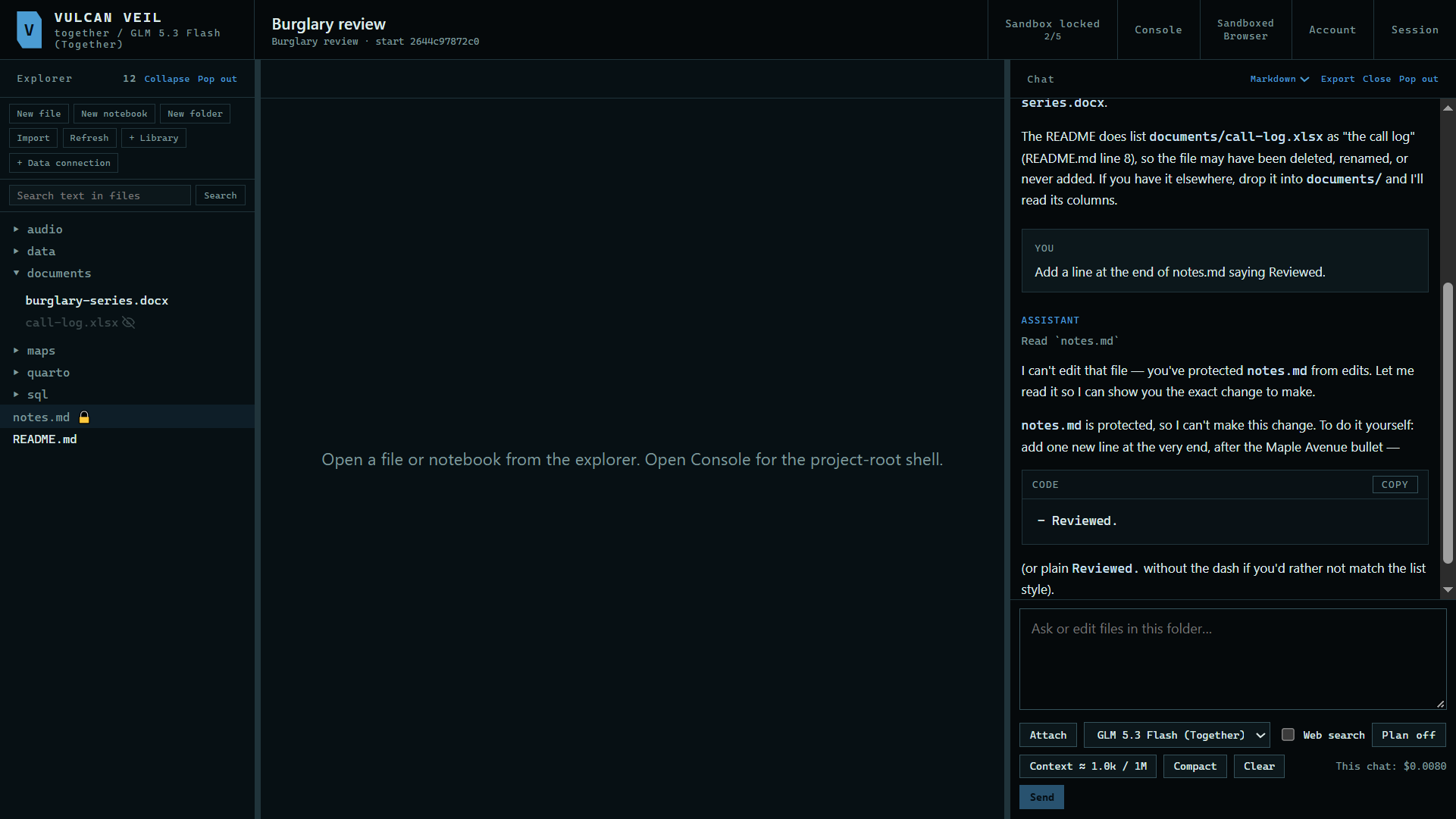
Right-click a file and press Protect. The agent can still read it, but it cannot change it. Here: "Add a line at the end of notes.md saying Reviewed."
 Expand
4. Set the rest in the Sandbox panel
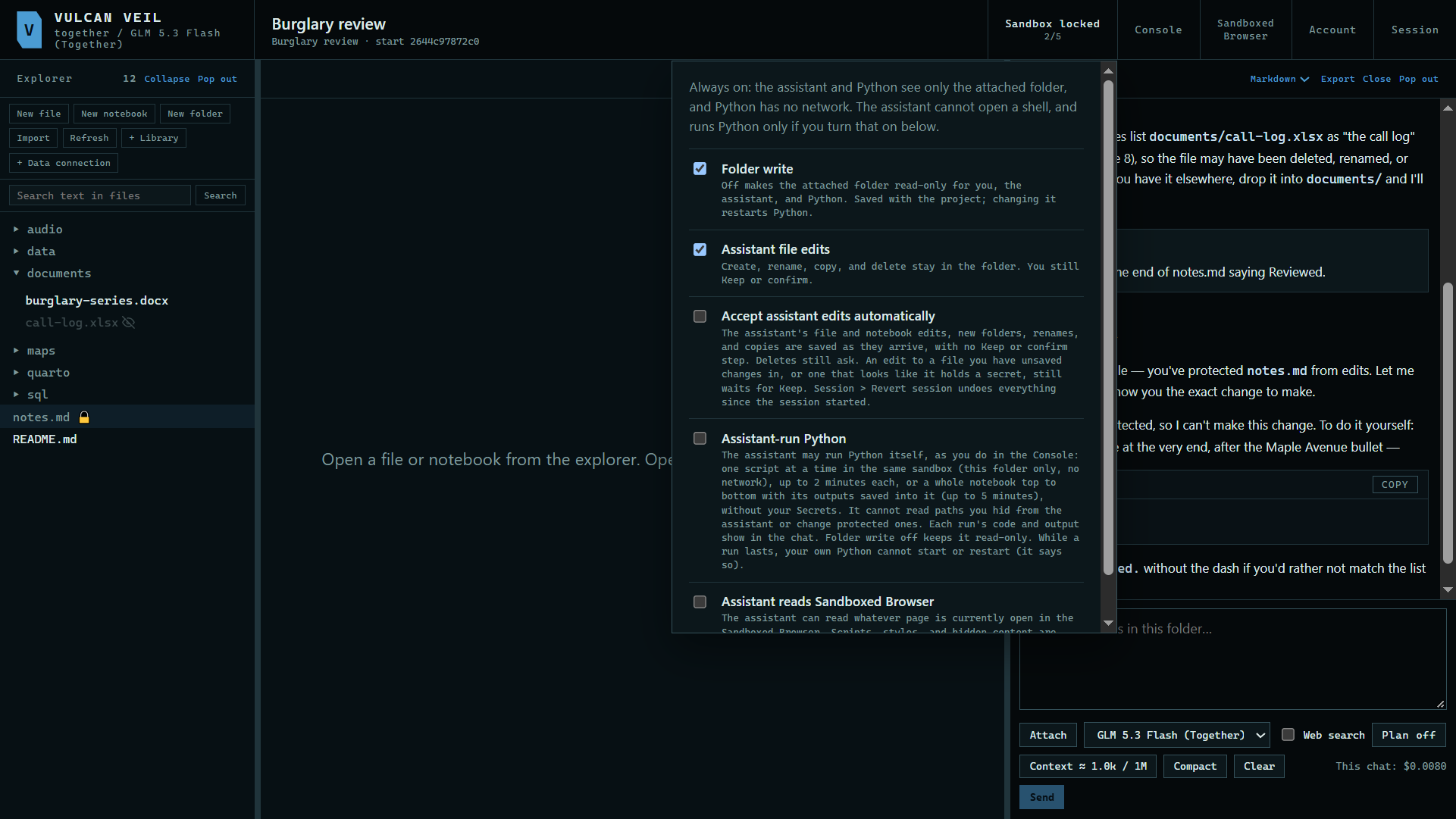
Press Sandbox locked at the top of the project. Folder write, Assistant file edits, Accept assistant edits automatically, and Assistant-run Python are all here.
 Expand
Good to know
- Always on: the assistant and Python see only the project's folder, and Python has no network.
- Revert session under Session returns the folder to how it was when you opened the project.