Turning a PDF into Markdown
A PDF is hard for an assistant to read. A Markdown copy gives it clean text with page numbers. You make one with a right-click, and the assistant then reads the copy whenever it needs that PDF. This page uses a public Raleigh police directive.
Follow along: download RaleighSearchSeizure.pdf (581 KB) and put it in a project.
1. Open the PDF
Press a PDF in the Explorer to read it in the app.
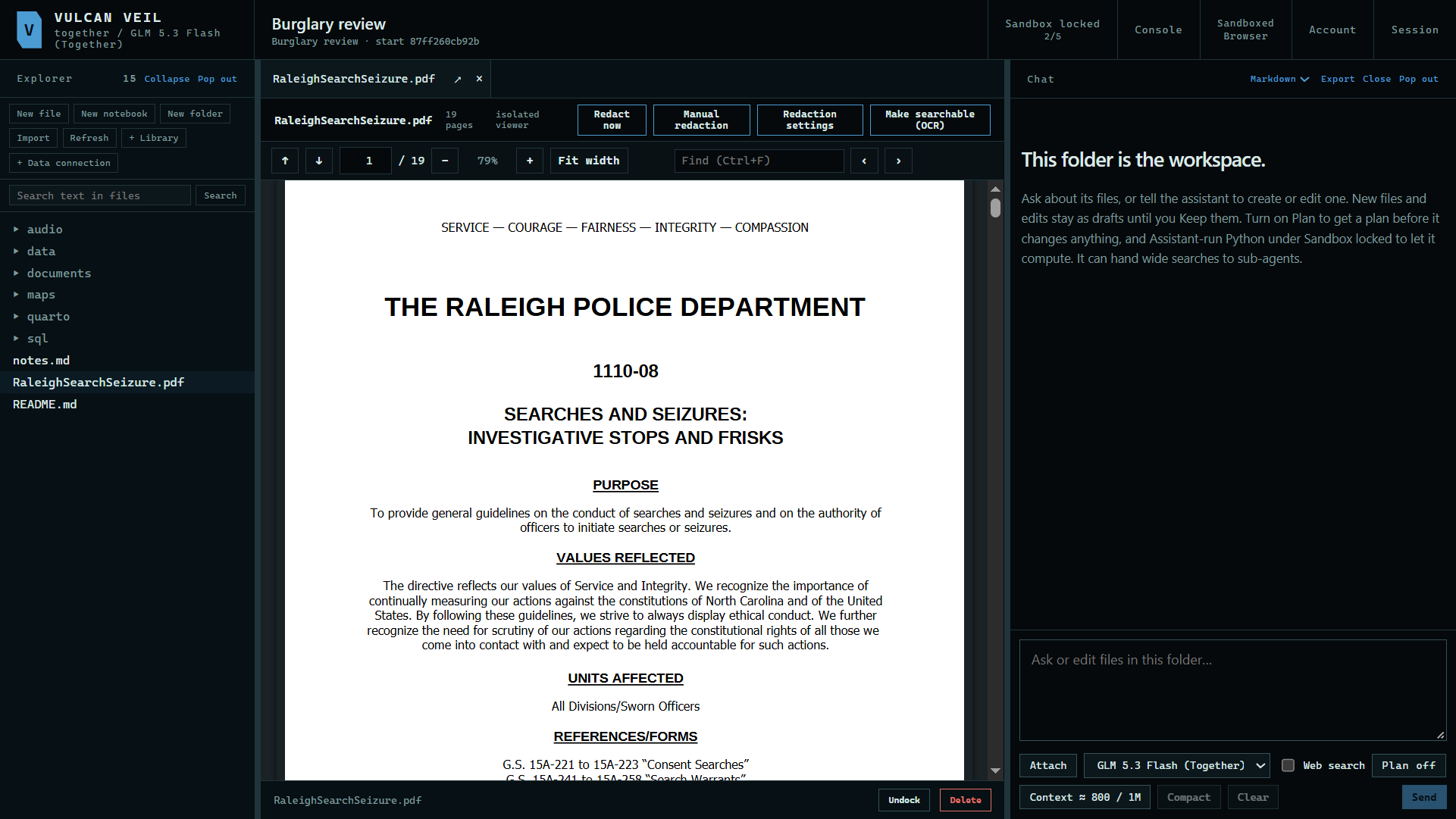 Expand
2. Convert it
Right-click the PDF and press Convert to Markdown. Right-click a folder to convert every document in it.
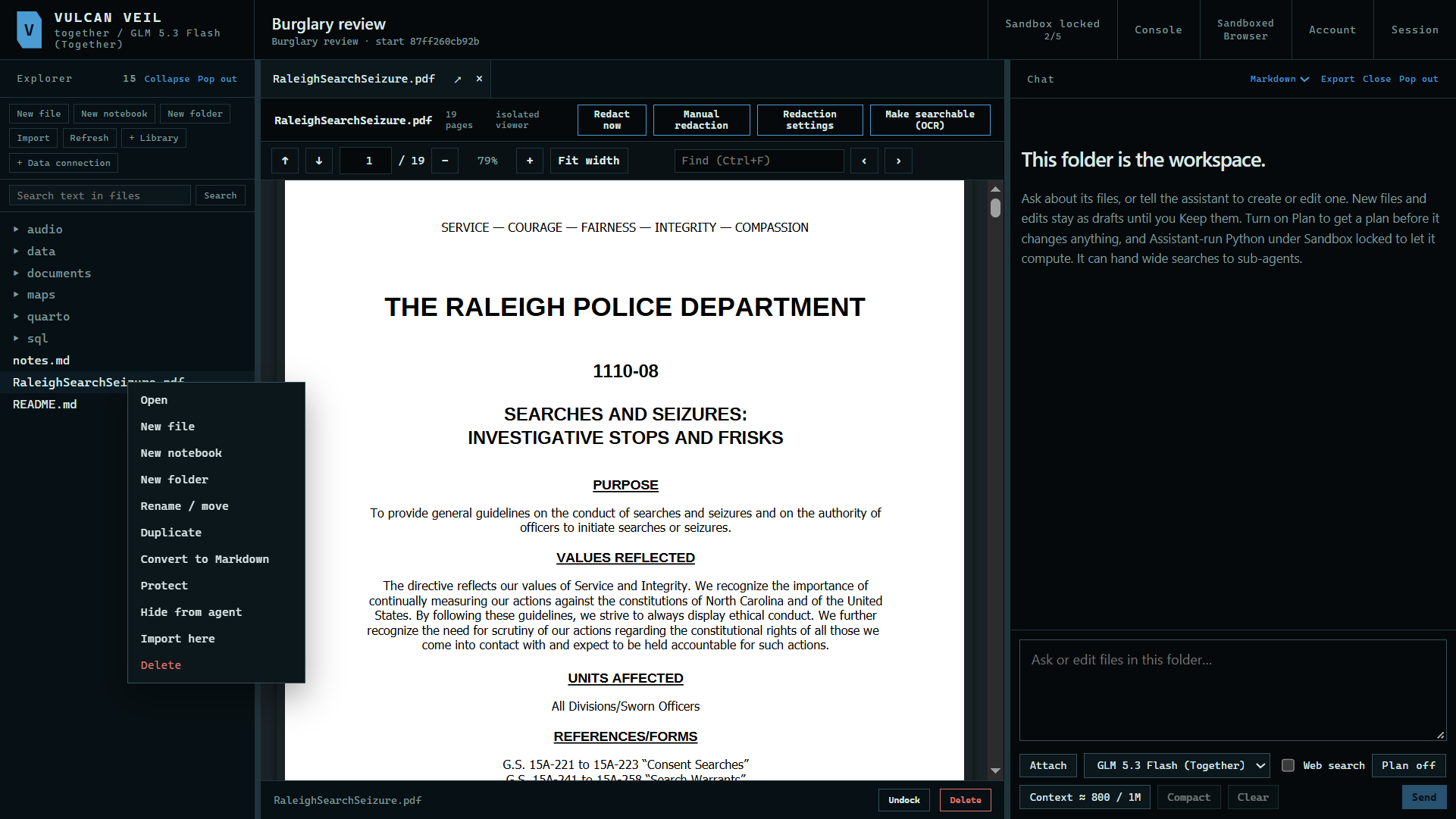 Expand
3. Read the copy
The copy appears beside the PDF. It starts with a header naming the original, and marks where each page begins.
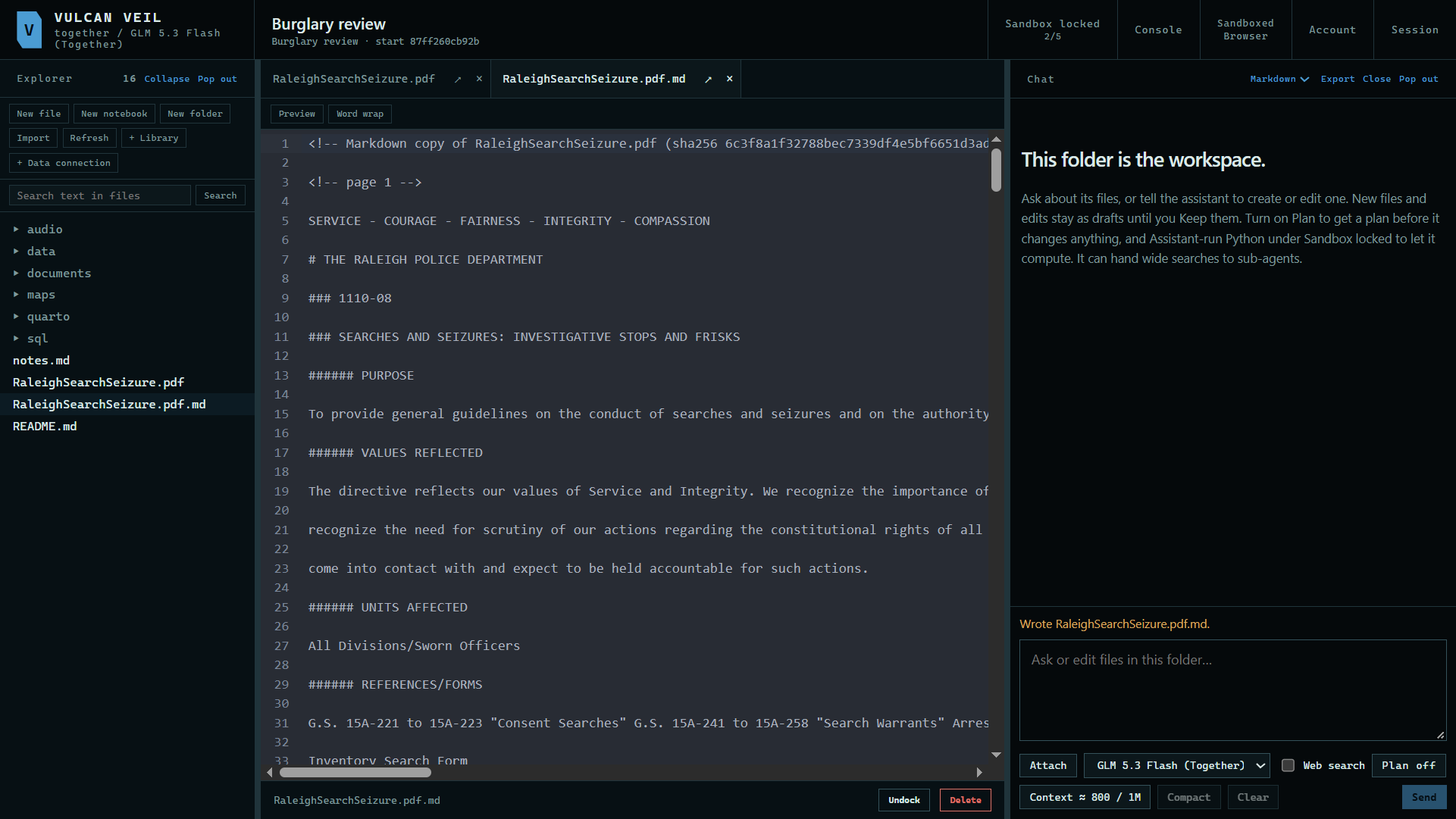 Expand
Good to know
- This runs on your computer, in the app's sandbox.
- To keep copies of many files up to date, use a library. It converts files for you, and it updates a copy when its file changes.