Why use a data connection
Most analysis starts in a records system you cannot afford to slow down or expose. A data connection reads the tables you choose into a local copy, leaves out the personal details you choose, and keeps that copy up to date. You and the assistant then work from the copy. All the data on this page is made up.
1. One connection per database
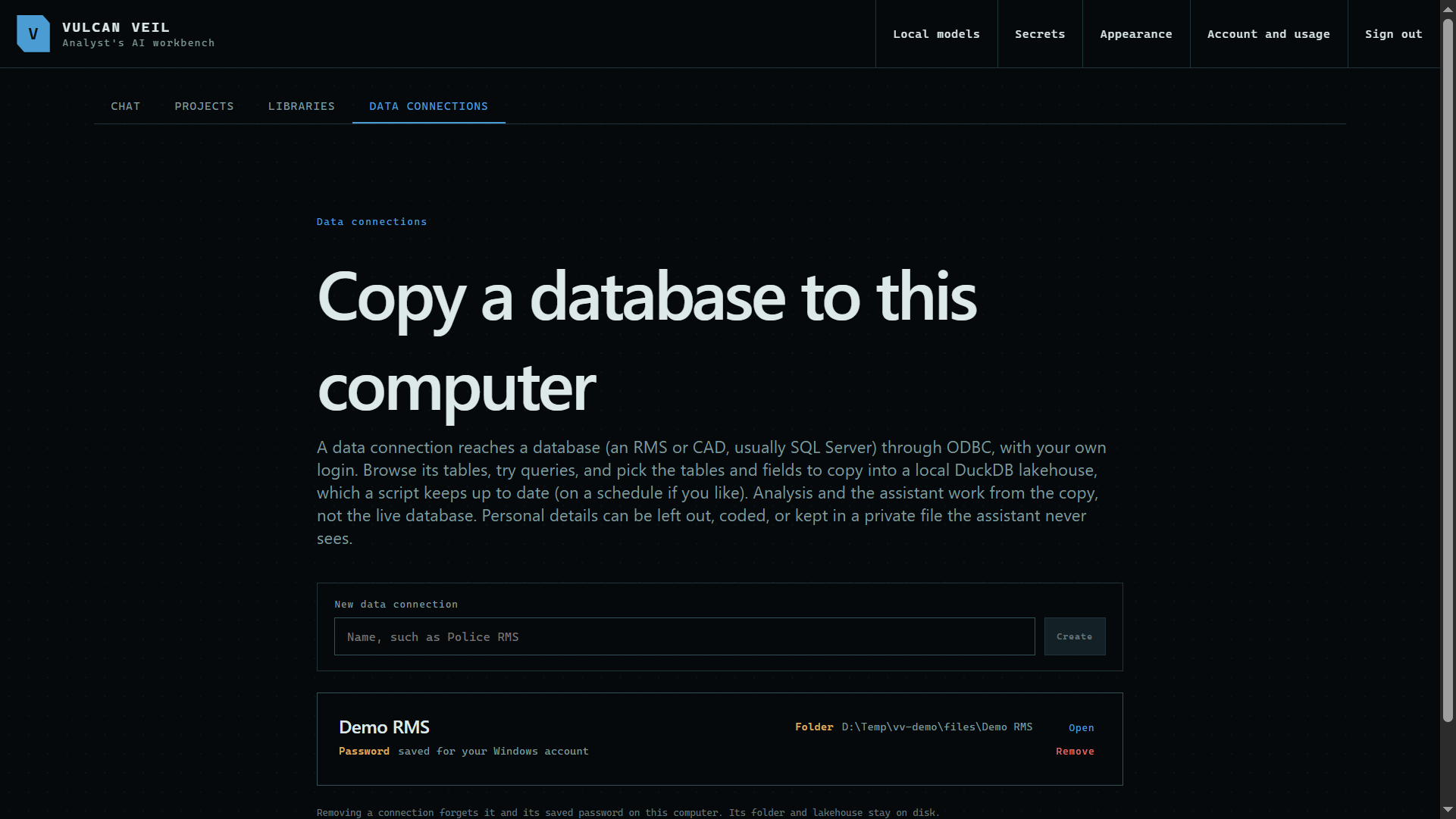
The Data connections tab lists each database you reach. Each one has its own folder, and its password is encrypted for your Windows account.
 Expand
2. A plan for what to copy
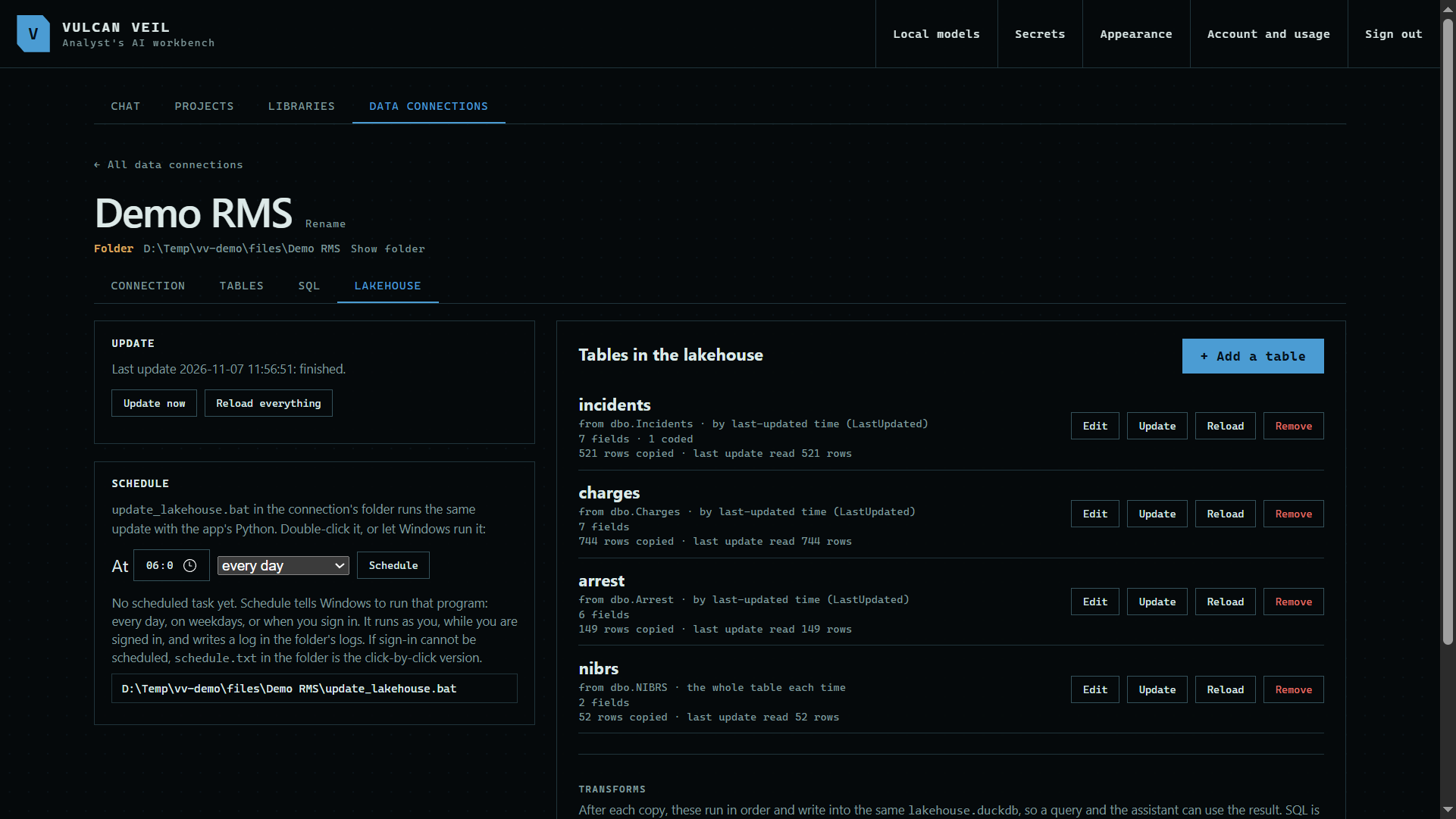
The Lakehouse tab holds your plan: which tables, which fields, how each one updates, and when.
 Expand
3. A local copy to work from
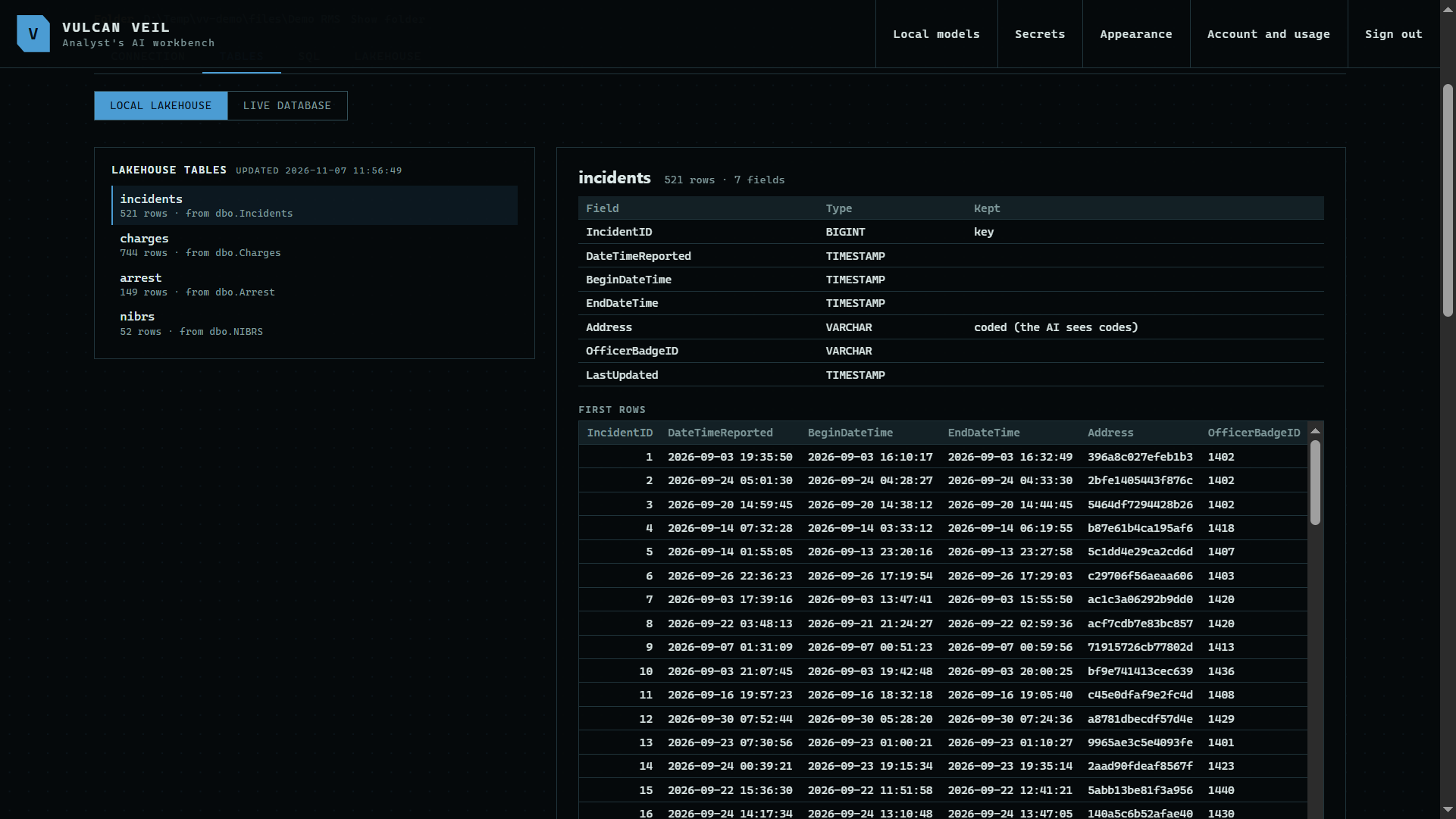
On the Tables tab, Local lakehouse shows what was copied, with a profile of each field. This is all the assistant can see, and coded fields stay codes.
 Expand
Good to know
- The assistant never reaches the live database, and the app's sandbox has no network at all. Only the update script connects, and it runs as you.
- Data connections are in the desktop app only. The website cannot reach your database.
- Next: connect to a database.