The encrypted vault
The vault is where your saved chats and library live. They are encrypted in your browser before they are stored, so our server holds only scrambled data. Nobody else can read them, including us, your team's owner, and site admins.
1. Unlock it
Press Unlock vault and type your vault passphrase. The first time, you set the passphrase here. It is separate from your sign-in password.
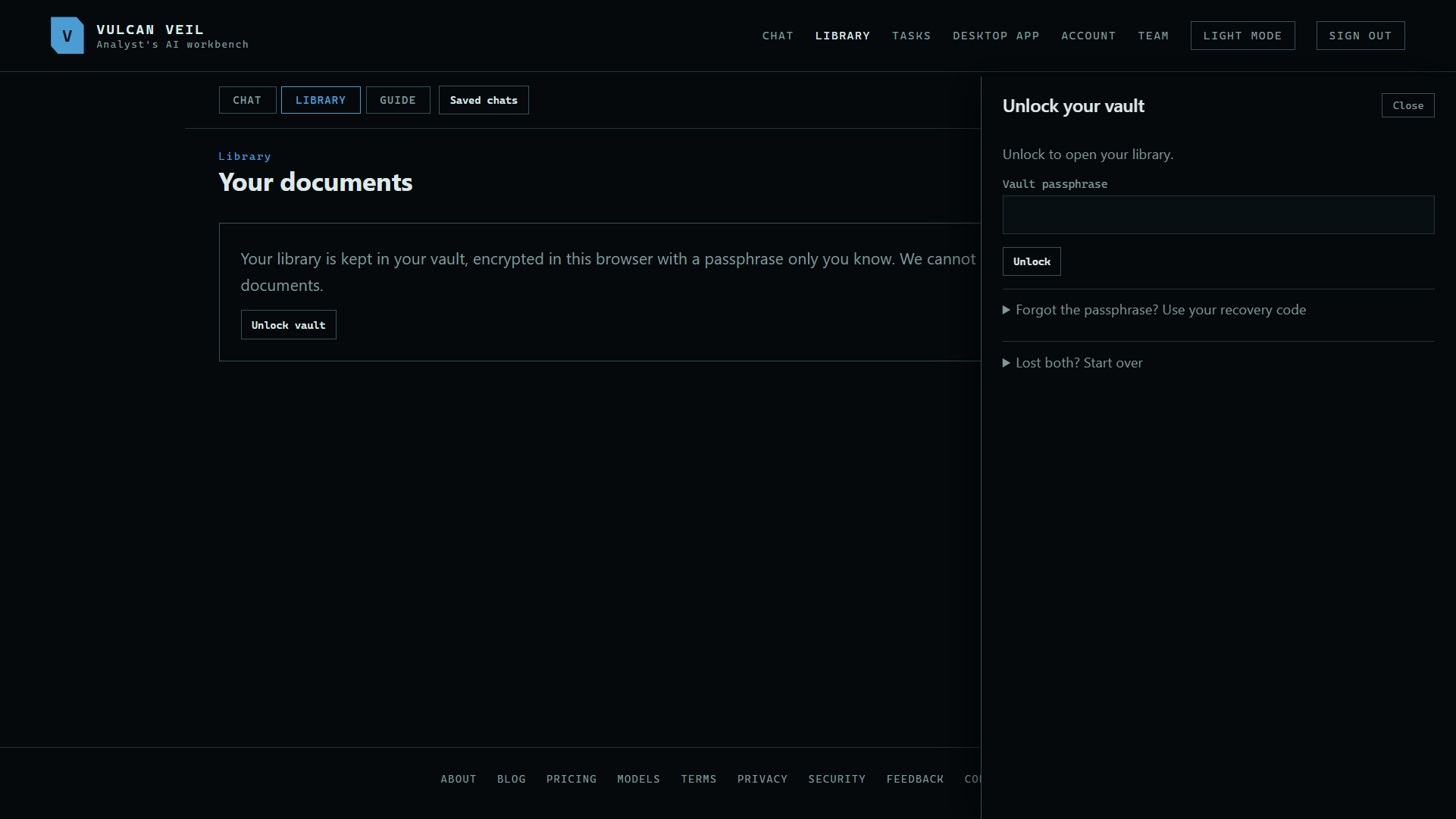 Expand
2. Use it
Saved chats and your library open once it is unlocked. It stays unlocked only in this page.
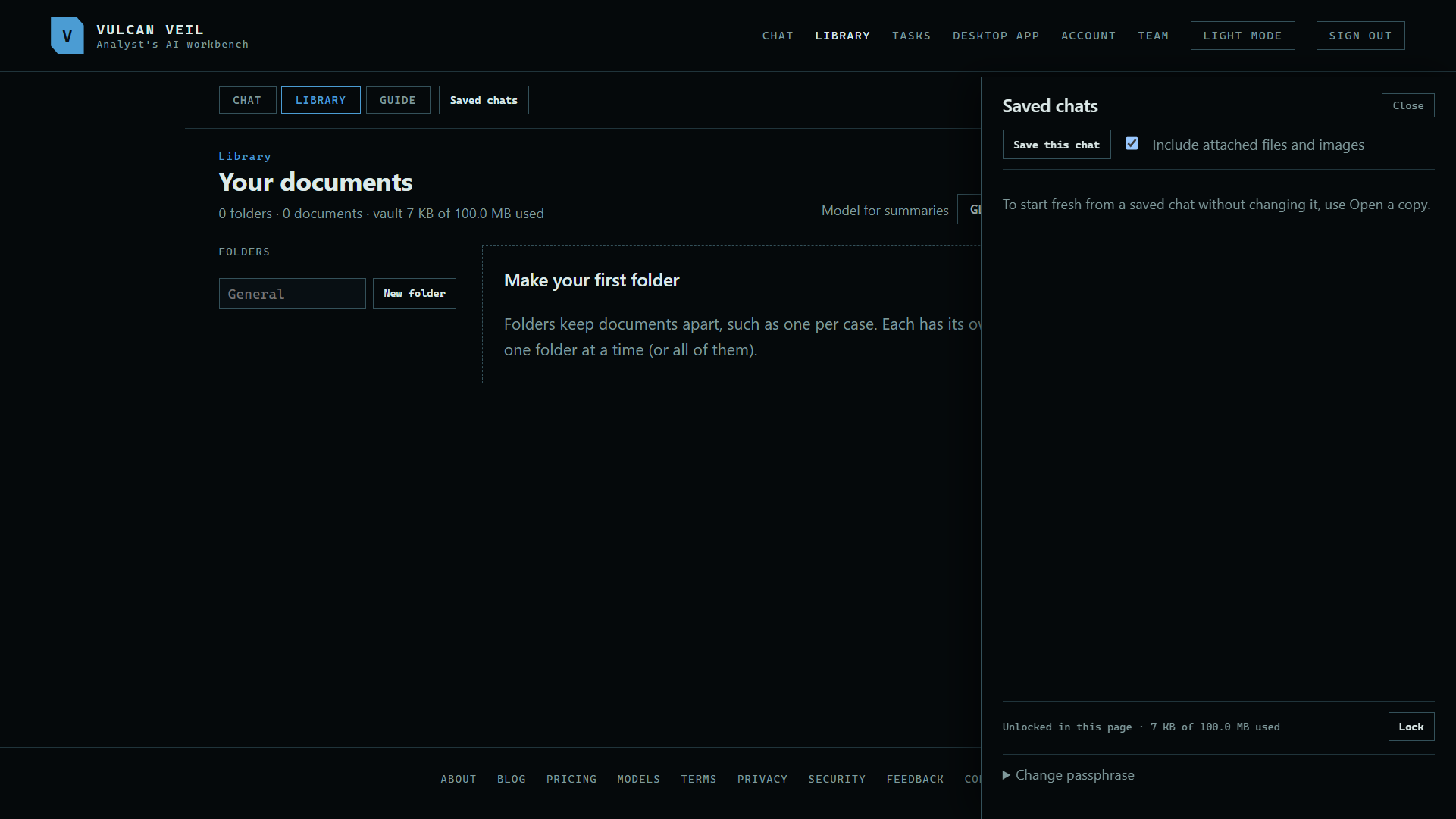 Expand
3. Lock it
Press Lock in Saved chats when you step away. Closing the page locks it too.
Good to know
- Keep your vault recovery code somewhere safe. It is one-time, and it gets you in if you forget the passphrase.
- It is a different thing from the recovery code on the Account page, which is for your sign-in.
- If you lose both the passphrase and the vault recovery code, nobody can open the vault. Start over is the only way on, and it deletes what is in it.