Saving and copying chats
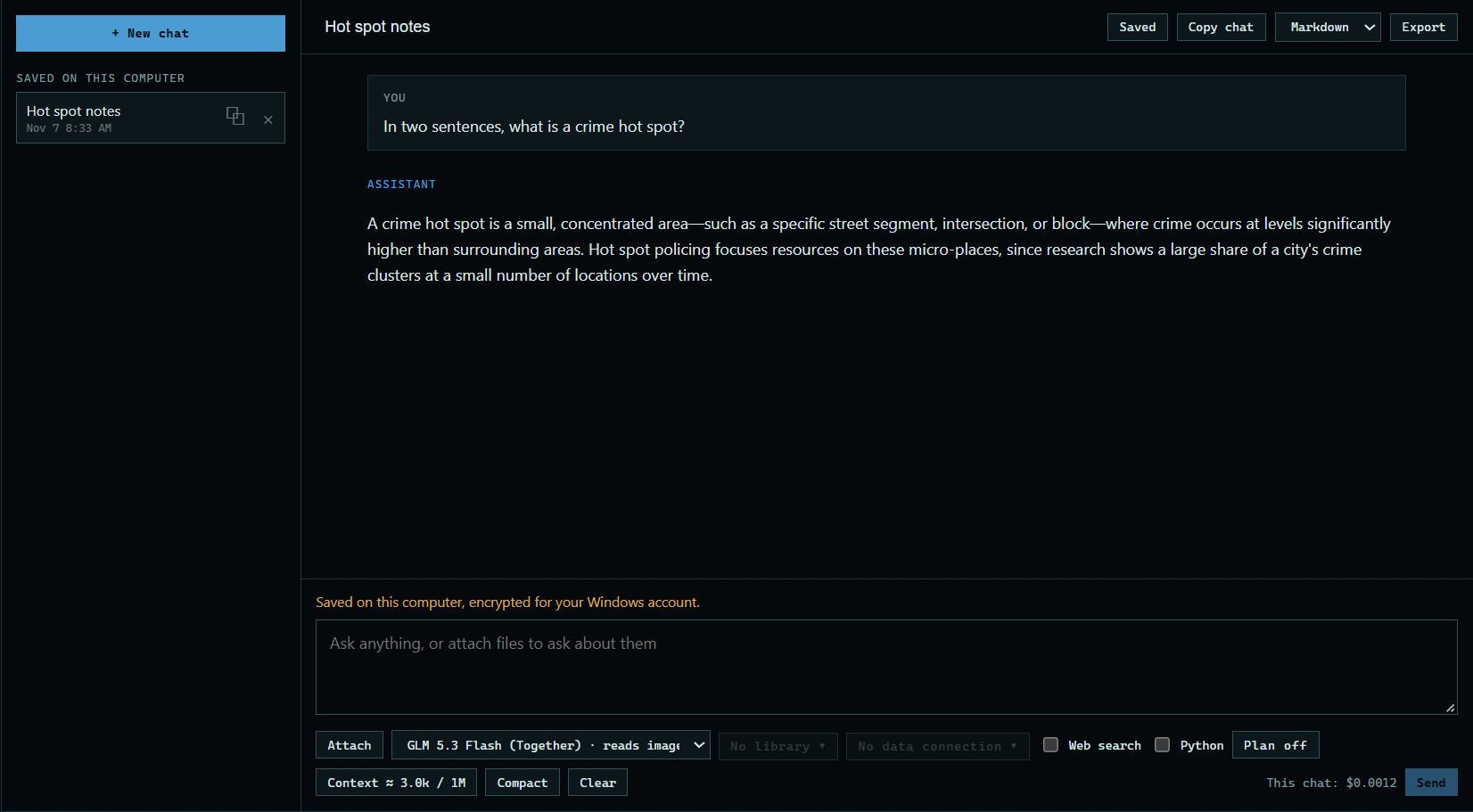
A chat is not kept unless you save it. Saved chats stay on your computer, encrypted for your Windows account, and you can pick one up again whenever you like.
1. Name it and press Save
Type a name at the top of the chat, or leave it and the chat names itself from your first question. Then press Save.
 Expand
2. Open it again
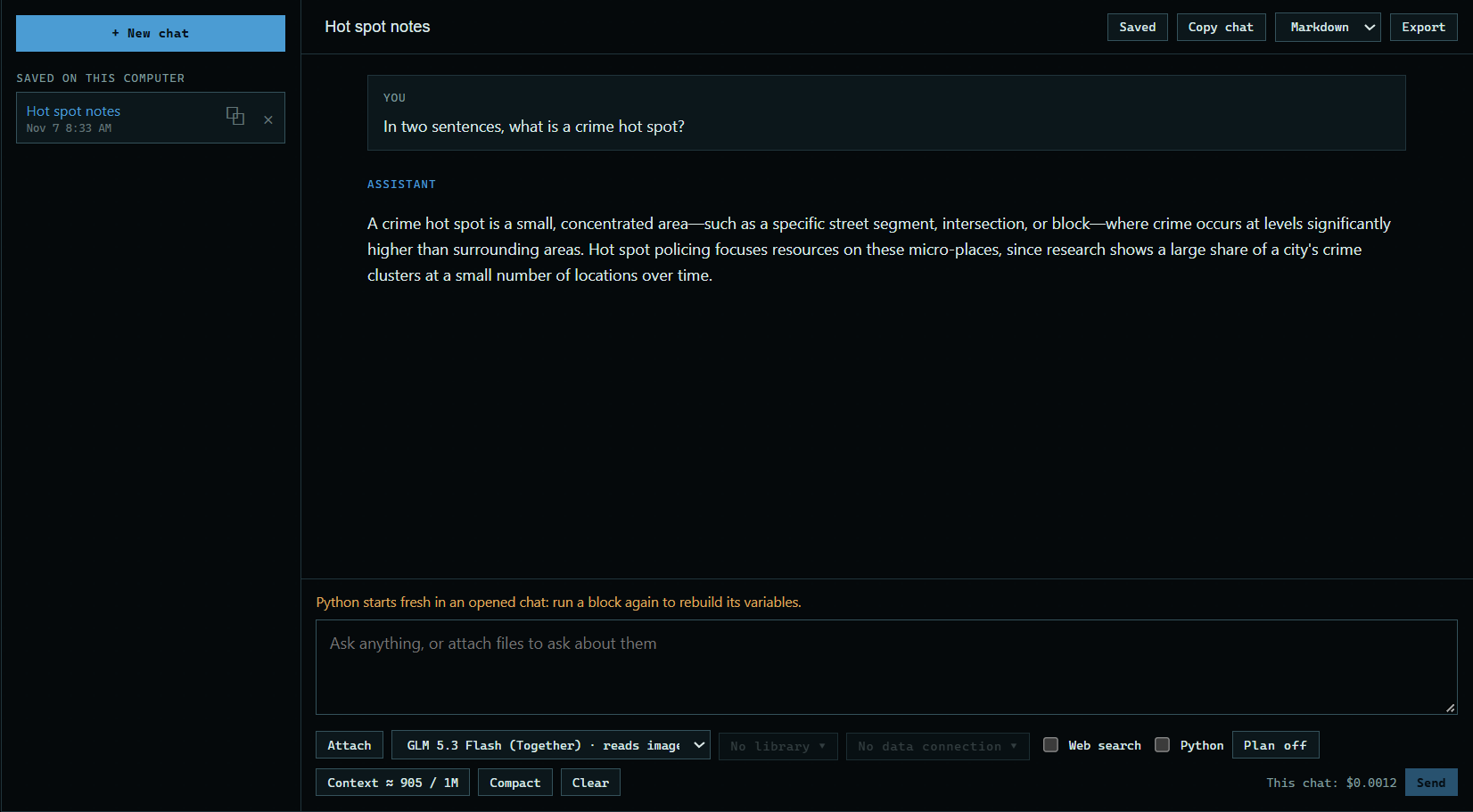
Saved chats are listed on the left. Press one to open it.
 Expand
3. Start a copy
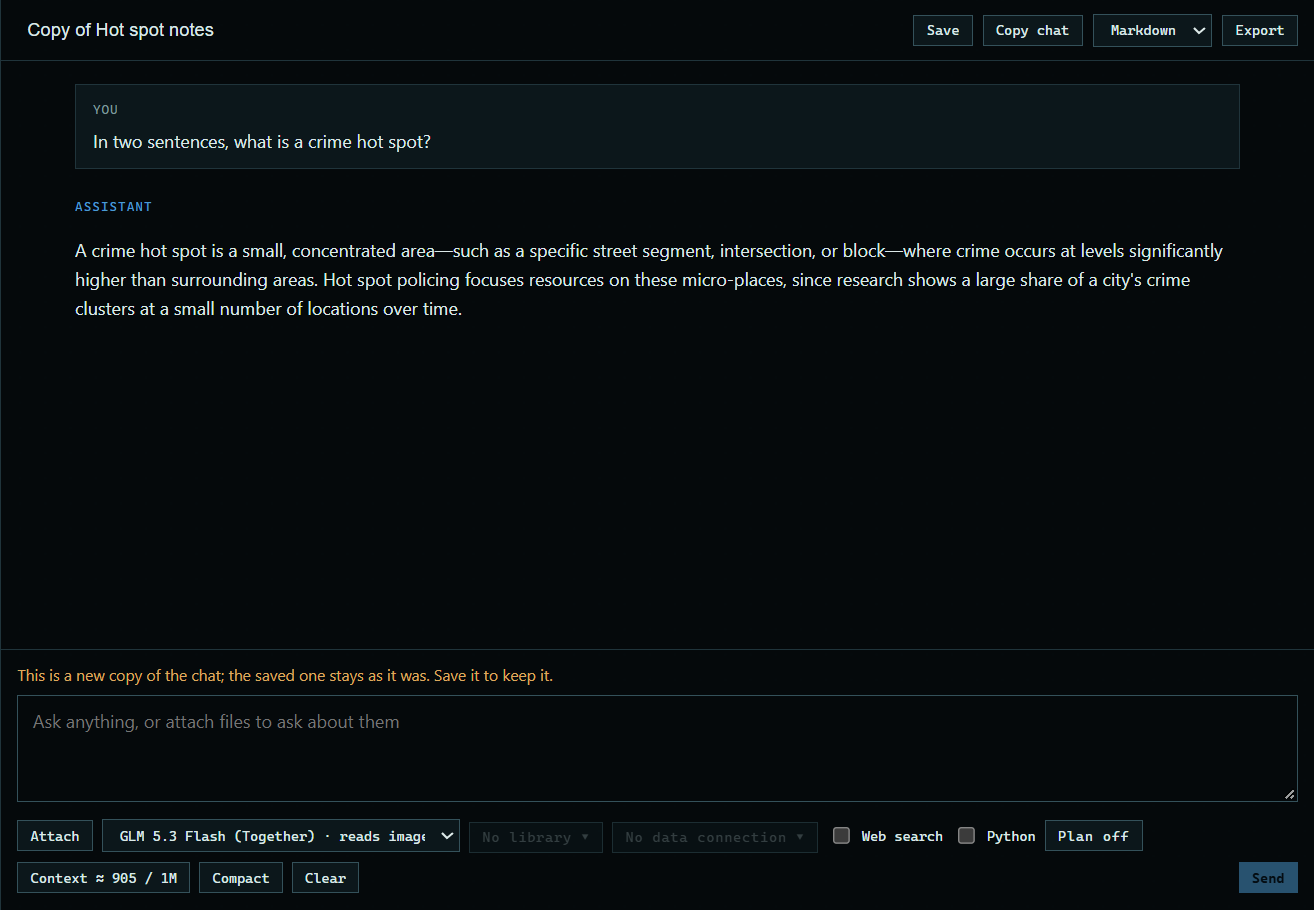
Copy chat continues in a new copy, and the saved one stays as it was. It suits trying a different direction from the same point.
 Expand
Good to know
- A chat you never save is deleted the next time the app starts.
- The ⧉ button next to a saved chat opens a copy of it straight from the list.