Using a connection in a project
A project can include a data connection's local copy, read-only. The project's chat reads it, and its Python and notebooks can query it beside your own files. All the data on this page is made up.
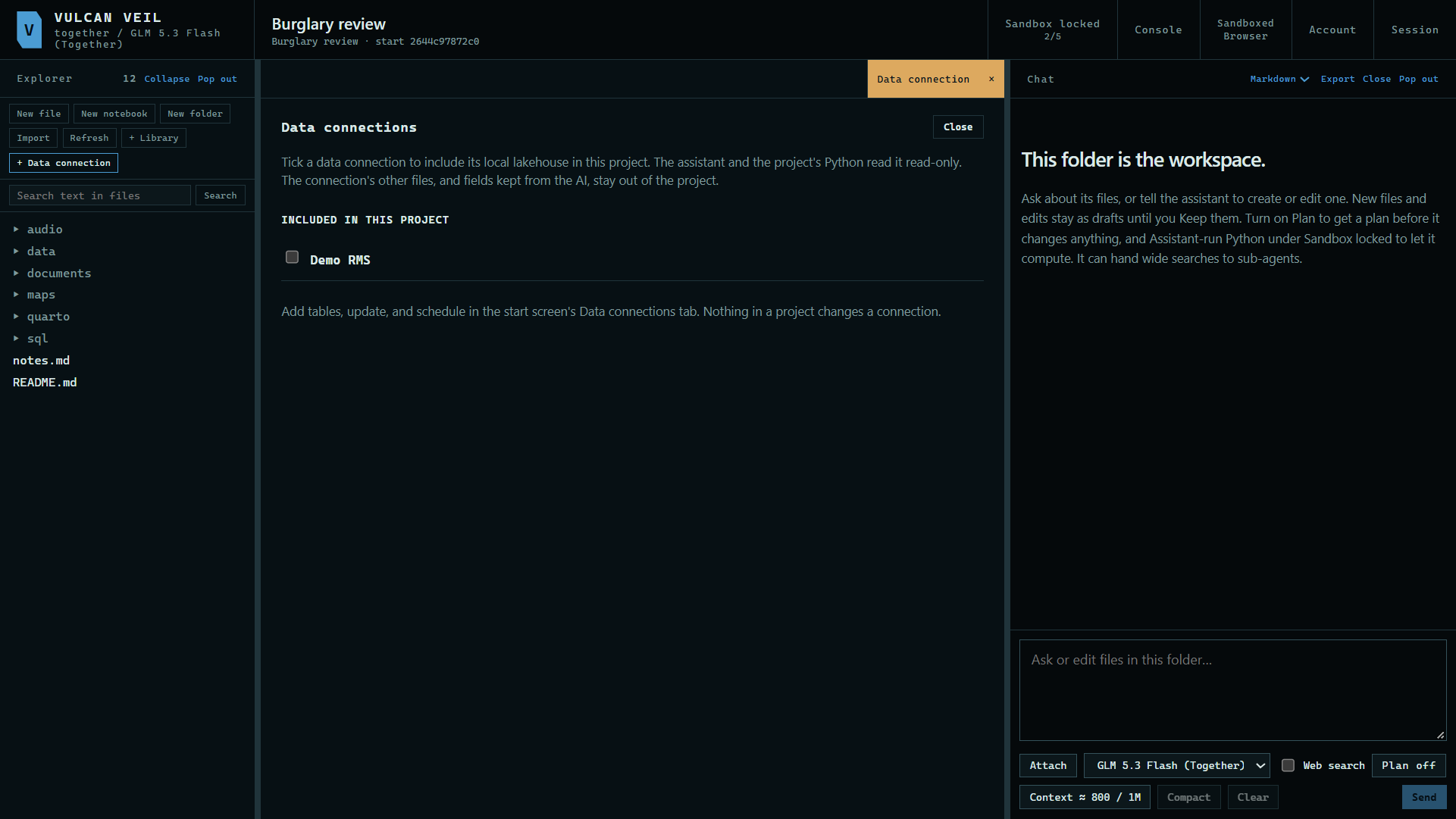
1. Open the Data connection pane
In the project's Explorer, press + Data connection.
 Expand
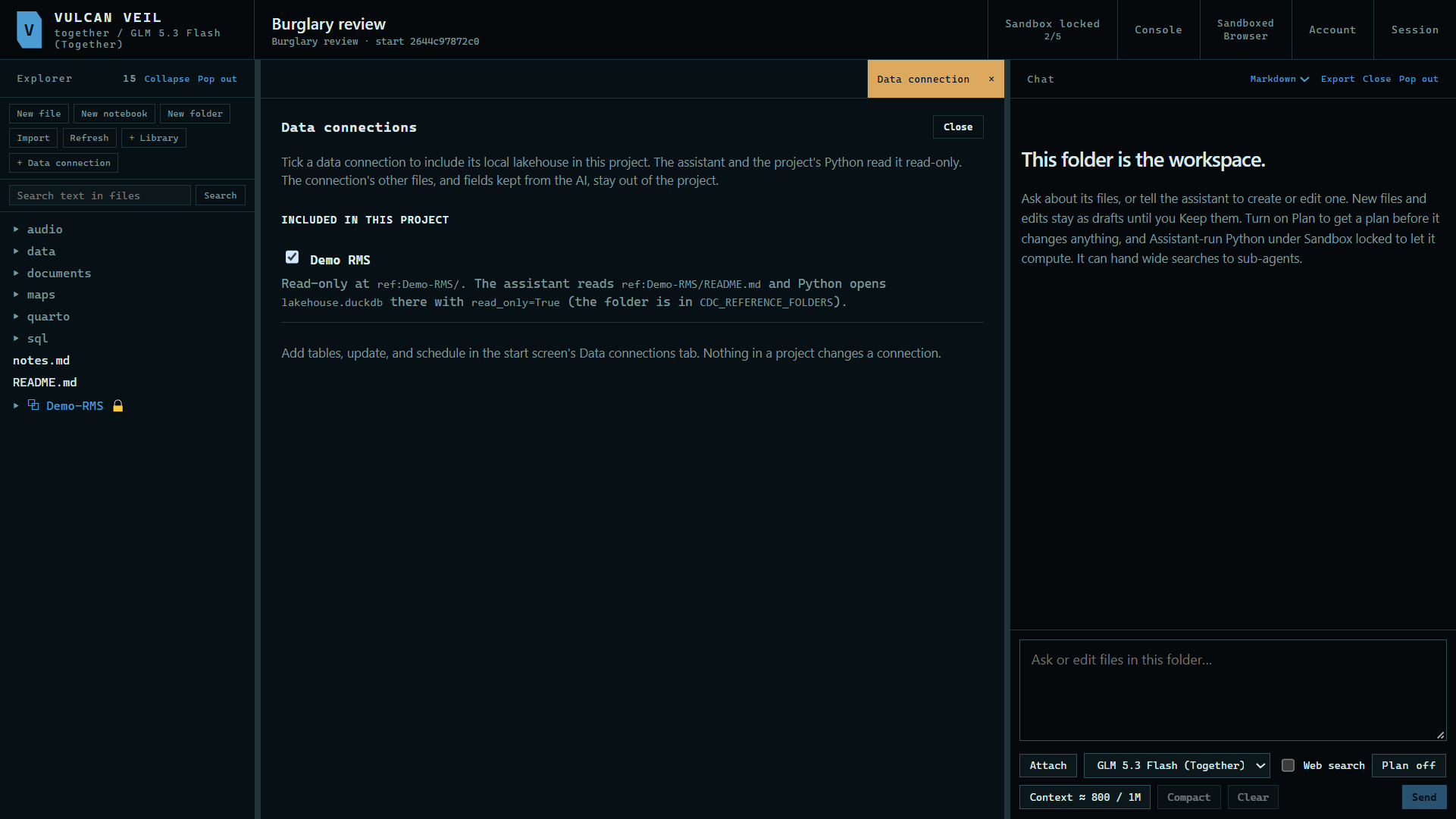
2. Include a connection
Tick the connection. The pane shows where the lakehouse appears in the project, and it stays read-only.
 Expand
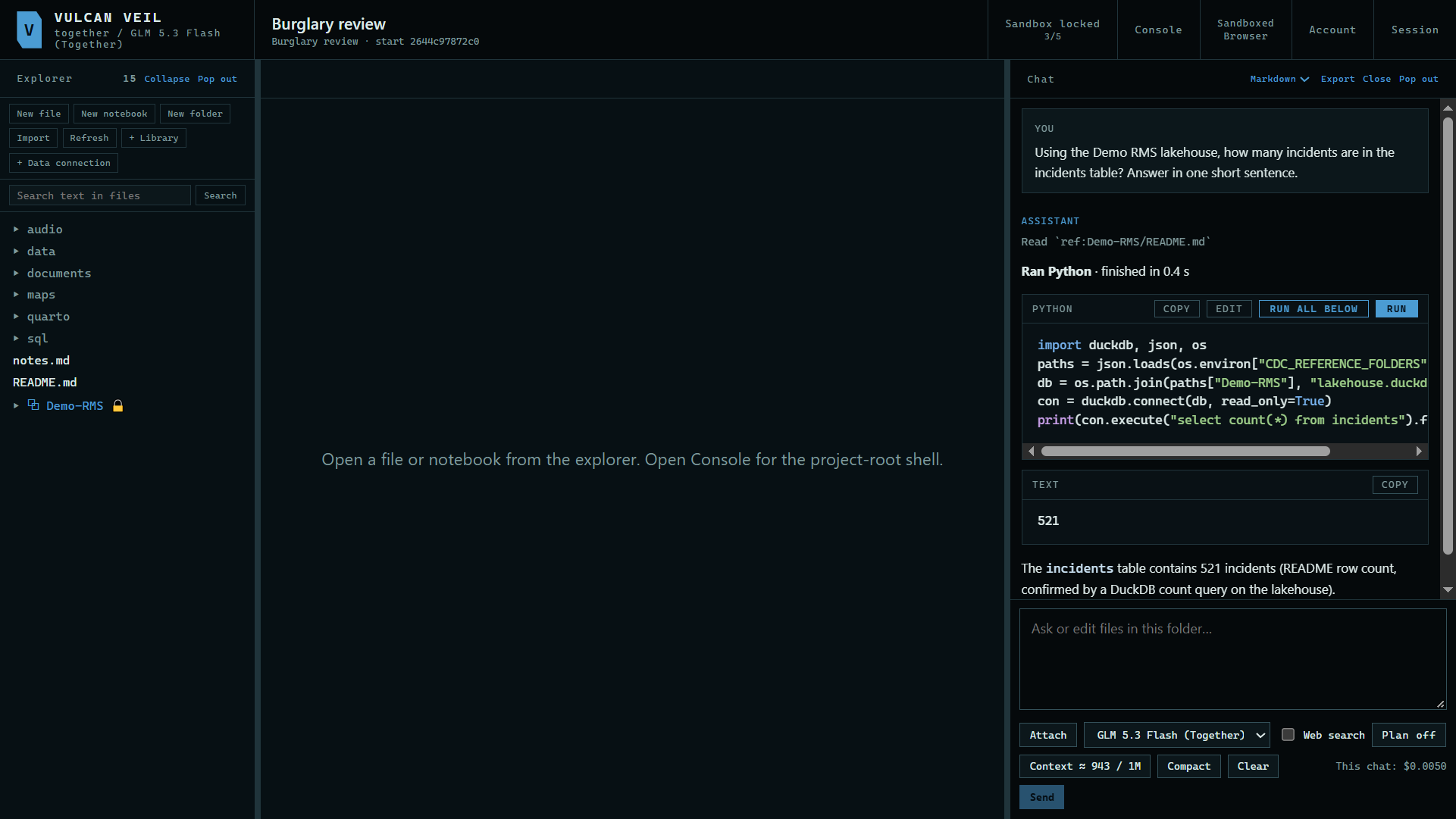
3. Ask about it
Turn on Assistant-run Python in the Sandbox panel, so the assistant can run queries, then ask. Here: "Using the Demo RMS lakehouse, how many incidents are in the incidents table? Answer in one short sentence."
 Expand
Good to know
- Only the lakehouse is included. The connection's other files, and the fields you hid from the AI, stay out of the project.
- Python finds the folder through the
CDC_REFERENCE_FOLDERSenvironment variable, and it openslakehouse.duckdbwithread_only=True. - Add tables, update, and schedule in the Data connections tab. Nothing in a project changes the lakehouse.