Roles
A team has one owner, and anyone else is a manager or a member. Most people only need to be members. Make someone a manager when they should help run the team without having your billing.
1. What each role can do
The owner pays for the team and can do everything on the Team page. A manager can invite people at your organization's email domain, set members' monthly limits, and remove members. A member chats on the team's plan.
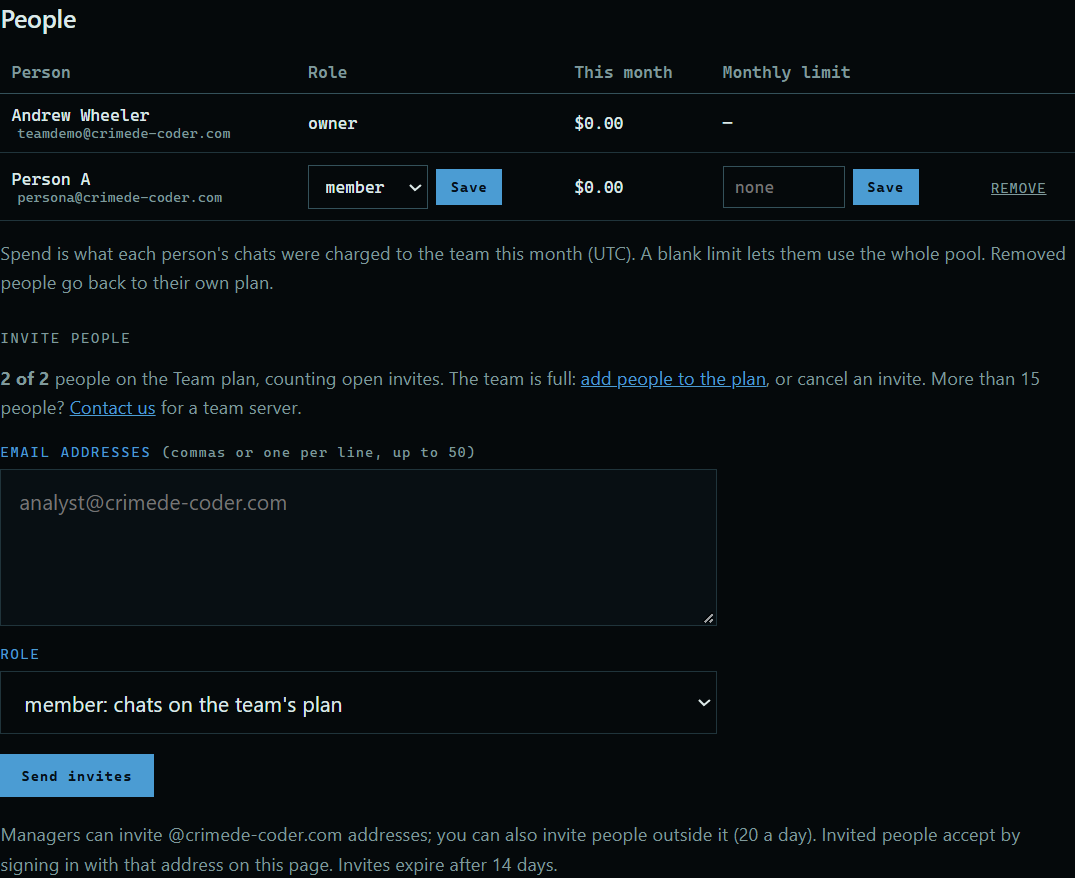 Expand
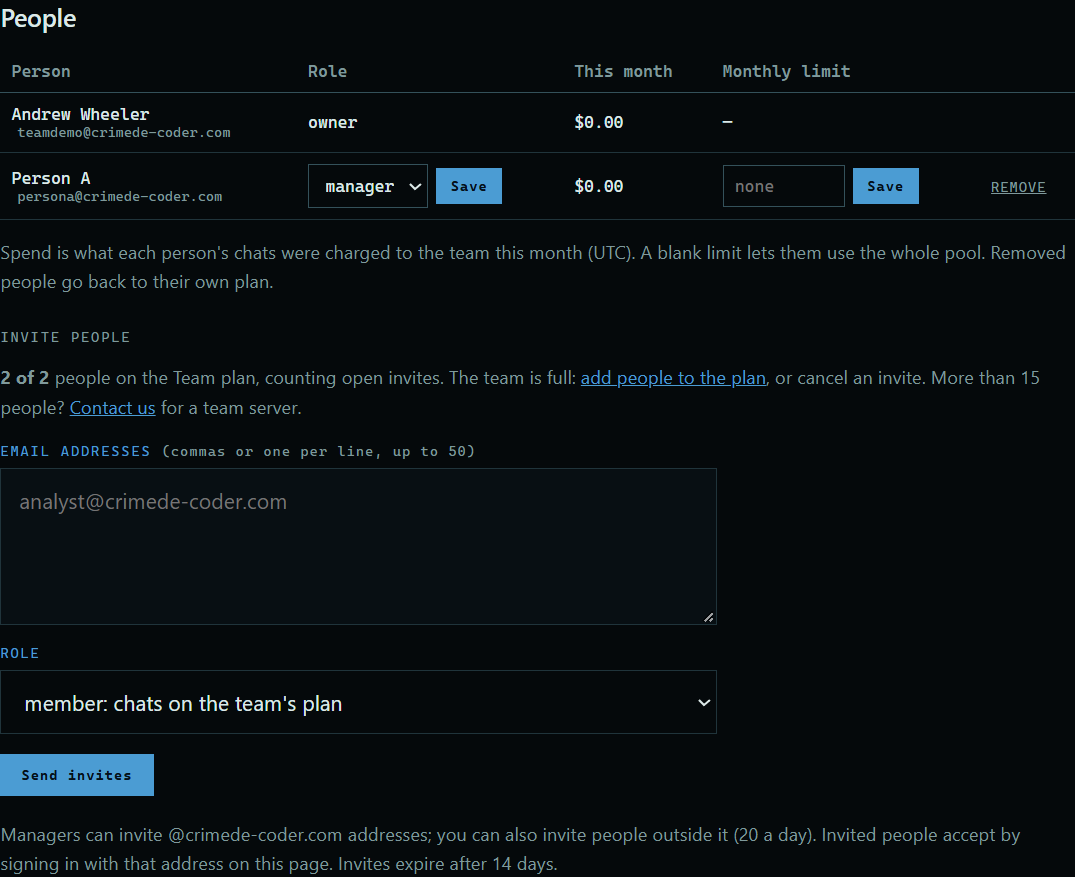
2. Change someone's role
Only the owner can do this. Choose a role beside the person, and press the Save next to it.
 Expand
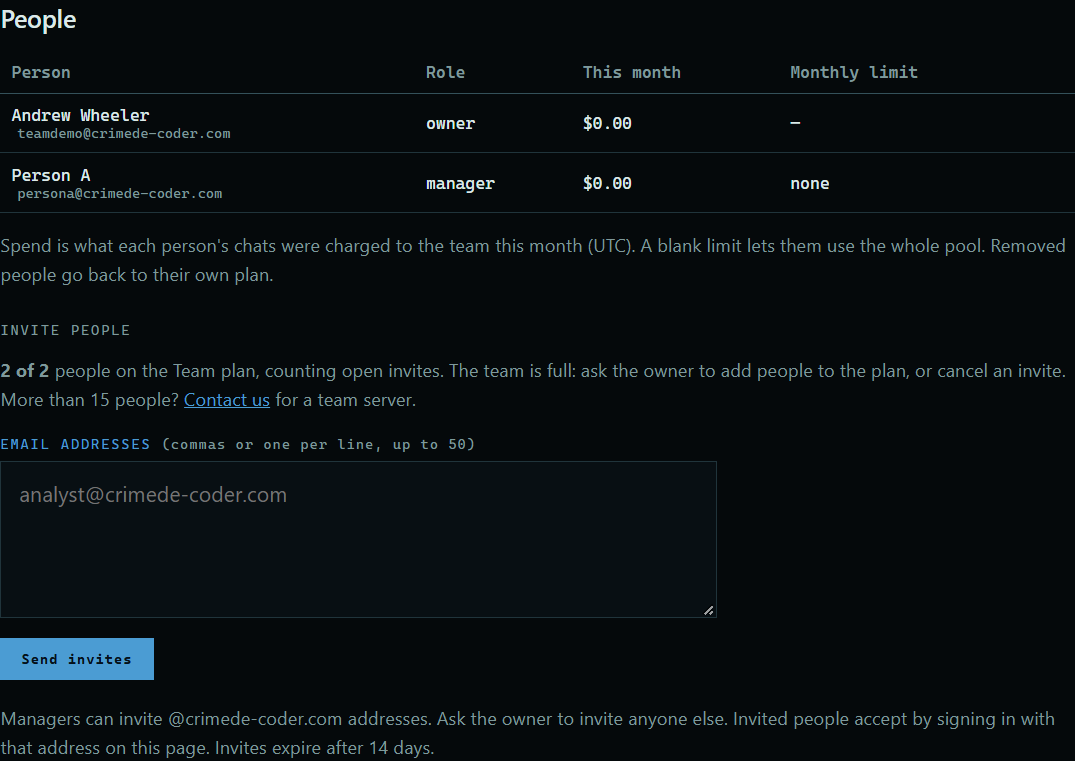
3. What a manager sees
A manager gets the People table and the invite form. They can't change roles, or change or remove another manager.
 Expand
Good to know
- Only the owner can set the team's allowed networks, web search sites, and models, or close the team.
- Only the owner can invite managers, or invite people outside your organization's email domain.
- Owners and managers see each person's monthly spend, never their chats.