Letting the assistant run Python
Usually you press Run yourself, and the assistant never sees the result. Turn on Python under the message box and the assistant runs its own code, reads what it prints, and answers from that. It is the quicker way to get an answer you can still check.
Follow along: download NearbyPark1500ft.csv (413 KB) and attach it to a new chat. It is a trimmed copy of public police incident records from the Dallas open data site.
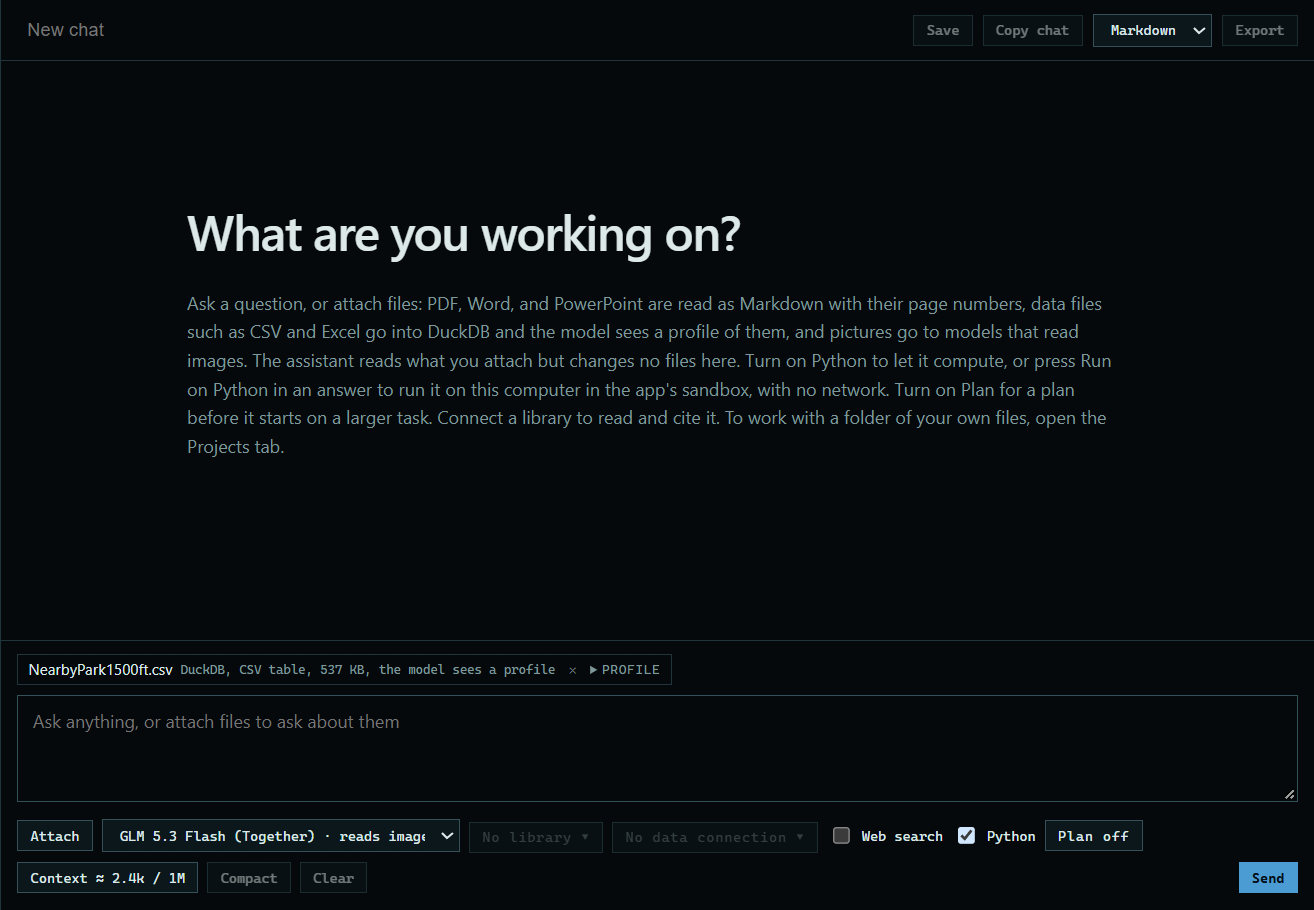
1. Turn on Python
Tick Python under the message box. It is the same switch as Assistant-run Python in a project's Sandbox panel.
 Expand
2. Ask your question
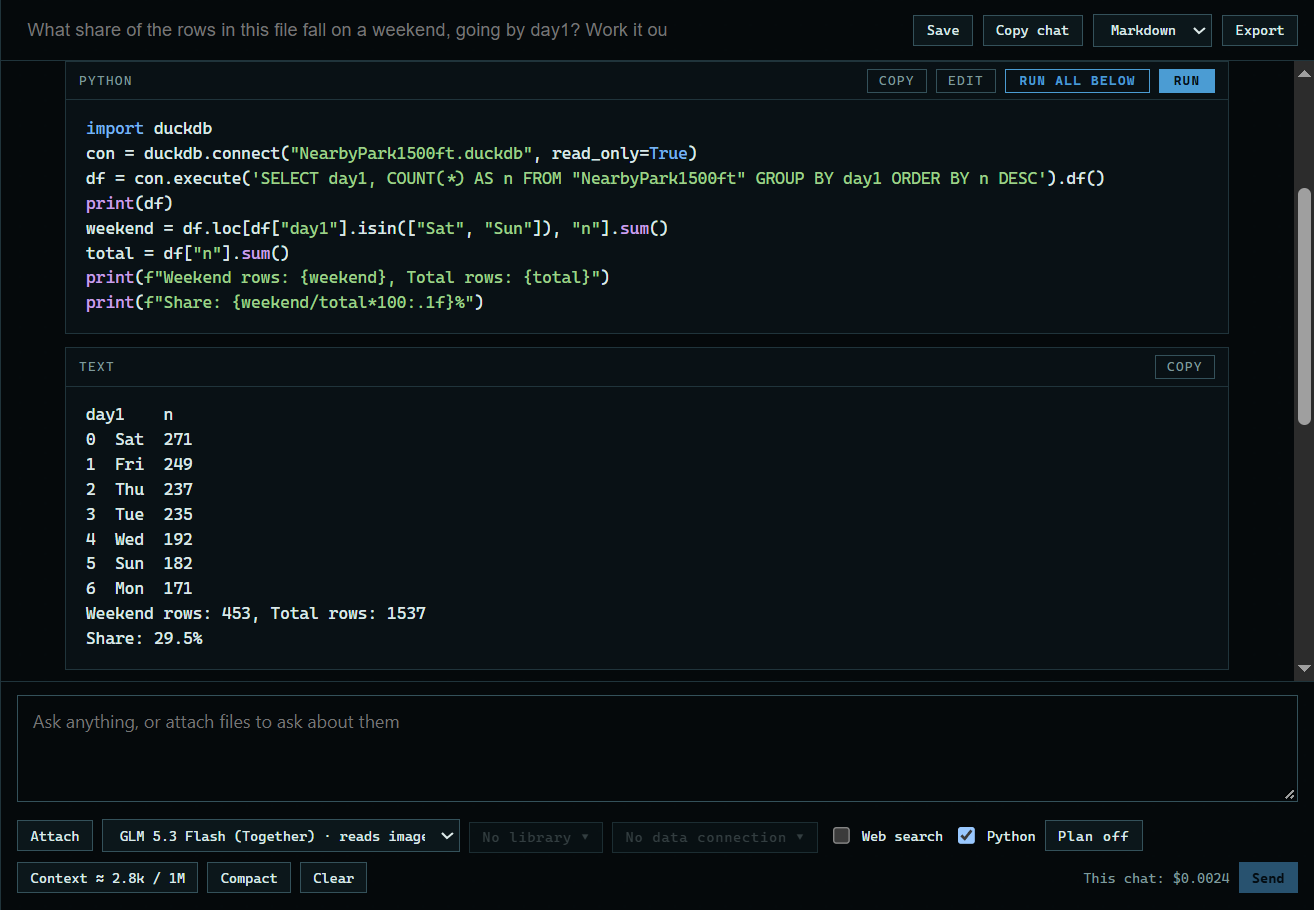
Attach a file and ask. Here: "What share of the rows in this file fall on a weekend, going by day1? Work it out with Python and give me the percent."
 Expand
3. Read the answer
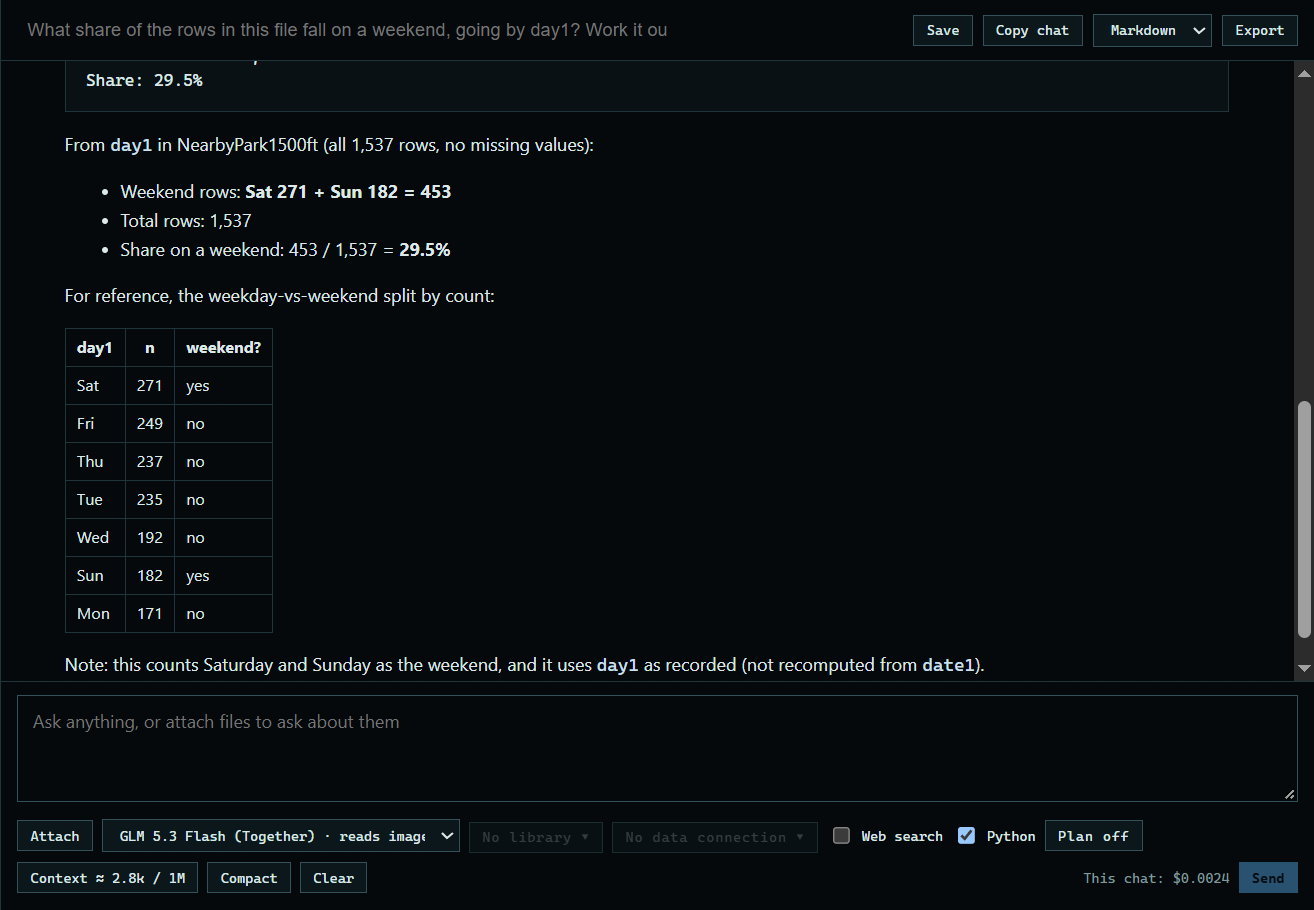
Each run shows in the answer, with the code and what it printed, so you can check the work. The answer here is 29.5%: 453 of 1,537 rows.
 Expand
Good to know
- The code still runs in the sandbox on your computer, with no network, one script at a time.
- With Python off, the assistant cannot see what a run printed unless you press Send output to chat.