Adding a Word document
Word files become Markdown copies too, with their headings kept. You can fix a copy by hand, and an edited copy is safe: when the original changes, the library tells you and leaves your edits alone until you say otherwise. The document on this page is made up.
Follow along: download burglary-series.docx (1 KB) and add it to a library.
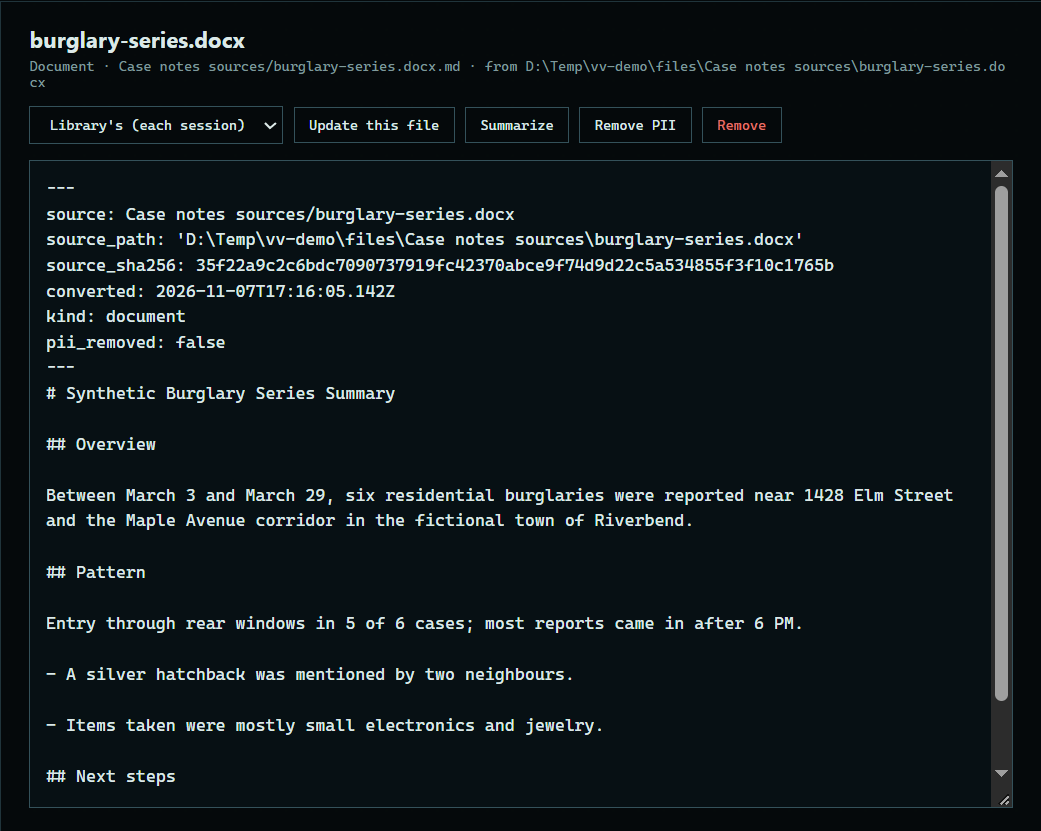
1. Read the copy
Press the document under Contents. Headings and lists come across from Word.
 Expand
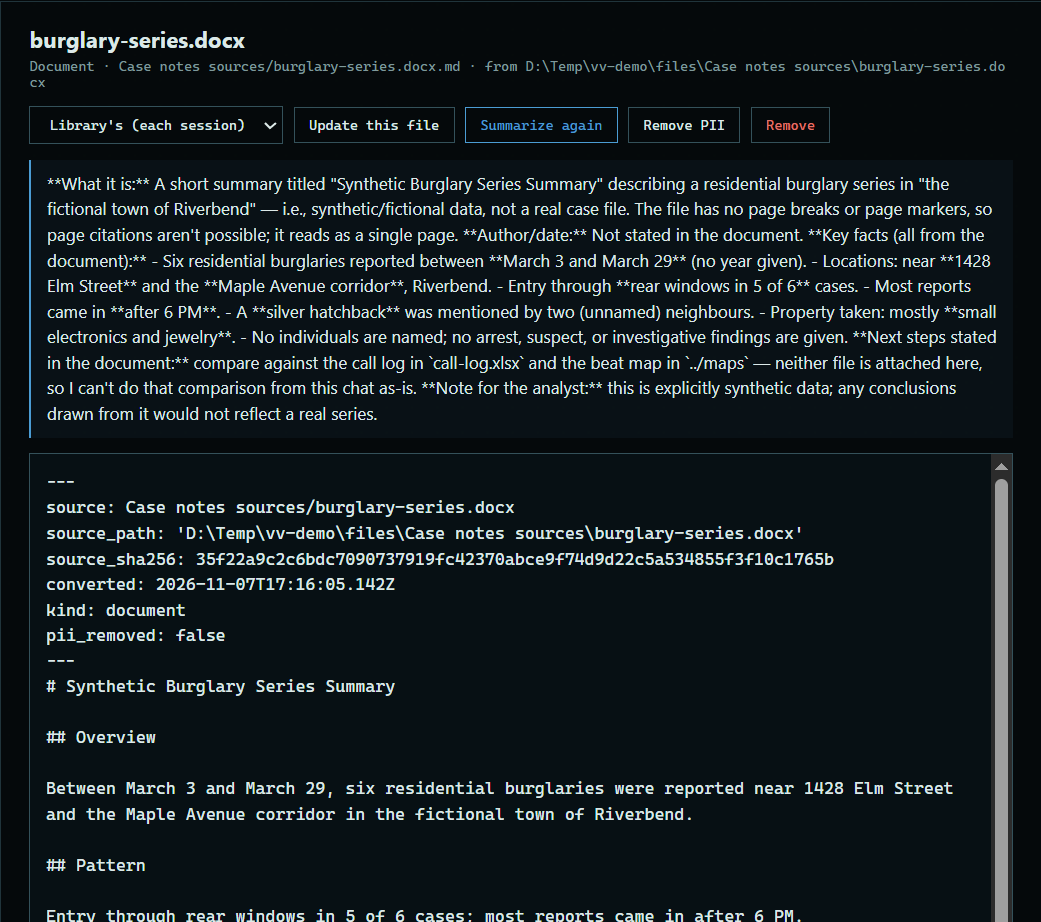
2. Summarize it
Press Summarize to have the model write a short summary. It shows above the copy, and the assistant uses it to find the right document.
 Expand
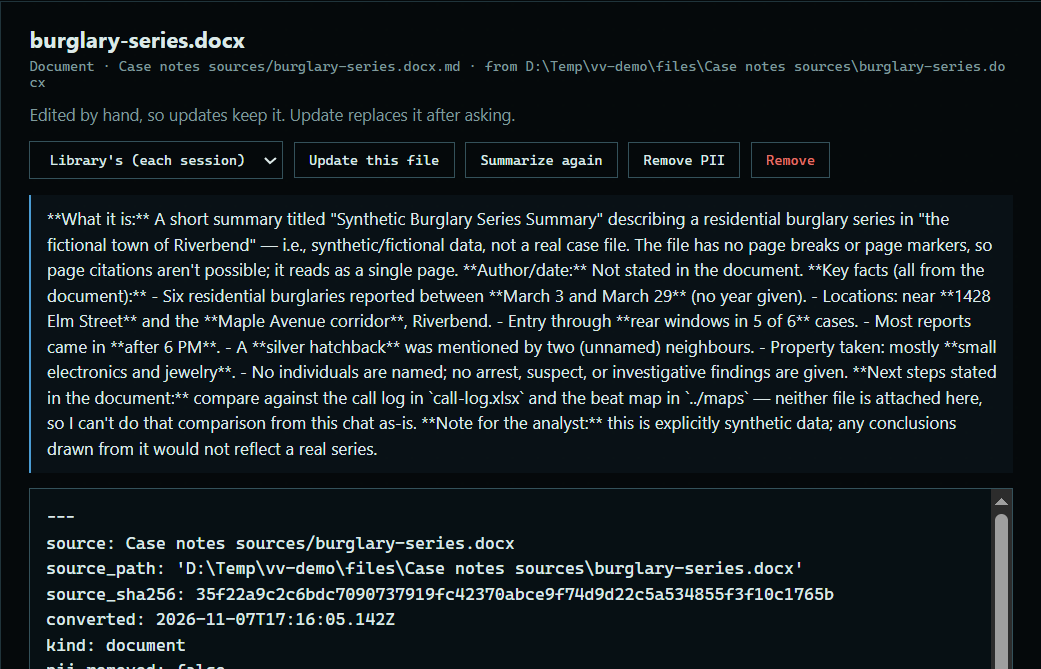
3. Edit the copy
Type in the copy, then press Save. It is marked as edited by hand.
 Expand
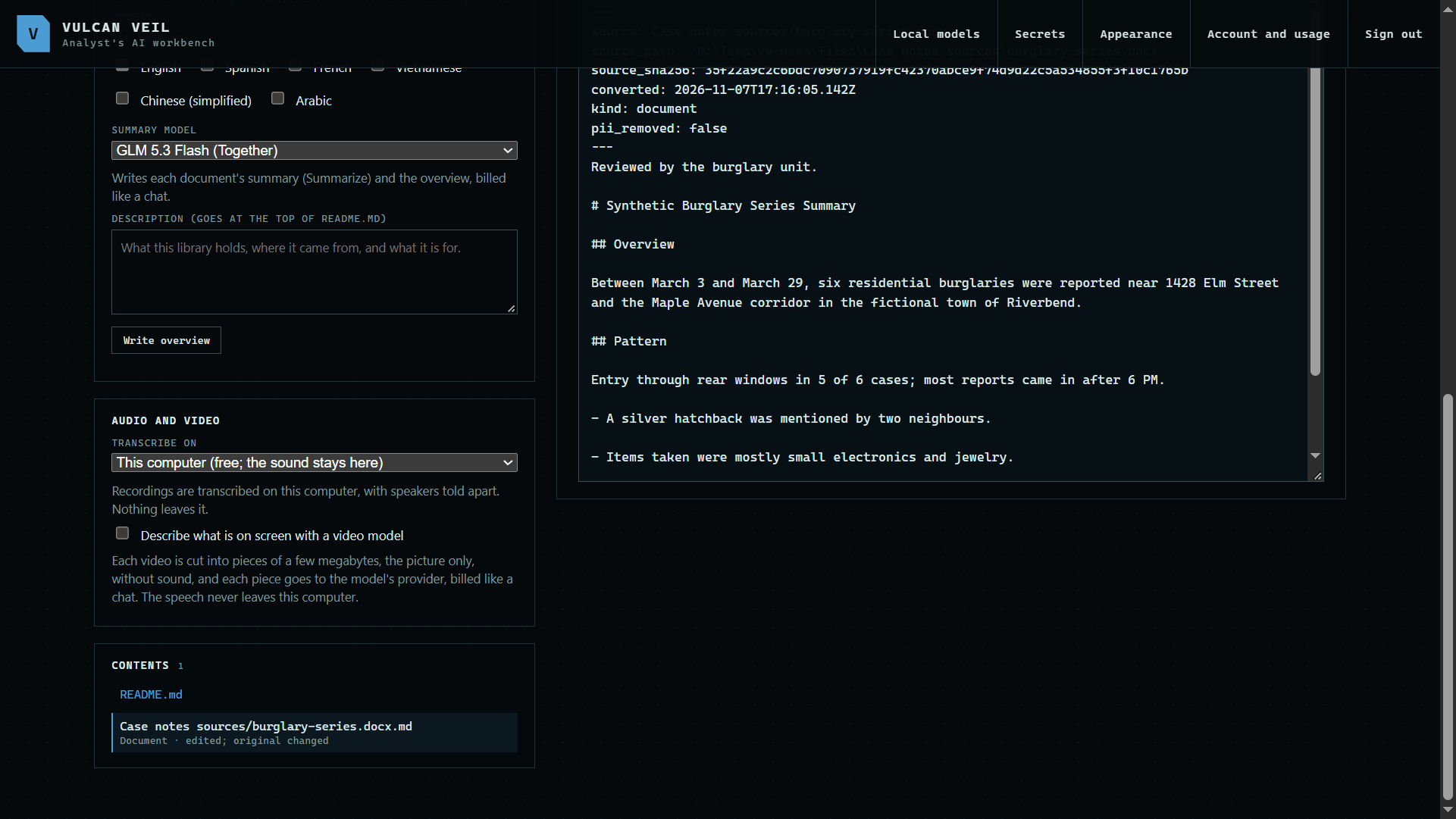
4. When the original changes
Press Update, and an edited copy says its original has changed. Your edits stay until you press Update this file and agree to replace them.
 Expand
Good to know
- Summaries are billed like a chat. The model for them is under Settings.